What it is
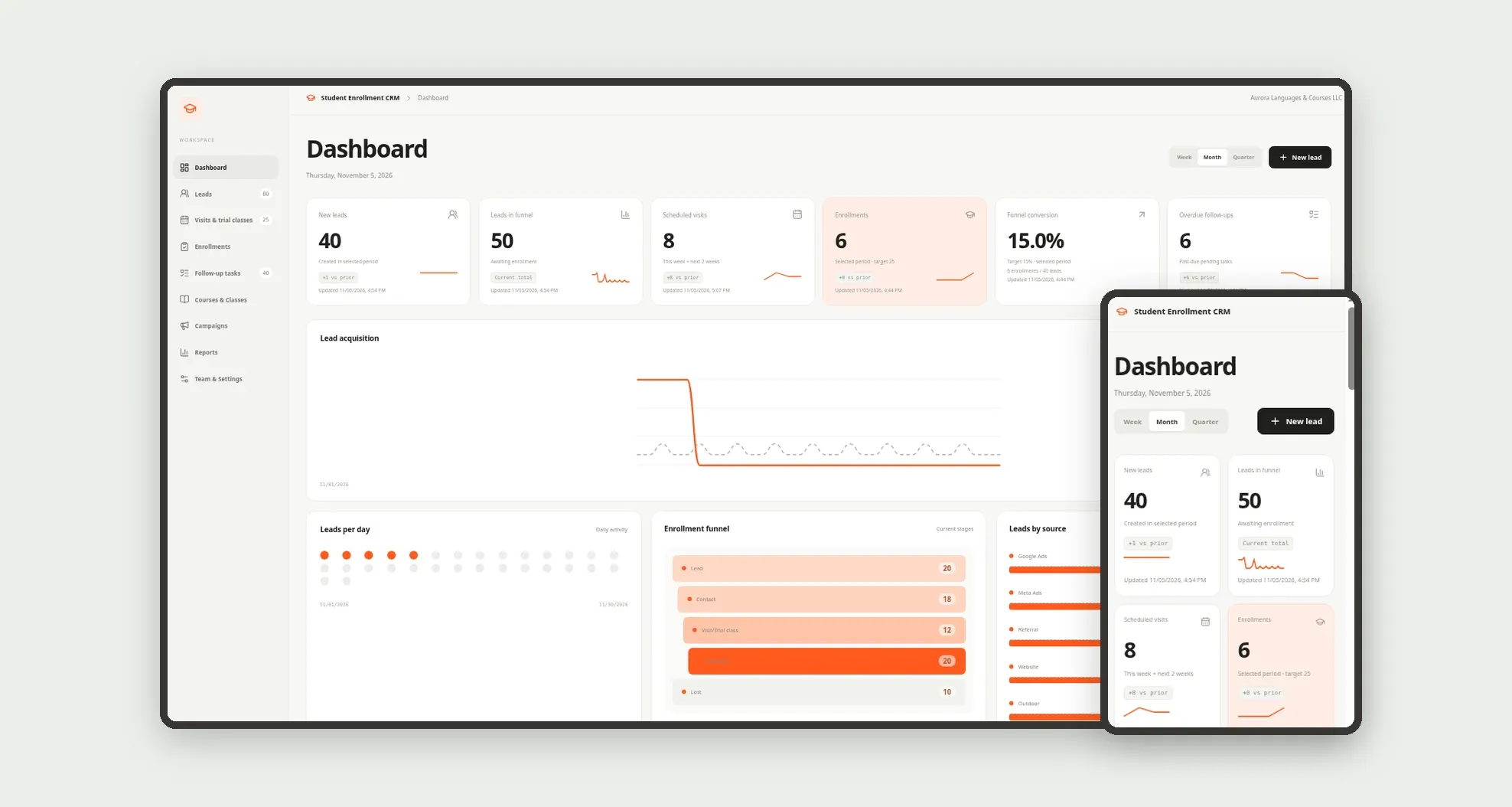
A commercial student-recruitment CRM for schools, language centers and courses: leads arrive with a source and campaign, move through the funnel to enrollment or loss, with visits, trial classes and follow-up tasks. The dashboard shows conversion, sources, upcoming visits, monthly enrollments and lost reasons.
Who it's for
- Language schools and continuing-education programs
- Sales coordinators and enrollment counselors
- Front desk teams that log leads and appointments
- Managers tracking campaigns and class occupancy
- Teams leaving WhatsApp and spreadsheets behind
What you can do
- Log leads with source, campaign and course of interest
- Move the funnel: Lead, Contact, Visit/Trial class, Enrolled or Lost
- Schedule visits and trial classes with an outcome
- Enroll students with course, class, fees and payment method
- Create and complete follow-up tasks with an SLA
- Track campaigns, class seats and lost reasons
- See funnel conversion, leads by source and monthly enrollments on the dashboard
- Work on mobile with a bottom bar for leads, visits and enrollments
App features
Student Enrollment CRM
The Student Enrollment CRM screen covers this part of the operation.
How it works
A lead enters with a source and owner. Contact creates follow-up tasks.
Scheduling a visit or trial class advances the stage; enrolling fills a class seat and updates campaign counters.
If the lead is lost, the reason is stored for reporting.
How to set up this template
- 1Click Use App
Create your Jestor account and install Student Enrollment CRM. It works on desktop and mobile.
- 2A lead enters with a source and owner.
A lead enters with a source and owner.
- 3Contact creates follow-up tasks.
Contact creates follow-up tasks.
- 4Scheduling a visit or trial class advances the stage; enrolling
Scheduling a visit or trial class advances the stage; enrolling fills a class seat and updates campaign counters.
Integrations and customization
Works on desktop and mobile. Targets, follow-up SLA, courses, classes and campaign channels adapt without code. No external integrations ship ready; email and messaging stay with the team.
- Adjust fields, categories, statuses and rules without code.
- Add screens, reports and automations as the operation needs them.
And that's just the start: you can edit any part of this template and go much further just by asking Jestor's AI. Describe what you need, like a new field, automation, report or integration, and the AI builds or adjusts it for you, no code required.
Frequently asked questions
Can we use it only on mobile?
Yes. The bottom bar covers Dashboard, Leads, Visits, Enrollments and More, designed for counselors in the field.
Is the funnel fixed?
Default stages are Lead, Contact, Visit/Trial class, Enrolled and Lost. Lost reasons and sources ship as editable lists on the tables.
Do campaigns update by themselves?
When sample data is loaded and when you enroll through the app, campaign lead/enrollment counters and class seats are saved by the app.
Is there sample data?
Yes. A step screen loads settings, team, courses, classes, campaigns, leads, visits, enrollments, tasks and history at defined sizes.