What it is
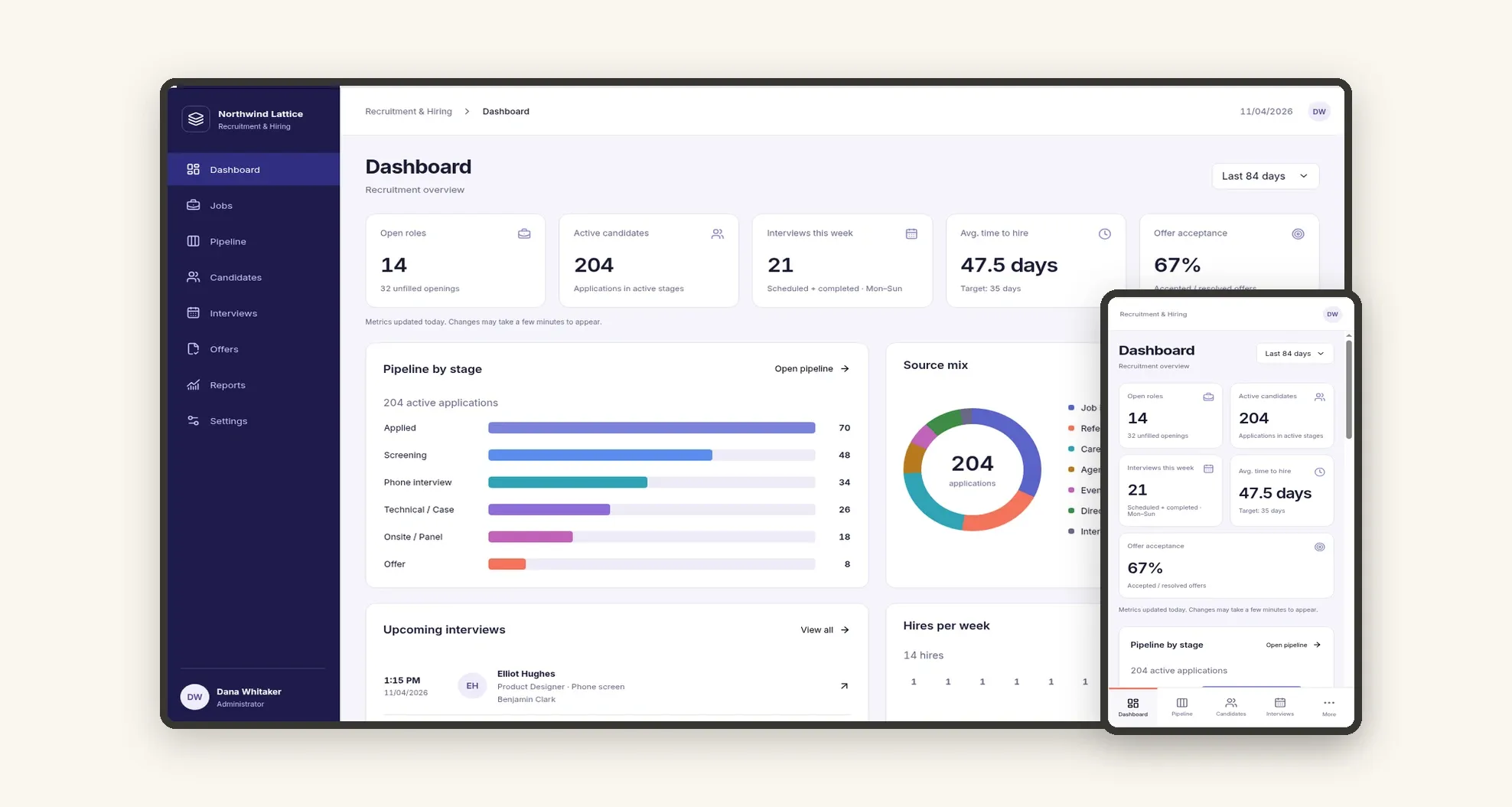
A recruitment and hiring system for companies to organize job openings, track candidates through a stage-by-stage pipeline and schedule interviews. It brings together a metrics dashboard, offers and reports on time to hire and candidate sources in one place, on desktop and mobile.
Who it's for
- HR and talent acquisition teams
- Recruiters running several openings at the same time
- Hiring managers who take part in interviews and hiring decisions
- Growing companies that want to move recruiting out of spreadsheets
- Recruiting agencies that follow hiring processes for their clients
What you can do
- Create jobs with department, hiring manager, recruiter, location, target date and status, and see applicants and active candidates per job
- Move applications through a visual pipeline with stages such as Applied, Screening, Phone interview, Technical / Case, Onsite / Panel and Offer
- Keep a candidate database with current role, company, location, source and status
- Open each candidate profile with a timeline, applications, scorecards and files
- Schedule and follow interviews in a daily agenda, and track which ones still need feedback
- Record offers with base salary, start date, status and days waiting, from draft to accepted
- Follow open roles, active candidates, interviews this week, average time to hire and offer acceptance on the dashboard
- Analyze reports on time to hire by department, stage conversion, source effectiveness, interviewer activity and offers by status
App features
Dashboard
The dashboard and reports show job progress, time to hire and where hires come from.
Jobs
Create jobs with department, hiring manager, recruiter, location, target date and status, and see applicants and active candidates per job.
Pipeline
Applications enter the pipeline at the Applied stage, with their source recorded.
Candidates
Approved candidates receive an offer, and an accepted offer marks the hire.
Interviews
Schedule and follow interviews in a daily agenda, and track which ones still need feedback.
Offers
Record offers with base salary, start date, status and days waiting, from draft to accepted.
Reports
The dashboard and reports show job progress, time to hire and where hires come from.
Settings
The Settings screen covers this part of the operation.
How it works
The recruiter opens a job and sets the department, hiring manager and number of openings. Applications enter the pipeline at the Applied stage, with their source recorded.
The team moves each candidate through the stages, schedules interviews and submits scorecards. Approved candidates receive an offer, and an accepted offer marks the hire.
The dashboard and reports show job progress, time to hire and where hires come from.
How to set up this template
- 1Click Use App
Create your Jestor account and install Recruitment & Hiring. It works on desktop and mobile.
- 2The recruiter opens a job and sets the department
The recruiter opens a job and sets the department, hiring manager and number of openings.
- 3Applications enter the pipeline at the Applied stage
Applications enter the pipeline at the Applied stage, with their source recorded.
- 4The team moves each candidate through the stages
The team moves each candidate through the stages, schedules interviews and submits scorecards.
Integrations and customization
The template works on desktop and mobile and can be adapted without code.
- Works on desktop and mobile, with bottom navigation for Dashboard, Pipeline, Candidates and Interviews.
- Light and dark mode following the Jestor theme.
- You can adapt pipeline stages, departments, sources and table fields without code.
And that's just the start: you can edit any part of this template and go much further just by asking Jestor's AI. Describe what you need, like a new field, automation, report or integration, and the AI builds or adjusts it for you, no code required.
Frequently asked questions
Can I track several jobs at the same time?
Yes. Each job has its own applicants, and the jobs list can be filtered by status and department.
Can I see how long it takes to hire?
Yes. The dashboard shows the average time to hire, and the reports break it down by department.
Can I see which sources bring the most hires?
Yes. The source effectiveness report shows applications, hires and the hire rate for each source.
Does it work on mobile?
Yes. The mobile version has the dashboard and shortcuts to the pipeline, candidates and interviews.
Is the sample data real?
No. All jobs, candidates and interviews are fictitious and serve only as examples.