What it is
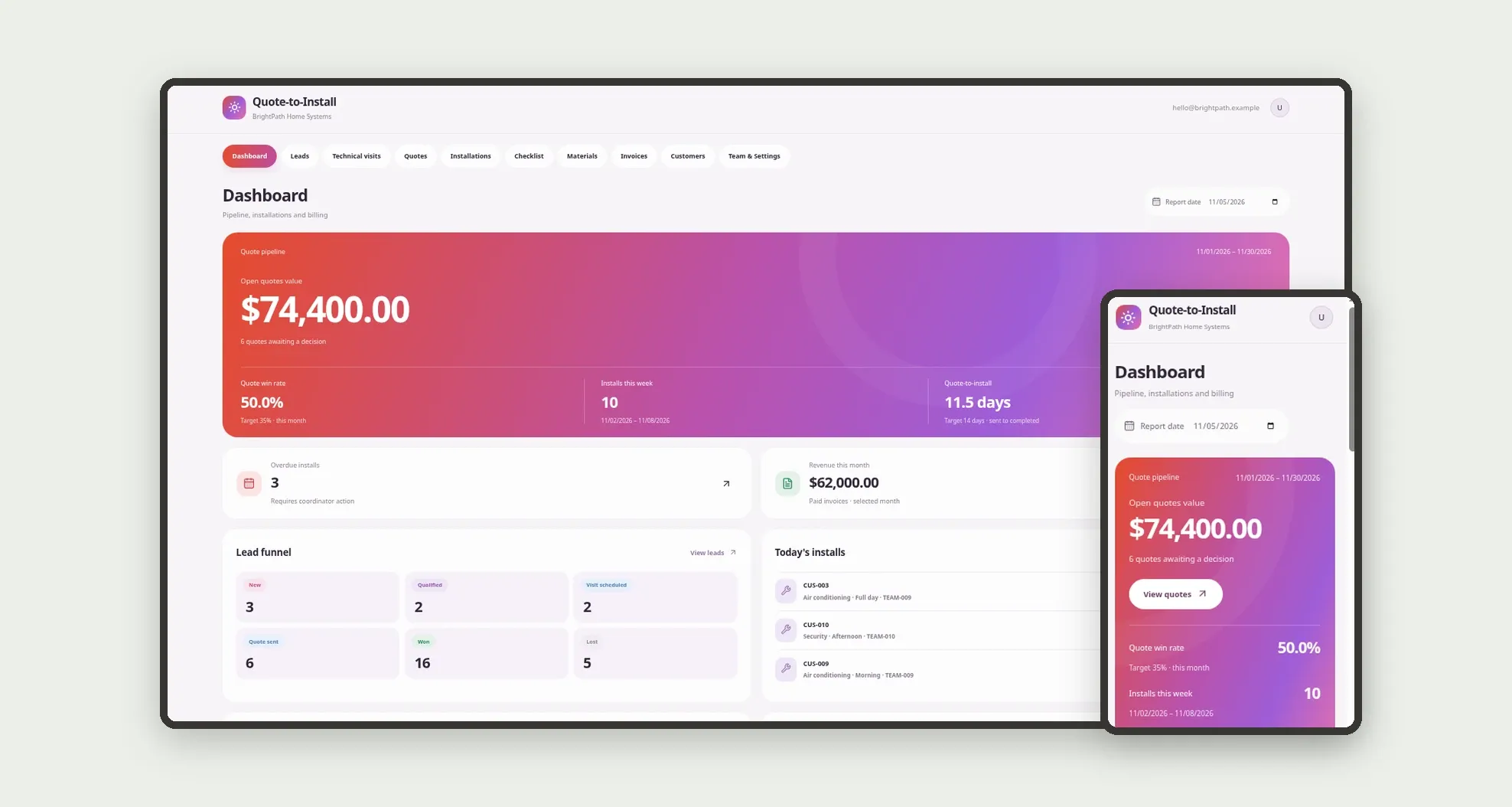
Quote-to-install management for solar, HVAC, air conditioning, security and glazing: lead, technical visit, quote with materials and labor, customer approval, crew schedule, photo checklist and invoice. The dashboard shows open quote value, win rate, installs this week and revenue this month.
Who it's for
- Solar and climate-control companies
- HVAC, air conditioning and electronic security providers
- Glazing shops and field installers
- Sales and estimators who close proposals
- Install coordinators and field crews
- Finance teams tracking deposits and balances
What you can do
- Qualify leads and schedule technical visits with notes and photos
- Build quotes with material and labor line items
- Send the proposal and record customer approval or decline
- Schedule the install with crew, window and material reservation
- Walk the mobile checklist with photos per step
- Capture completion sign-off and release the invoice
- Track open quote value, win rate and overdue installs
- See revenue this month and average days from quote to install
App features
Quote-to-Install
The Quote-to-Install screen covers this part of the operation.
How it works
A lead becomes a technical visit. After the visit, the estimator builds the proposal with line items.
The customer approves on the glass screen, the install is scheduled, materials are reserved and the installer finishes the checklist with photos.
The invoice tracks deposit and balance through payment.
How to set up this template
- 1Click Use App
Create your Jestor account and install Quote-to-Install. It works on desktop and mobile.
- 2A lead becomes a technical visit.
A lead becomes a technical visit.
- 3After the visit
After the visit, the estimator builds the proposal with line items.
- 4The customer approves on the glass screen
The customer approves on the glass screen, the install is scheduled, materials are reserved and the installer finishes the checklist with photos.
Integrations and customization
Works on desktop and mobile. Win-rate and lead-time targets, service types and team roles adapt without code. No external payment integration is bundled; quoting, install, checklist and invoicing run inside the app.
- Adjust fields, categories, statuses and rules without code.
- Add screens, reports and automations as the operation needs them.
And that's just the start: you can edit any part of this template and go much further just by asking Jestor's AI. Describe what you need, like a new field, automation, report or integration, and the AI builds or adjusts it for you, no code required.
Frequently asked questions
Can installers use it on a phone?
Yes. The bottom bar covers Dashboard, Quotes, Installs, Checklist and More, with a checklist built for marking steps and attaching photos.
How does the customer approve a quote?
The approval screen uses Vibrant Glass style: a gradient hero, a glass card with the final amount and lines, and white pills to approve or decline. Approval stores the date and creates the installation.
What is on the install checklist?
Ordered steps (check materials, mount, tests, cleanup, final photos and sign-off). Each step has a status and can hold a photo; completion percent is stored on the installation.
Does it include sample data?
Yes. The template ships with settings, team, customers, leads, visits, quotes, line items, materials, installations, checklist items, invoices and history already loaded.