What it is
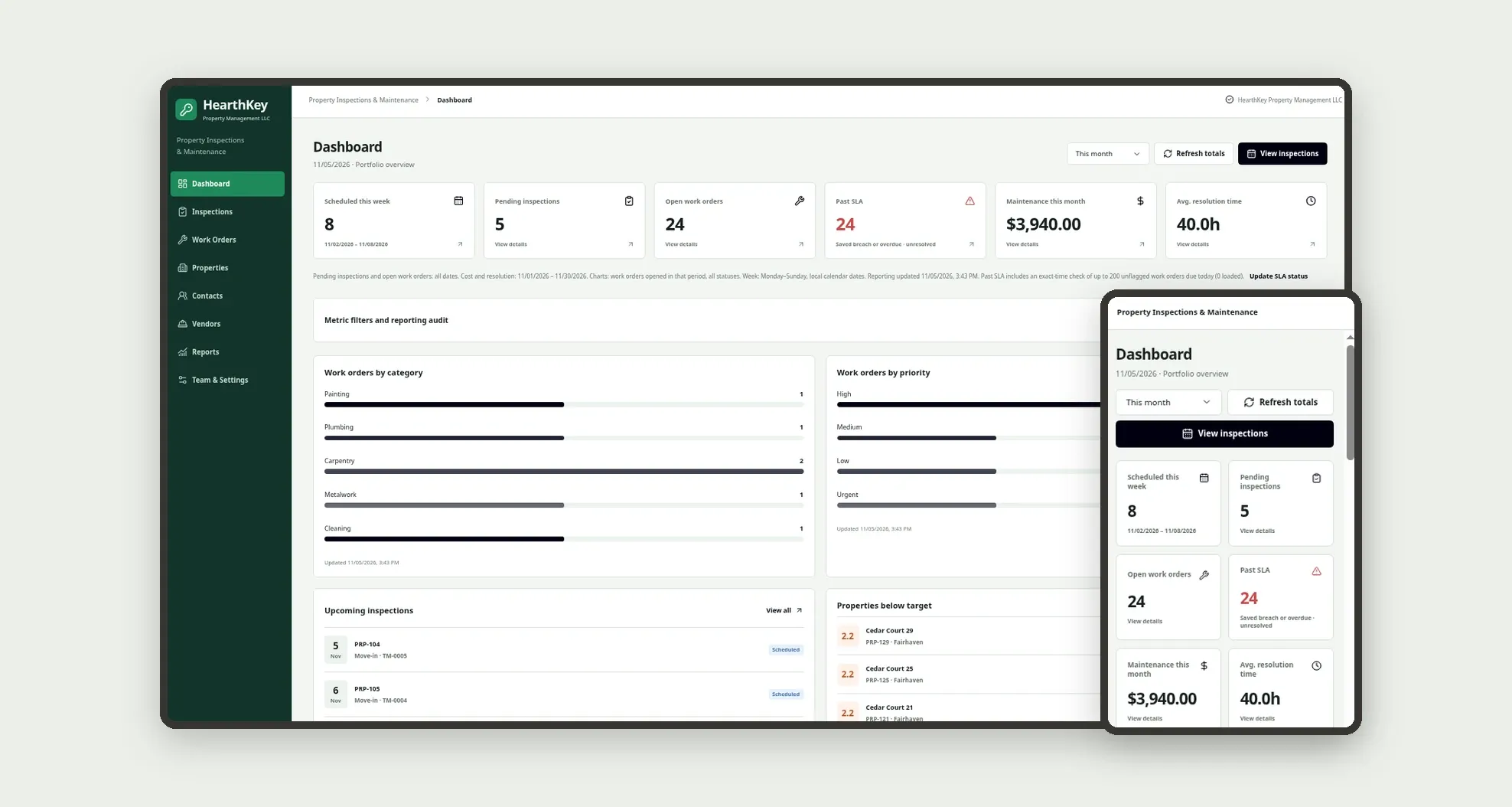
A system for property managers and HOA management companies to run move-in, move-out, and routine inspections on a phone, room by room, with condition ratings and photos. Every issue found becomes a maintenance work order with priority, SLA due time, assignee, and cost, and the dashboard shows pending inspections, past-SLA work orders, and monthly spend.
Who it's for
- Property management companies and leasing agencies
- HOA and community association managers
- Field inspectors working from a phone
- Portfolio managers who oversee properties and owners
- Maintenance teams and vendor partners
What you can do
- Schedule move-in, move-out, routine, and special inspections
- Run inspections on a phone by room and item, with condition, score, note, and photo
- Compare move-in and move-out condition for the same property
- Track pending tenant and owner signatures
- Create work orders straight from problem items or from tenant requests
- Assign work orders to in-house technicians or vendors, with SLA by priority
- Record actual cost and who is billed for each repair
- See on the dashboard this week's inspections, pending items, past-SLA work orders, monthly cost, and average resolution time
App features
Property Inspections & Maintenance
The Property Inspections & Maintenance screen covers this part of the operation.
How it works
A manager schedules the inspection. The inspector opens it on a phone, walks each room, and rates every item.
Poor or damaged items become work orders with a due time based on priority.
The work order moves through triage, assignment, and execution until resolved, and the property cost and score update.
How to set up this template
- 1Click Use App
Create your Jestor account and install Property Inspections & Maintenance. It works on desktop and mobile.
- 2A manager schedules the inspection.
A manager schedules the inspection.
- 3The inspector opens it on a phone
The inspector opens it on a phone, walks each room, and rates every item.
- 4Poor or damaged items become work orders with a due time based
Poor or damaged items become work orders with a due time based on priority.
Integrations and customization
The template works on desktop and mobile and can be adapted without code.
- Works on desktop and mobile, with an inspection screen built for field use
- Light and dark mode following the Jestor theme
- SLA hours per priority editable in Settings, no code
- Rooms, items, categories, and statuses can be adapted to your operation
And that's just the start: you can edit any part of this template and go much further just by asking Jestor's AI. Describe what you need, like a new field, automation, report or integration, and the AI builds or adjusts it for you, no code required.
Frequently asked questions
Can I inspect from my phone?
Yes. The execution screen shows one card per room with large buttons to set each item's condition.
How is the SLA calculated?
Each priority has a number of hours in Settings, added to the work order's open time.
Can a work order come from an inspection?
Yes. Poor or damaged items can create a work order already linked to the property and item.
Can I track who pays for a repair?
Yes. When resolving you enter the actual cost and whether it is billed to the owner, the tenant, or management.
Does it include sample data?
Yes. A sample data screen loads records in steps so you can explore the system.