What it is
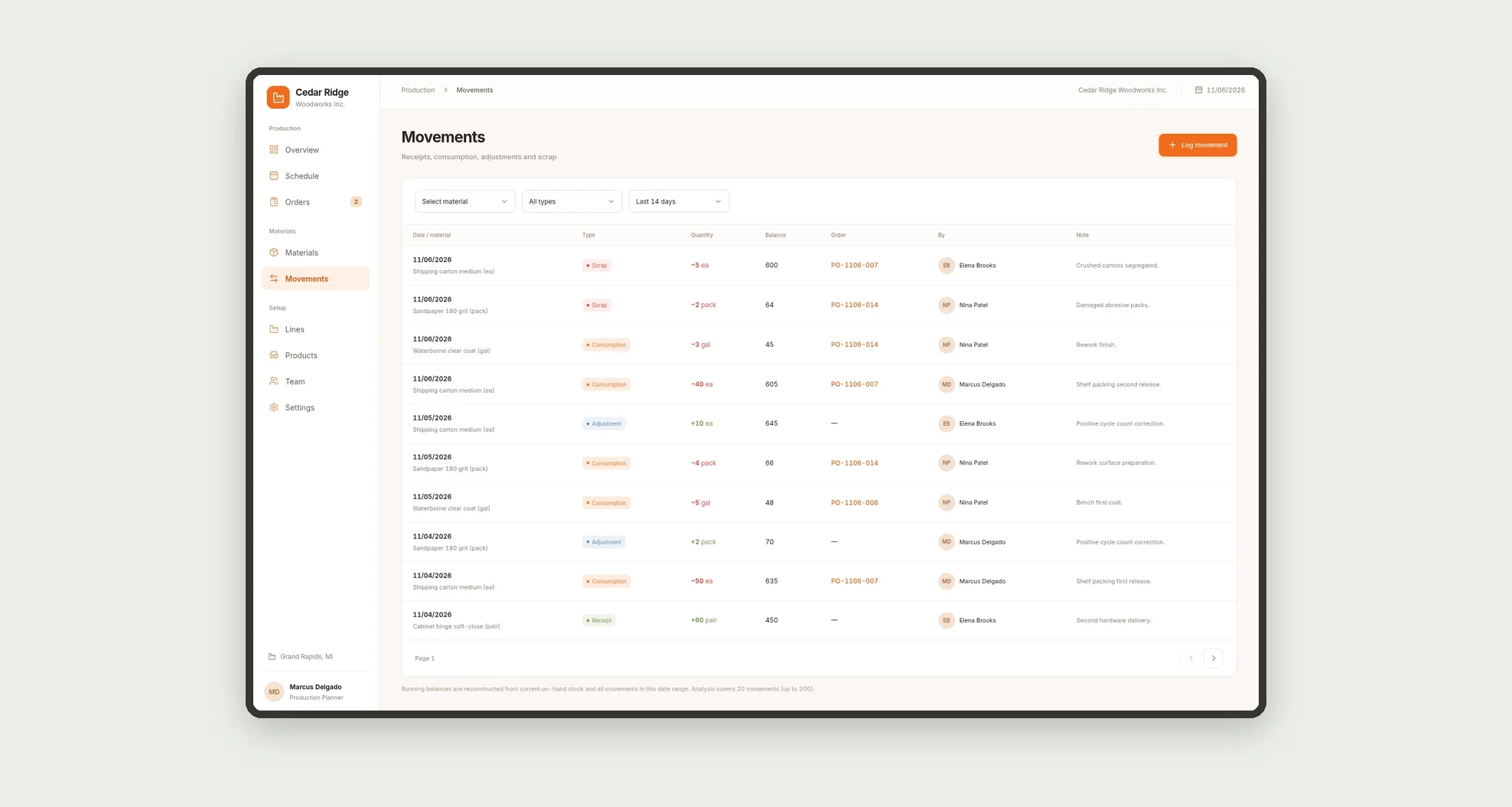
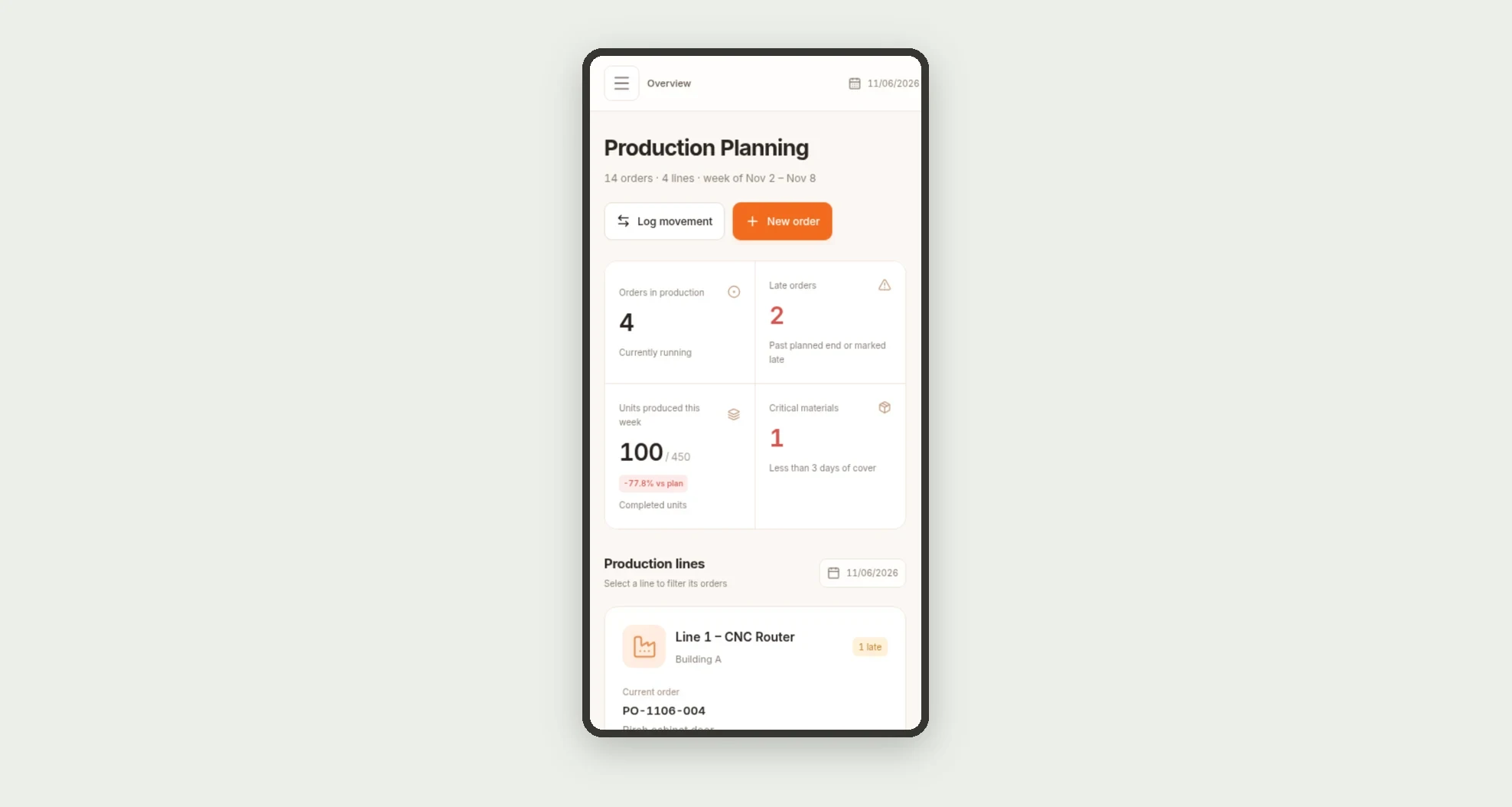
A production planning app for scheduling orders by line, tracking capacity load and produced versus planned output. Manage materials with days of cover, reorder points, and receipt, consumption, and scrap movements.
Who it's for
- Small and medium-sized manufacturers.
- Production planning teams.
- Line and shop floor supervisors.
- Warehouse teams managing materials.
What you can do
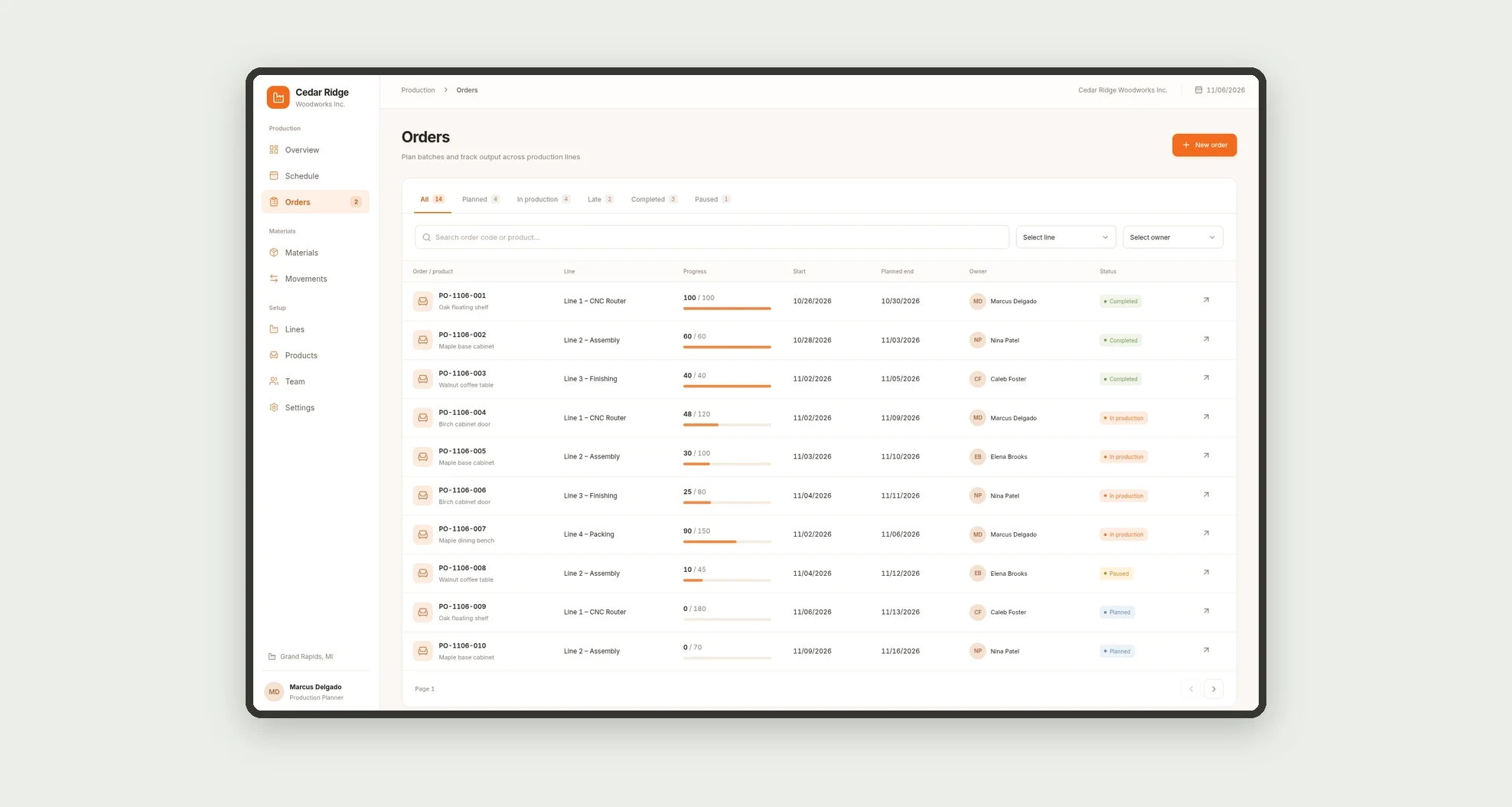
- Create production orders by product, line, and owner.
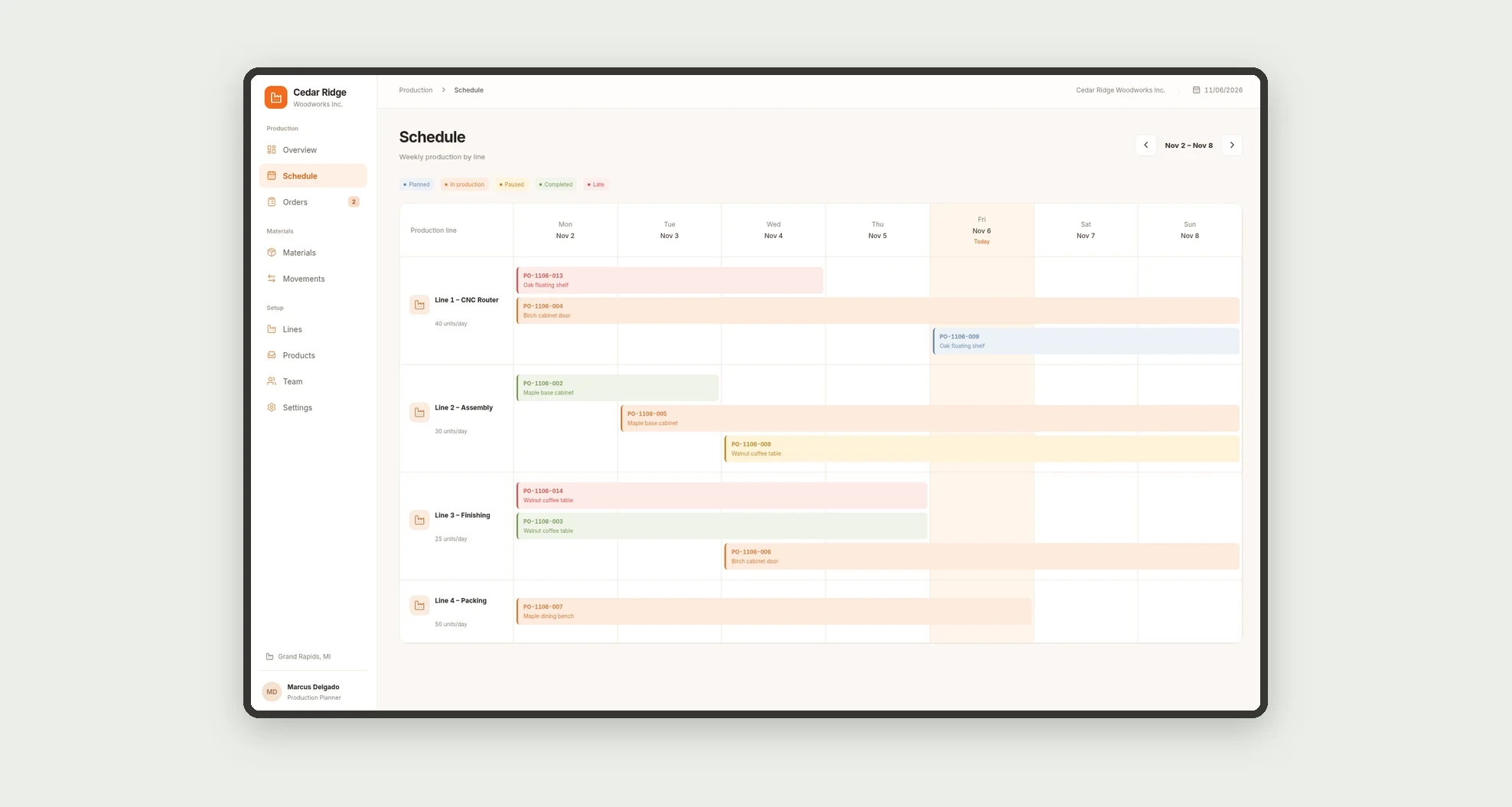
- Review the weekly schedule of orders on each line.
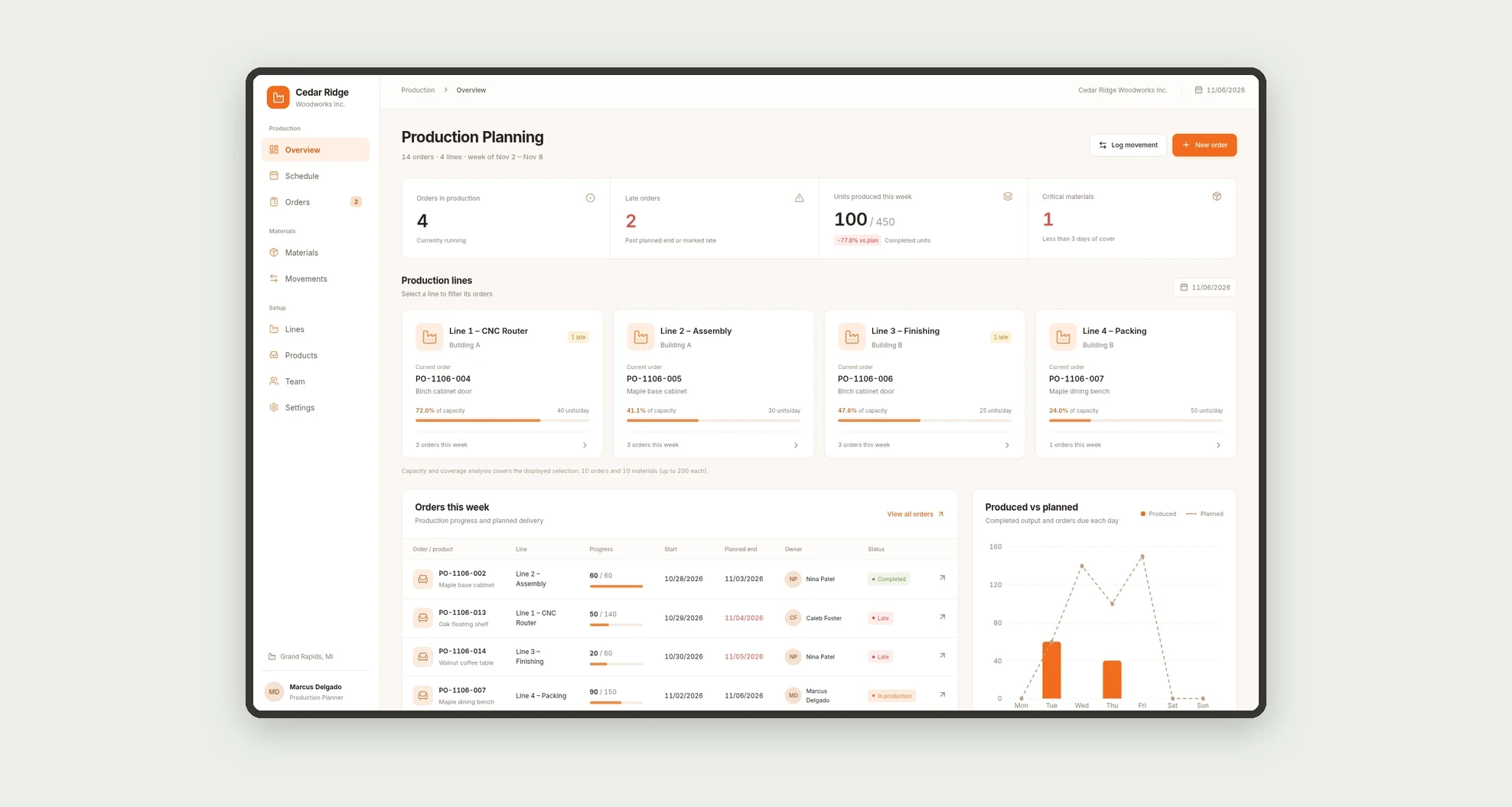
- Track capacity load for each line.
- Spot late, paused, and completed orders.
- Compare units produced with the plan.
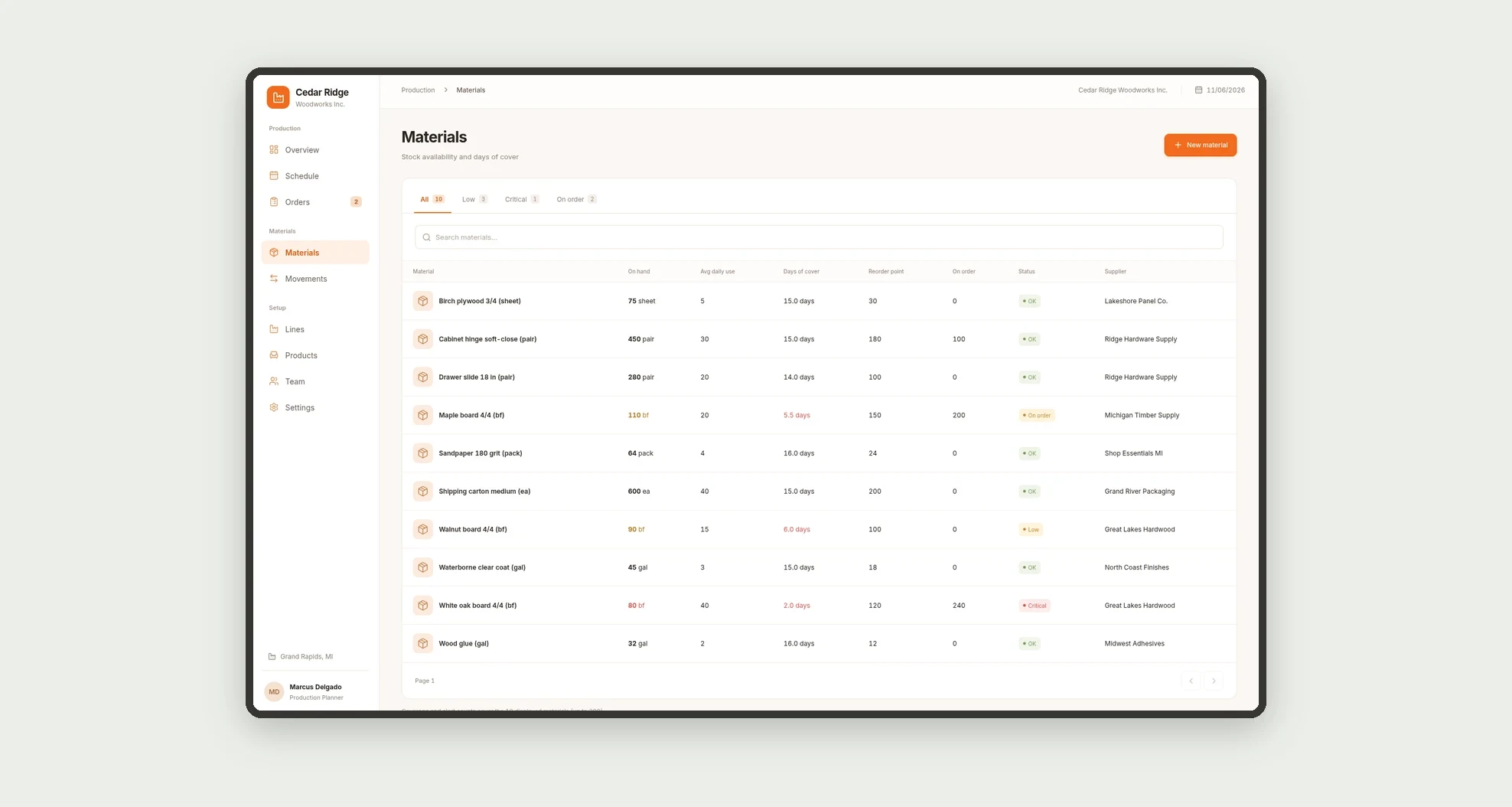
- Review on-hand stock, average daily use, and days of cover for materials.
- Log material receipts, consumption, adjustments, and scrap.
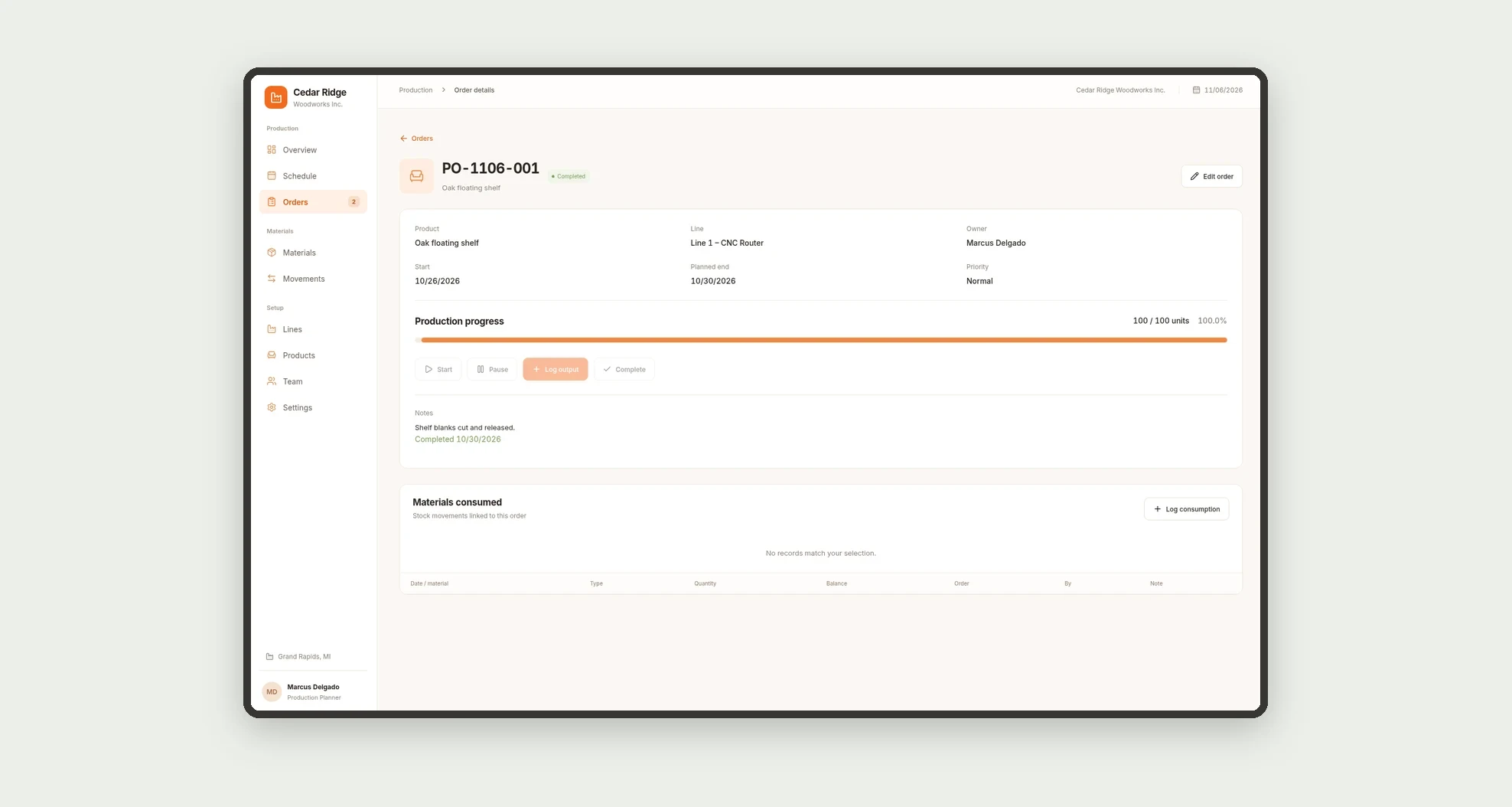
- See the materials consumed by each order.
App features
Production Planning
The Production Planning screen covers this part of the operation.
How it works
Set up lines with daily capacity, products, and materials.
Create an order with a product, line, quantity, and dates, then log output as work progresses.
Material movements update the coverage view and show what needs to be reordered.
How to set up this template
- 1Click Use App
Create your Jestor account and install Production Planning. It works on desktop and mobile.
- 2Set up lines with daily capacity
Set up lines with daily capacity, products, and materials.
- 3Create an order with a product
Create an order with a product, line, quantity, and dates, then log output as work progresses.
- 4Material movements update the coverage view and show what needs
Material movements update the coverage view and show what needs to be reordered.
Integrations and customization
The design supports desktop and mobile use. Lines, products, materials, statuses, and coverage alerts can be adapted to the operation. No required ERP or machine integration is included in this template.
- Adjust fields, categories, statuses and rules without code.
- Add screens, reports and automations as the operation needs them.
And that's just the start: you can edit any part of this template and go much further just by asking Jestor's AI. Describe what you need, like a new field, automation, report or integration, and the AI builds or adjusts it for you, no code required.
Frequently asked questions
How is line load calculated?
From the quantity still to be produced on the week's orders, compared with the line's daily capacity.
When is an order late?
When its planned end date has passed and it is not completed.
How do days of cover work?
Current stock is divided by the material's average daily use.
Can I log scrap?
Yes. Scrap and consumption can be linked to a production order.
Are the examples real?
No. Sample companies, people, and operations are fictitious.