What it is
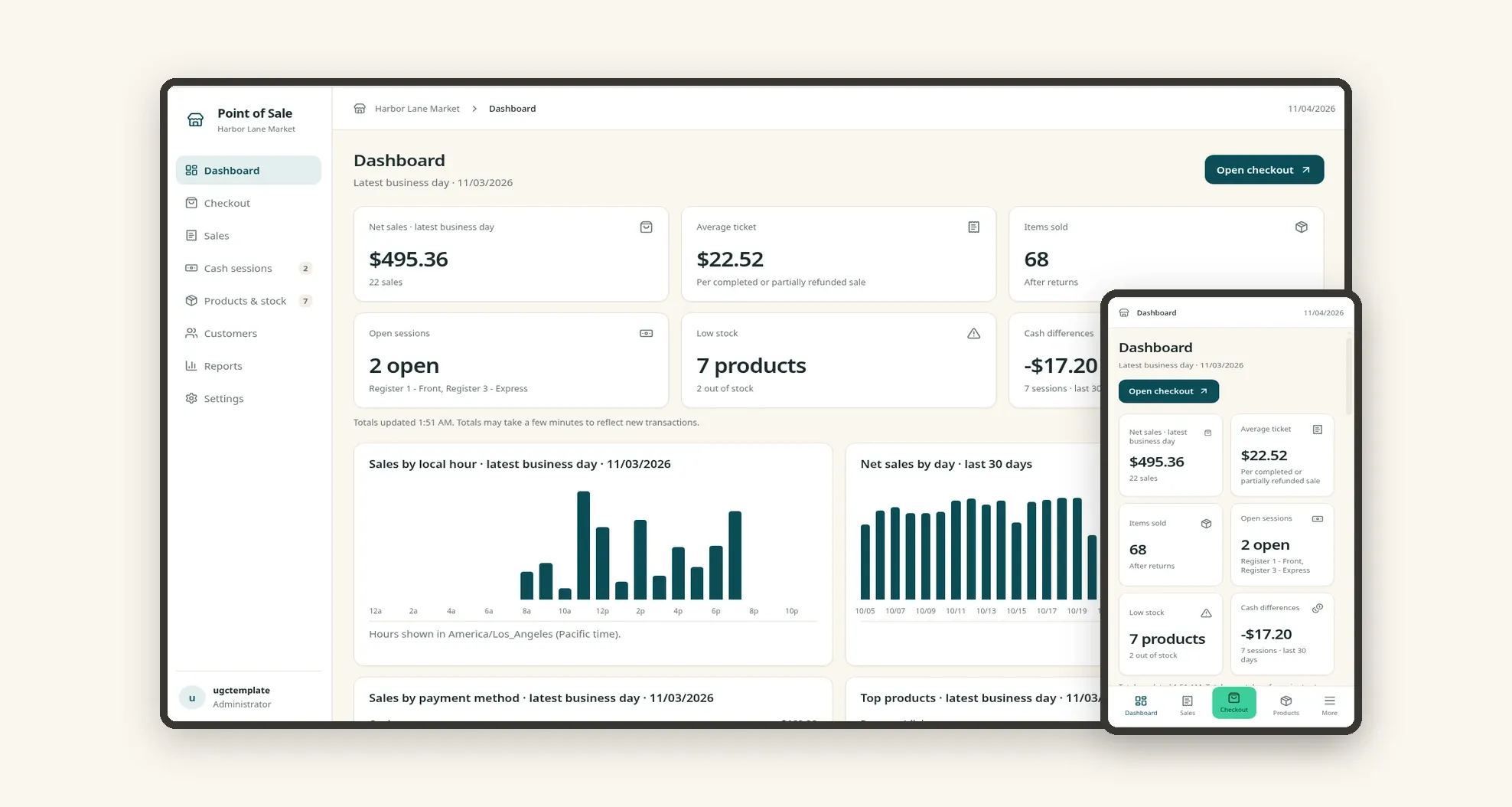
A point of sale (POS) system for neighborhood markets and shops to ring up sales at the counter, open and close cash sessions per register and track stock in real time. It brings the dashboard, sales, customers and reports together in one place, on desktop and mobile.
Who it's for
- Markets, grocery stores and convenience stores
- Bakeries, coffee bars and shops with counter sales
- Managers who need to follow several registers at once
- Cashiers who need a fast screen to sell
- Owners who want net sales, average ticket and stock on one dashboard
What you can do
- Ring up sales by searching products by name, SKU or barcode and building the cart with quantity and discount
- Open and close cash sessions, record cash drops and pay-ins and review the cash difference at close
- Follow net sales, average ticket, items sold, open sessions and low stock on the dashboard
- See sales by hour, by day and by payment method (cash, card, mobile wallet, gift card)
- Browse sales history with filters by period, register, cashier and payment method, and open each sale's items, payments, returns and log
- Manage products and stock by category, with low stock and out of stock alerts
- Keep a customer list with visits, total spent and last purchase
- Analyze reports for net sales by day, merchandise sales by category, cash differences and gross margin
App features
Dashboard
The Dashboard screen covers this part of the operation.
Checkout
On Checkout, they search products, build the cart, pick the customer and take payment.
Sales
See sales by hour, by day and by payment method (cash, card, mobile wallet, gift card).
Cash sessions
Open and close cash sessions, record cash drops and pay-ins and review the cash difference at close.
Products & stock
The Products & stock screen covers this part of the operation.
Customers
The Customers screen covers this part of the operation.
Reports
The manager follows everything on the dashboard and in reports.
Settings
The Settings screen covers this part of the operation.
How it works
The cashier opens a cash session on a register with the starting cash. On Checkout, they search products, build the cart, pick the customer and take payment.
Stock is updated and the sale shows up on the dashboard and in sales history. At the end of the shift the session is closed and the difference between expected and counted cash is saved.
The manager follows everything on the dashboard and in reports.
How to set up this template
- 1Click Use App
Create your Jestor account and install Point of Sale. It works on desktop and mobile.
- 2The cashier opens a cash session on a register with the
The cashier opens a cash session on a register with the starting cash.
- 3On Checkout
On Checkout, they search products, build the cart, pick the customer and take payment.
- 4Stock is updated and the sale shows up on the dashboard and in
Stock is updated and the sale shows up on the dashboard and in sales history.
Integrations and customization
The template works on desktop and mobile and can be adapted without code.
- Works on desktop and mobile, with a bottom bar and a center button to open Checkout on the phone.
- Light and dark mode following the Jestor theme.
- You can adapt categories, products, registers, payment methods and table fields without code.
And that's just the start: you can edit any part of this template and go much further just by asking Jestor's AI. Describe what you need, like a new field, automation, report or integration, and the AI builds or adjusts it for you, no code required.
Frequently asked questions
Can I run more than one register at the same time?
Yes. Each register has its own cash session with cashier, open time and balance, and the dashboard shows how many are open.
Is stock updated by sales?
Yes. Each sale takes the items out of stock, and products running low are highlighted.
Can I see cash differences?
Yes. When a session is closed, the app saves the difference between expected and counted cash, and the dashboard shows the total for the last 30 days.
Can I sell from a phone?
Yes. The mobile version has the dashboard and a center button that opens Checkout.
Is the sample data real?
No. All products, customers and sales are fictional and are there only as examples.