What it is
An app for performance reviews and calibration at a group with several units and departments.
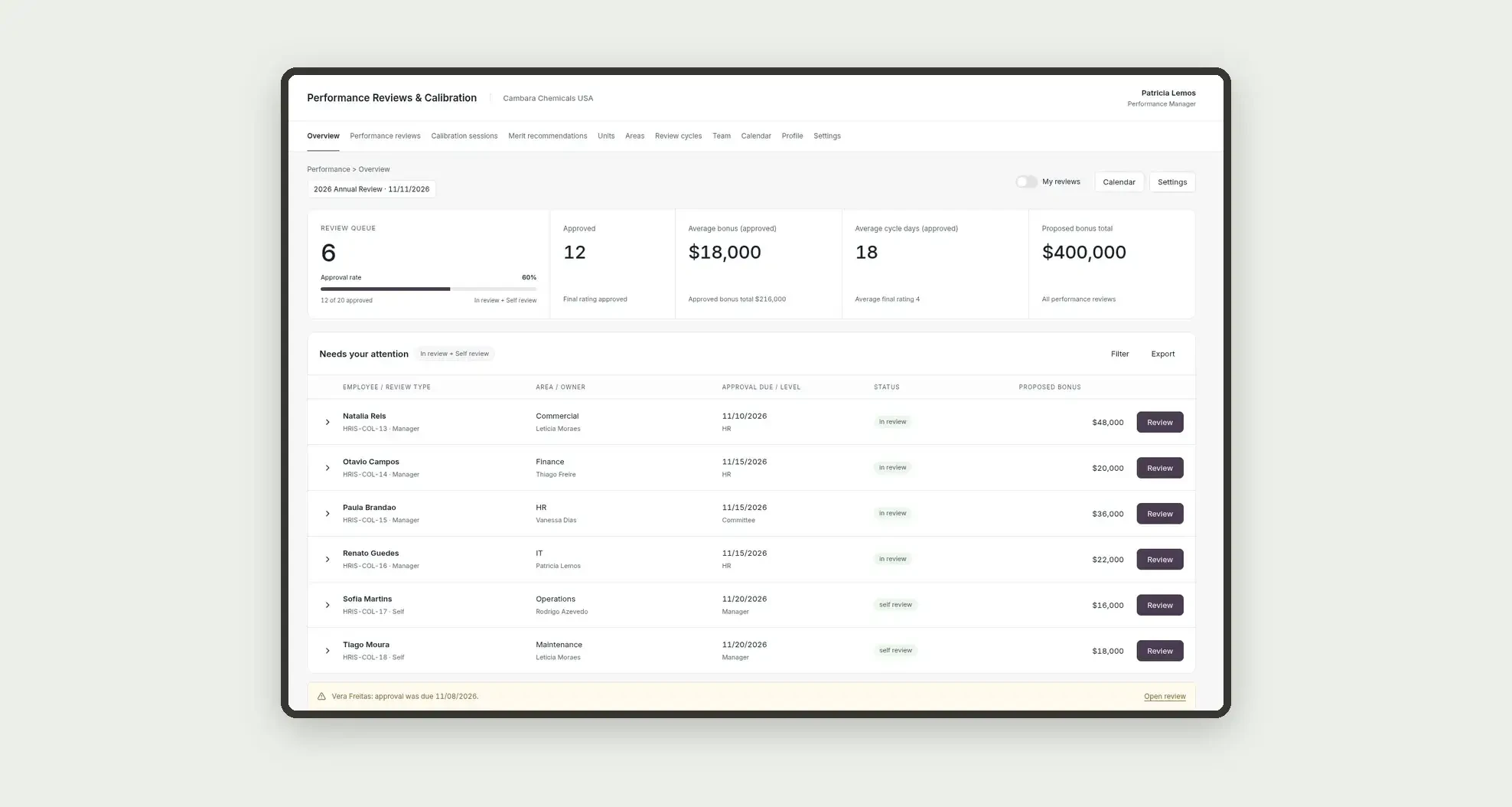
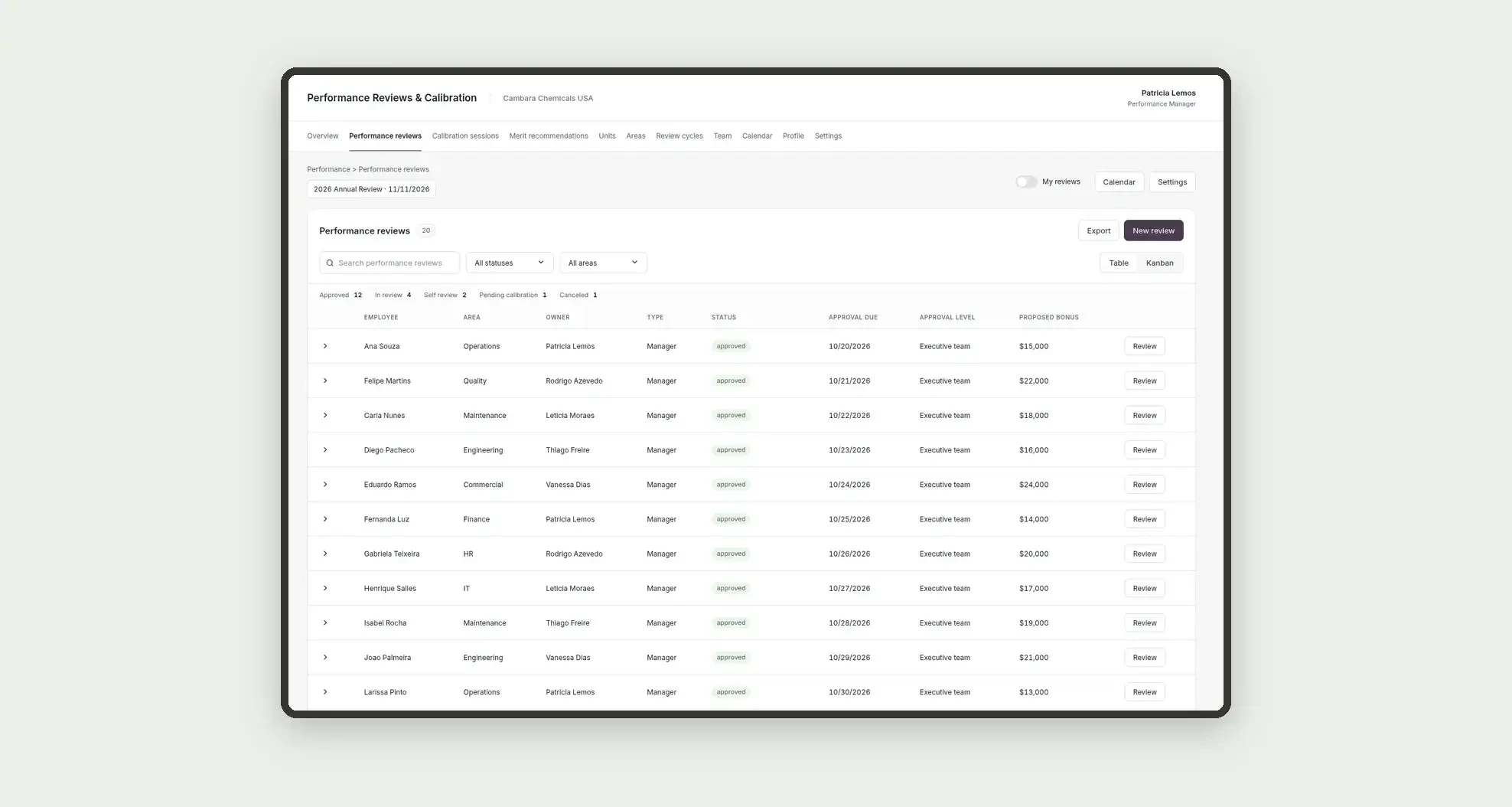
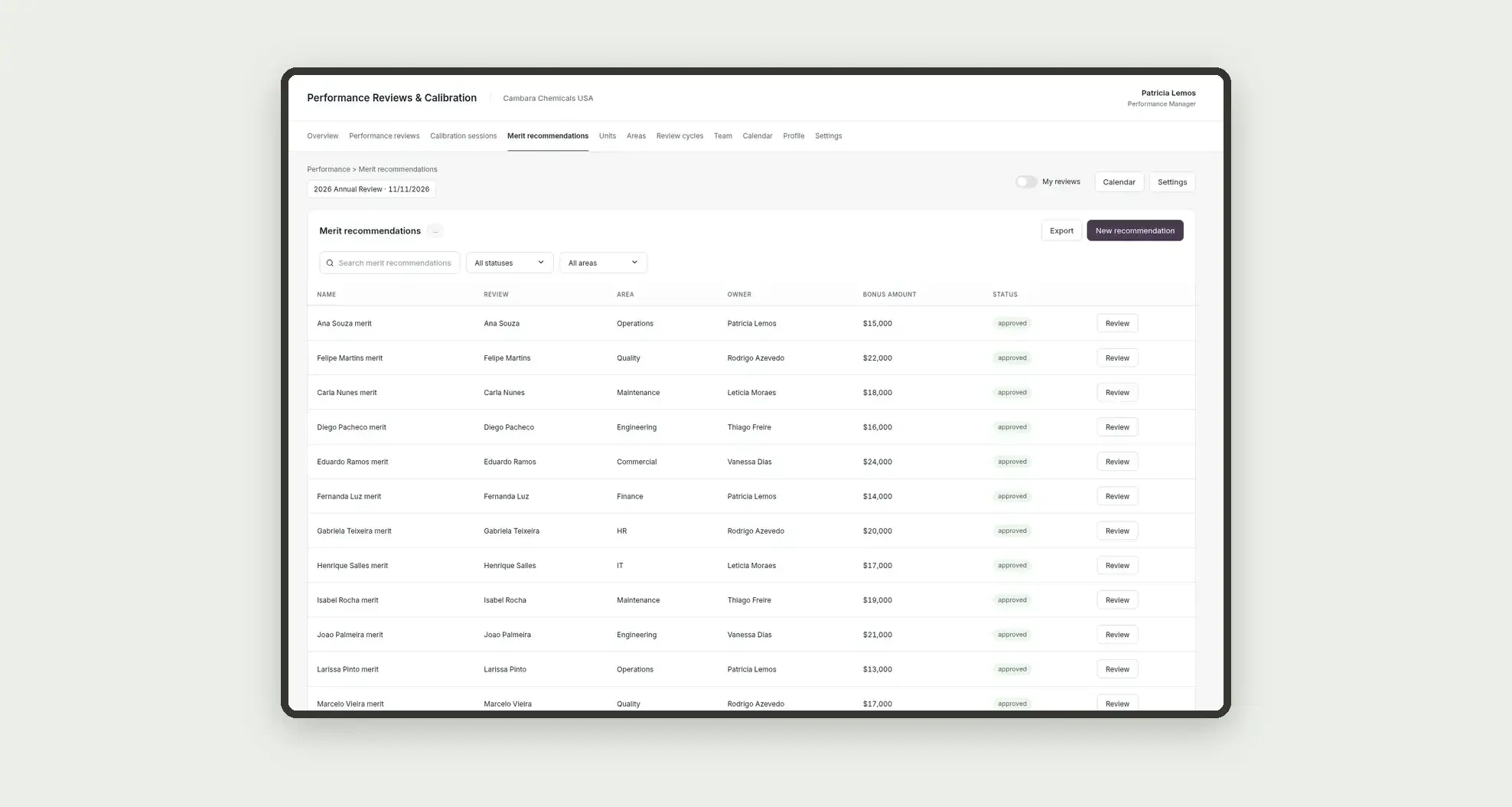
Organize review cycles, self, manager and peer evaluations, committee sessions with rating distribution versus the target curve, and merit recommendations with an approval chain through tables, a review queue, a calendar, and linked profiles.
Who it's for
- Groups with several units and departments and a formal review cycle
- Performance managers, HR business partners, and performance analysts
- Compensation analysts who prepare the merit and bonus recommendation
- Committee members who calibrate the final rating and the distribution versus the target curve
What you can do
- Register group units and departments with an HRIS code
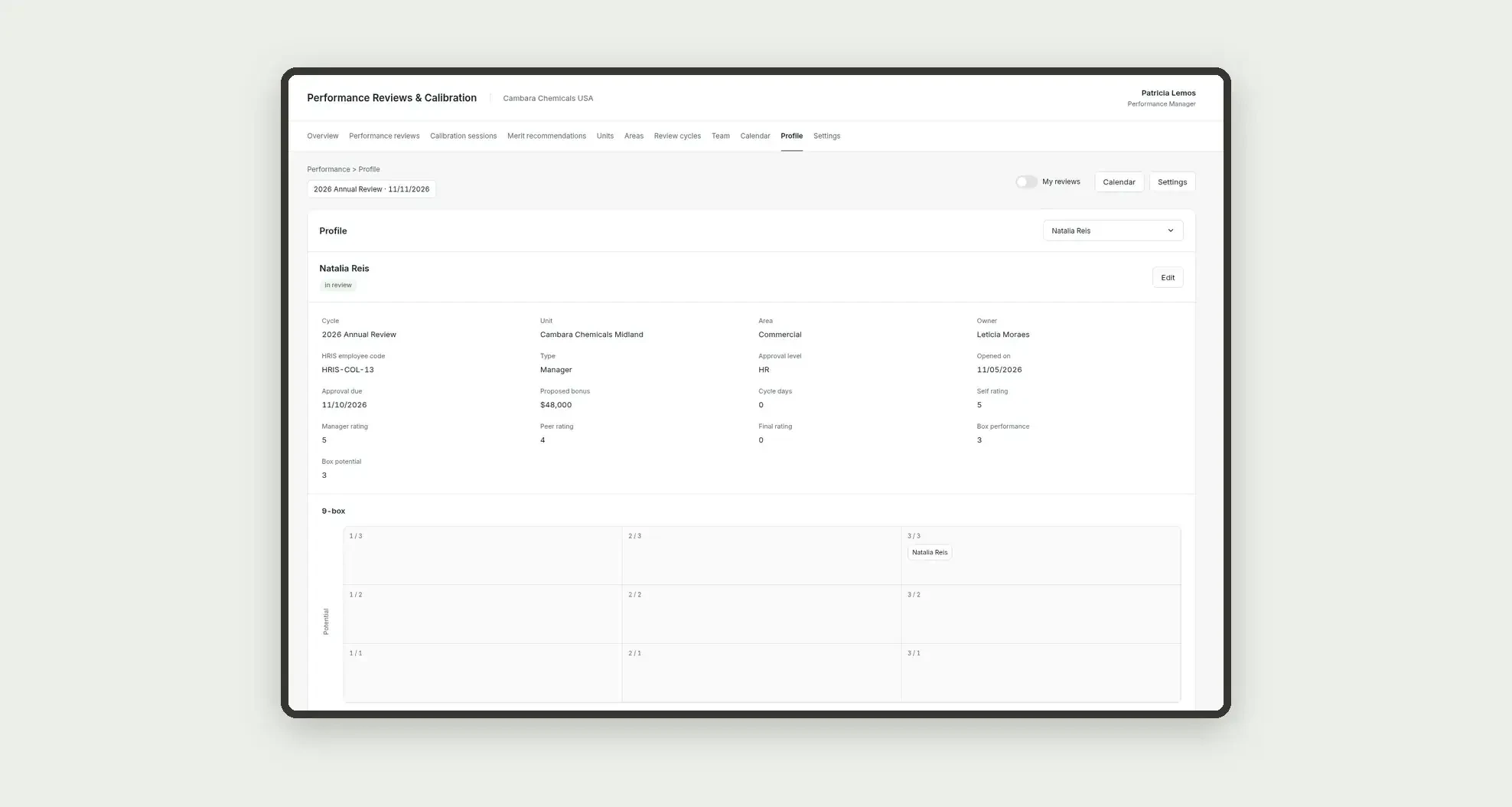
- Open review cycles and reviews with self, manager and peer input, a final rating, a 9-box, and a proposed bonus
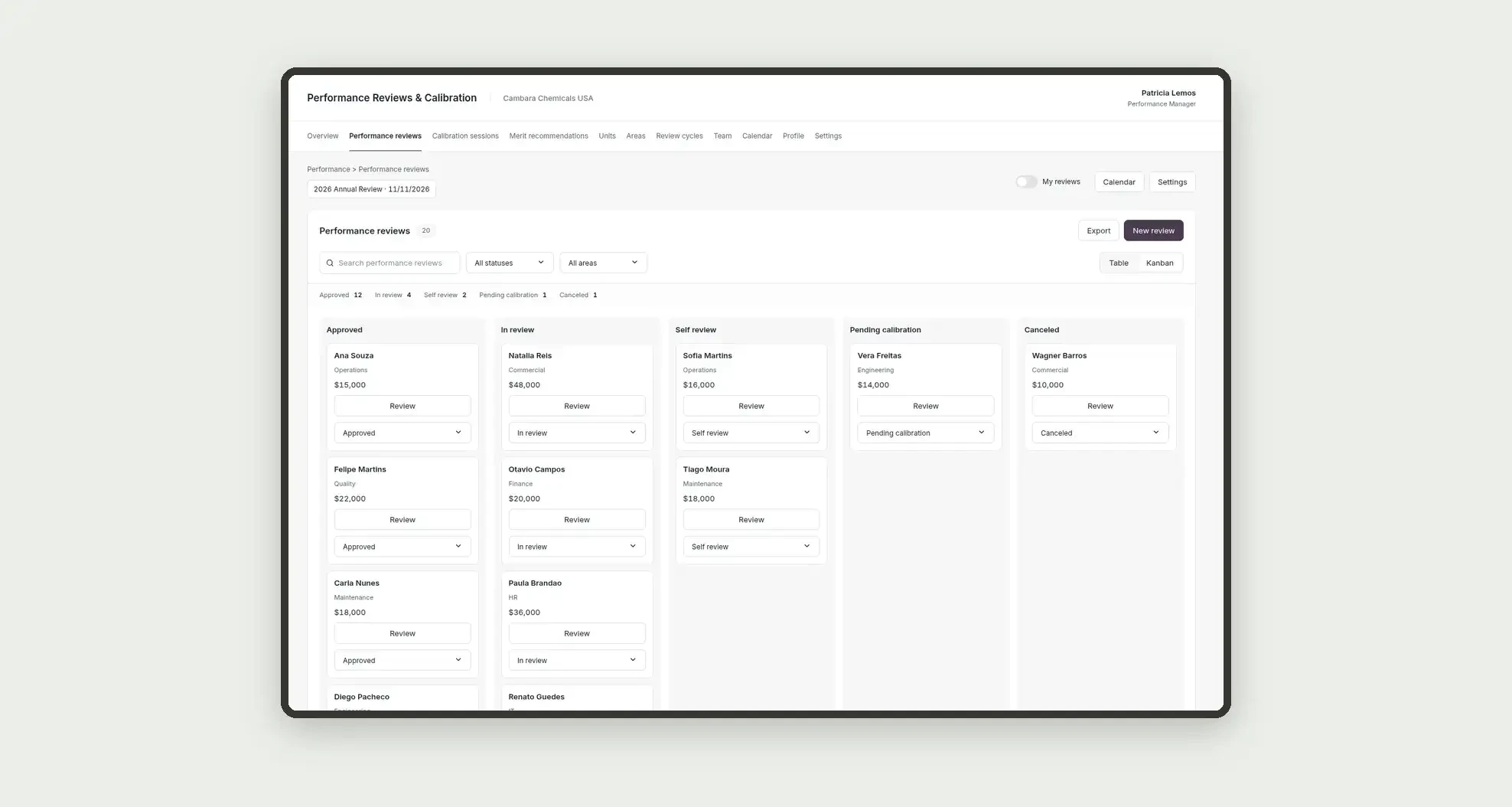
- Move reviews on a status kanban board, from self review to approval of the final rating
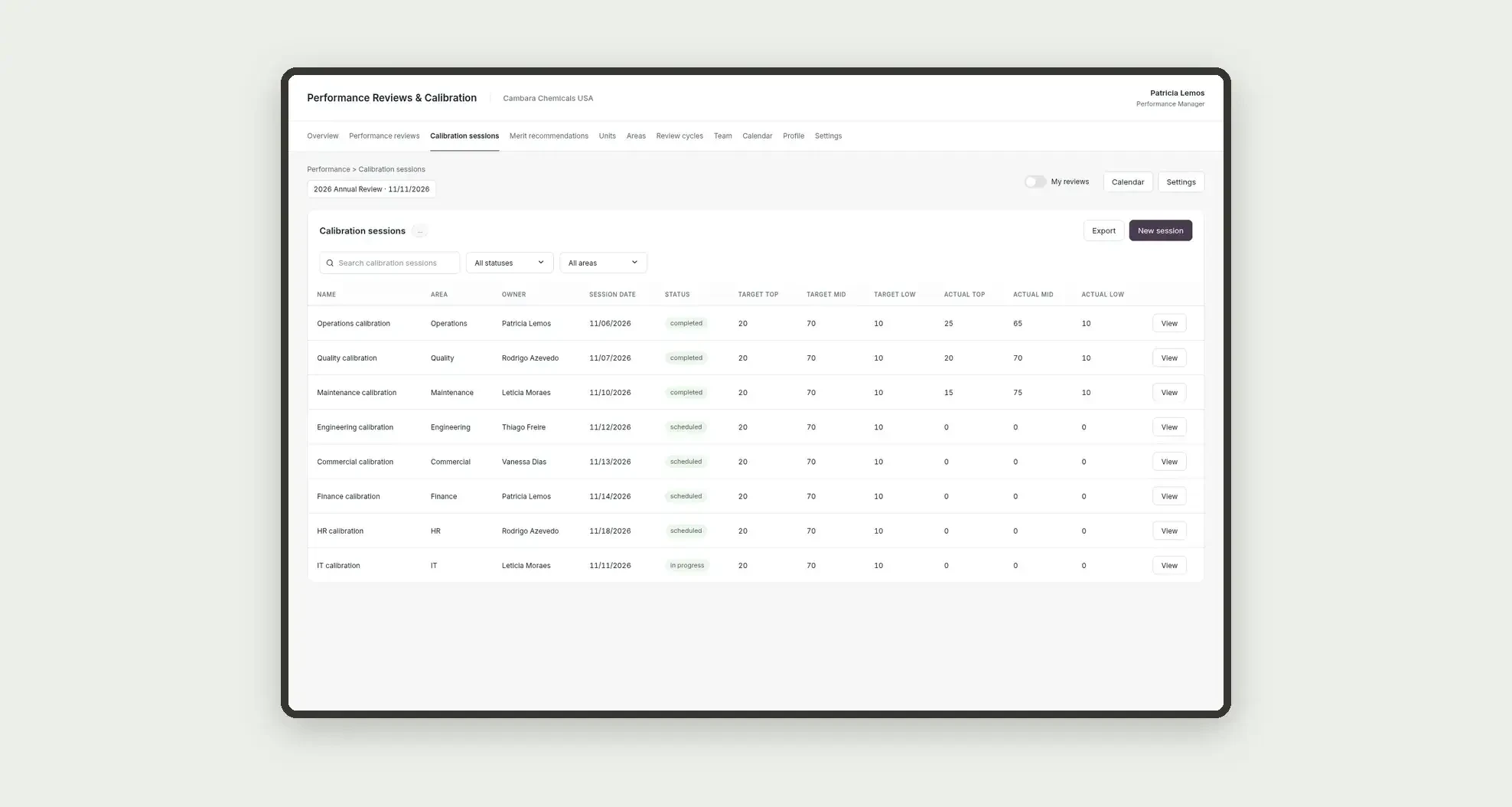
- Log committee sessions by area, with a target curve and the actual distribution, and merit recommendations linked to each review, with an approval chain
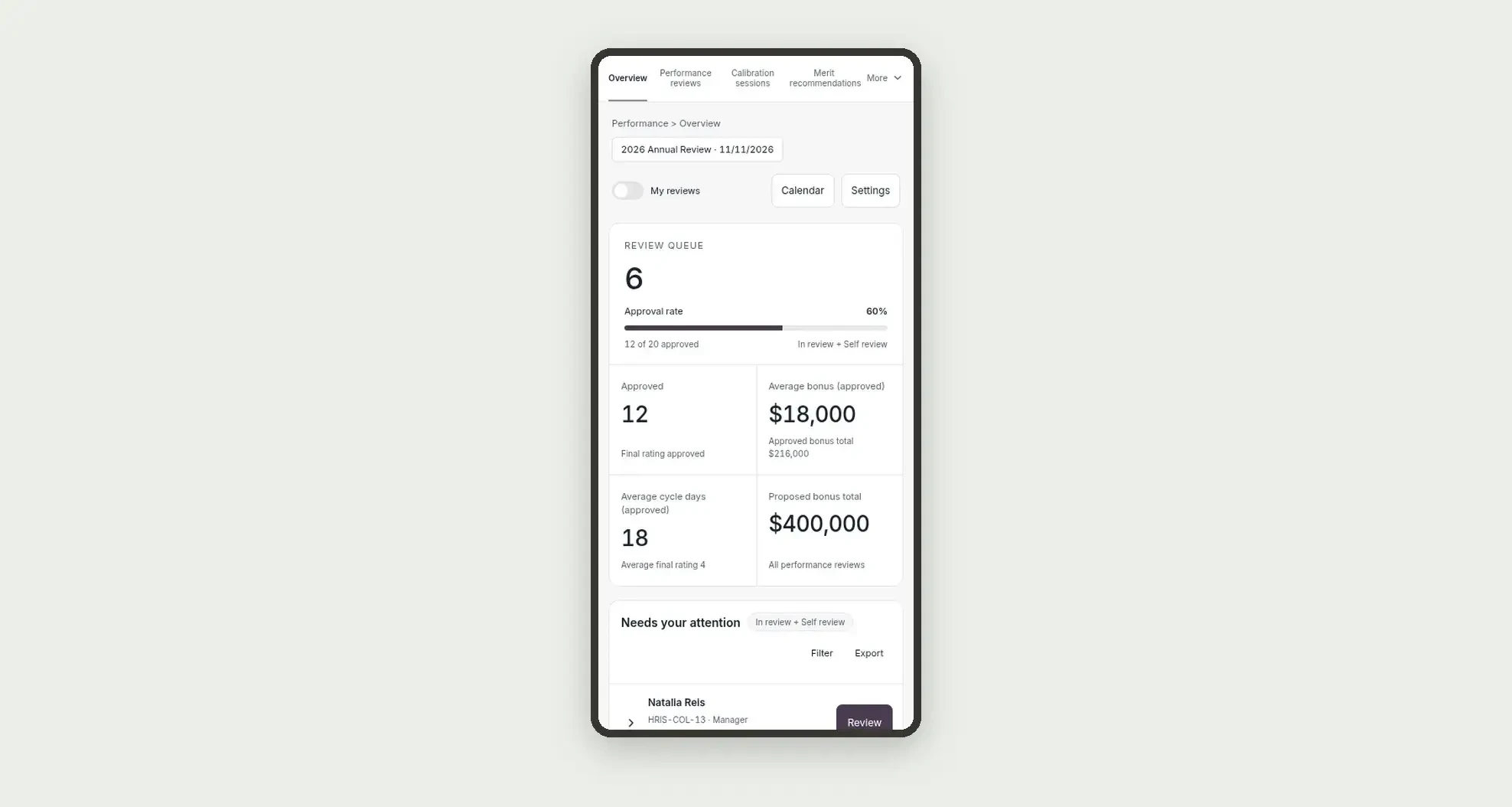
- Review indicators and the review queue on the overview
- Follow each owner's load
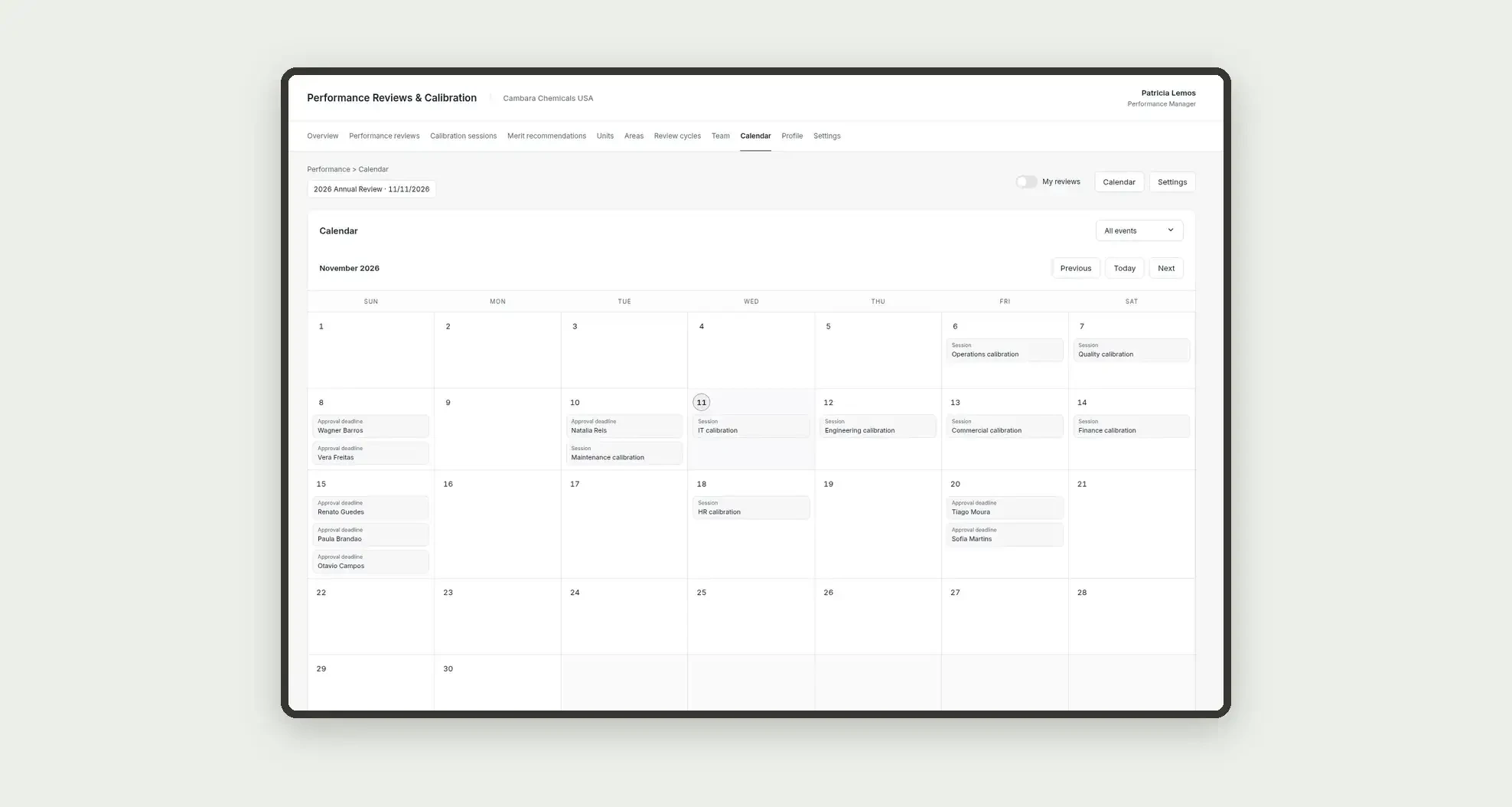
- Follow approval deadlines and sessions on the calendar
- Open profiles with the area, the cycle, the merit recommendation, and a history
App features
Performance Reviews & Calibration
The Performance Reviews & Calibration screen covers this part of the operation.
How it works
Set up units, areas, the team, and the cycle.
Open the review, record self, manager and peer input, take the case to the calibration session, approve the final rating, and log the merit recommendation.
Indicators come from numeric fields on the performance reviews table itself.
How to set up this template
- 1Click Use App
Create your Jestor account and install Performance Reviews & Calibration. It works on desktop and mobile.
- 2Set up units
Set up units, areas, the team, and the cycle.
- 3Open the review
Open the review, record self, manager and peer input, take the case to the calibration session, approve the final rating, and log the merit recommendation.
- 4Indicators come from numeric fields on the performance
Indicators come from numeric fields on the performance reviews table itself.
Integrations and customization
The design supports desktop and mobile use. Units, areas, cycles, statuses, approval levels, the target curve, and deadlines can be adapted to operations. No candidate sourcing, interviews, offer letters, headcount planning, payroll engine, SLA engine, ERP or HRIS connector, or external integrations are included.
- Adjust fields, categories, statuses and rules without code.
- Add screens, reports and automations as the operation needs them.
And that's just the start: you can edit any part of this template and go much further just by asking Jestor's AI. Describe what you need, like a new field, automation, report or integration, and the AI builds or adjusts it for you, no code required.
Frequently asked questions
Do KPIs cross tables?
No. Indicators use only the performance reviews table.
Is this app a recruiting or a headcount planning tool?
No. It is the review and calibration of people already on the headcount, distinct from job requisitions and candidate sourcing.
Does the Review button change status?
No. In this design, the button only opens the detail or a form.
Is SLA logging turned on?
No. The deadline appears in the on-screen warning banner, without enabling SLA logging.
Are the target curve and the 9-box calculated automatically?
No. They are numeric fields filled on the session and the review, with no formula.