What it is
An app for after-sales warranty service at a homebuilder with several developments in the portfolio.
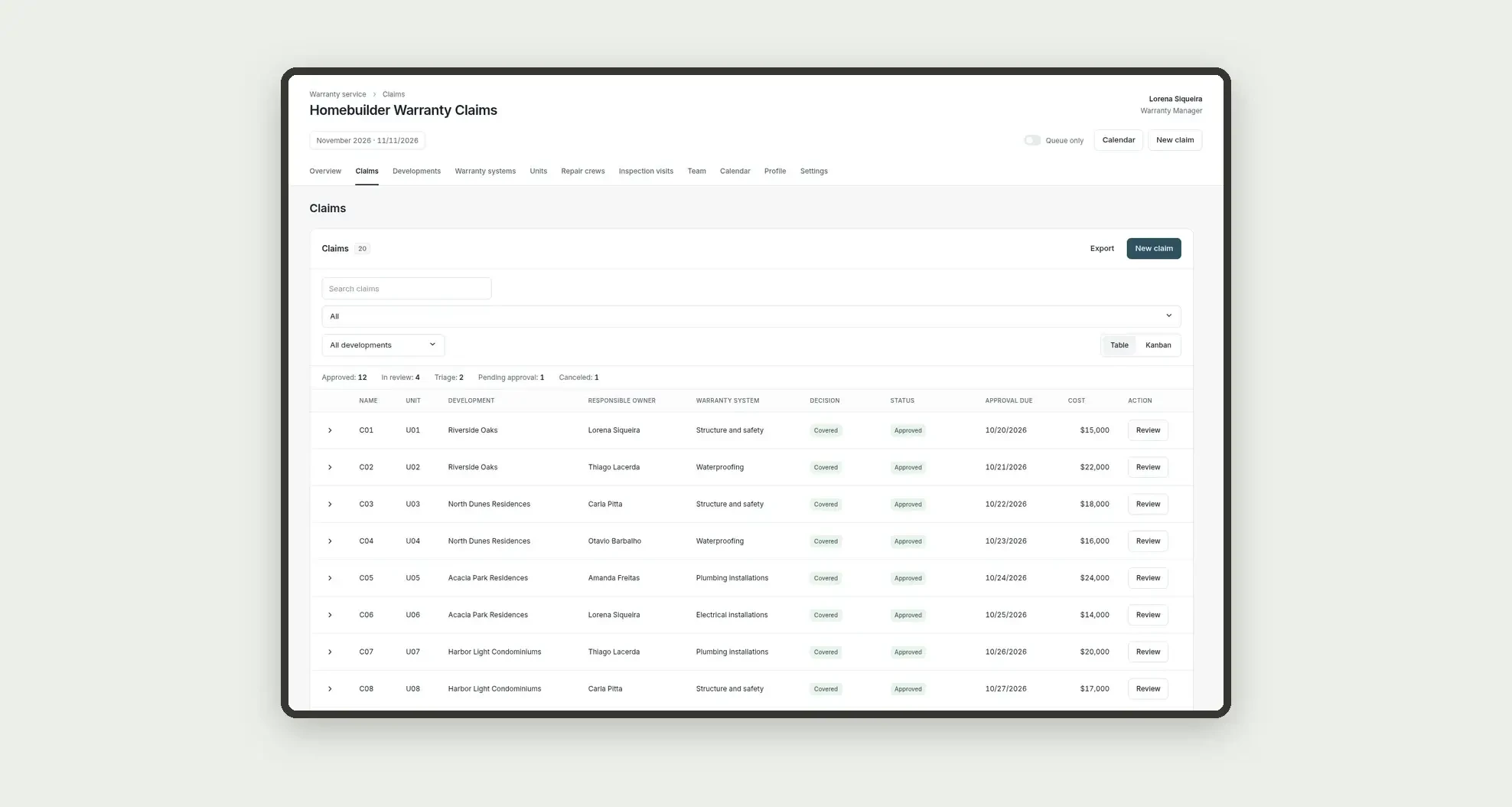
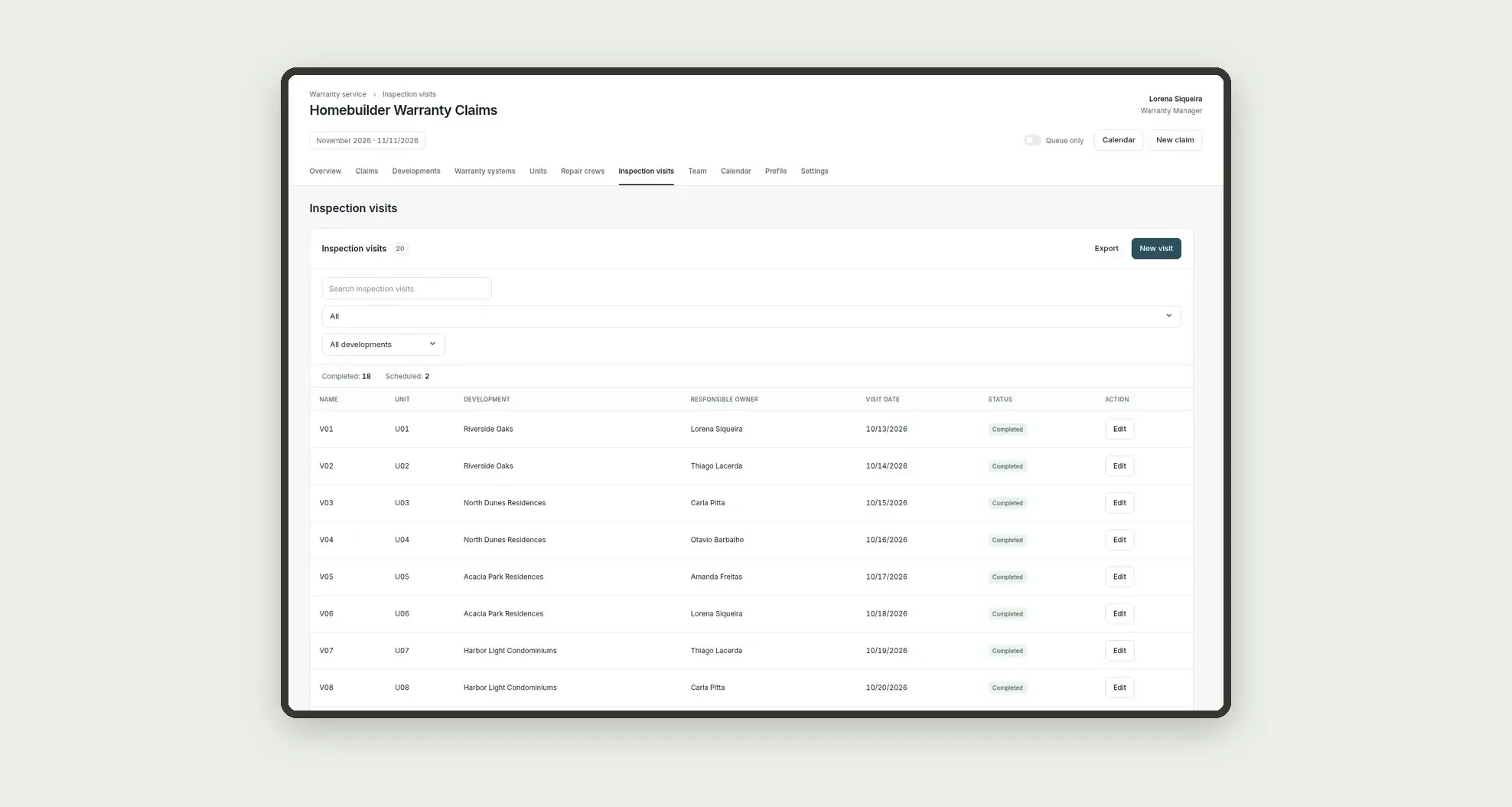
Organize warranty claims by development, building and unit, technical inspection visits, coverage checks against the system deadlines in the warranty manual, a covered or denied decision with an approval chain, assignment to an in-house crew or a subcontractor, repair scheduling and owner sign-off, with cost per development, through tables, a review queue, a calendar, and linked profiles.
Who it's for
- Homebuilders and developers with several delivered developments in the portfolio
- After-sales warranty managers and coordinators
- Engineers and inspectors who visit the unit and check warranty coverage
- Managers who approve the decision and the cost above the approval threshold
What you can do
- Register portfolio developments and warranty systems, with a deadline and an ERP code
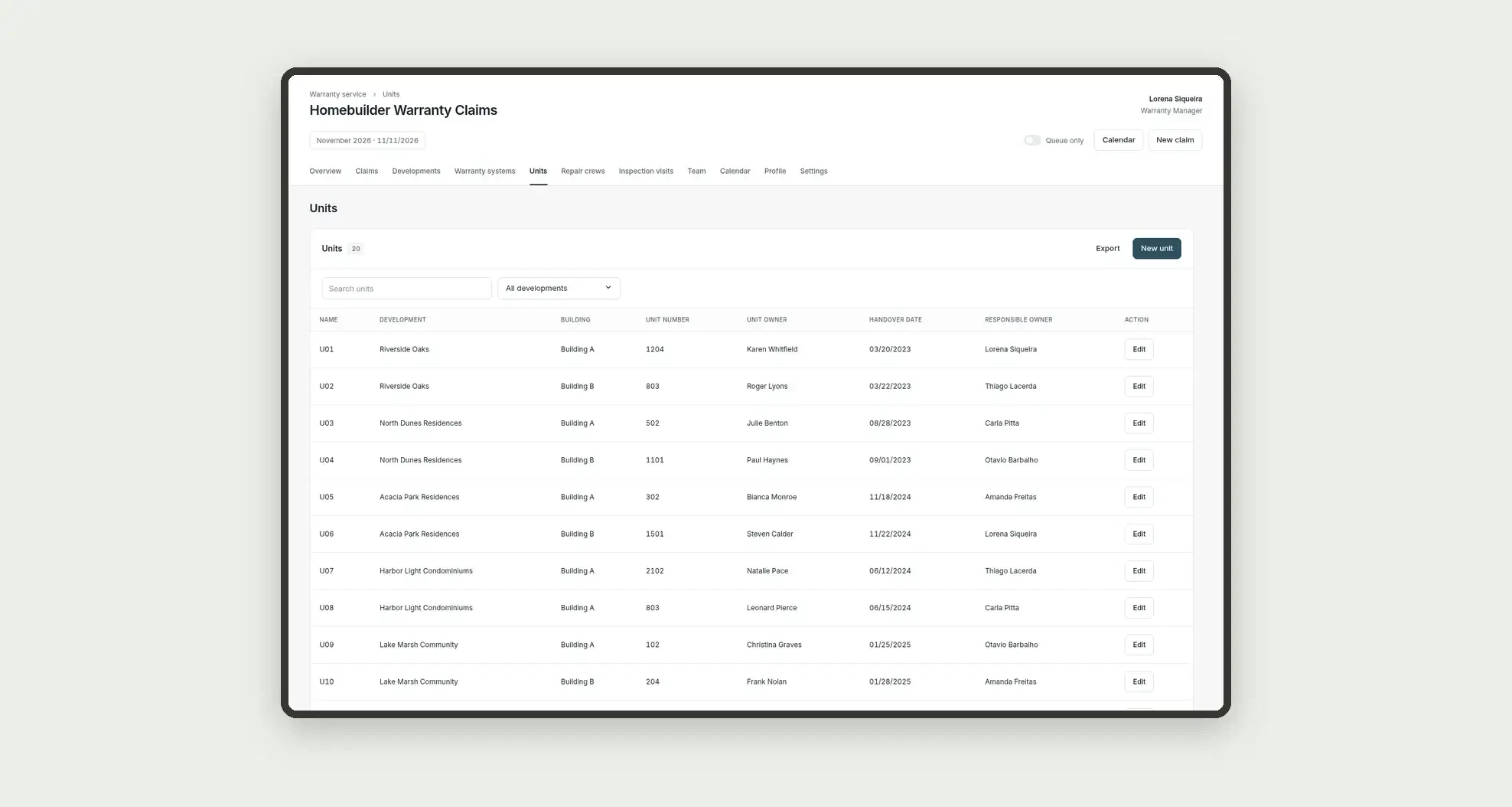
- Log units by building and owner, with the keys handover date
- Log in-house crews and repair subcontractors
- Log technical inspection visits and the report
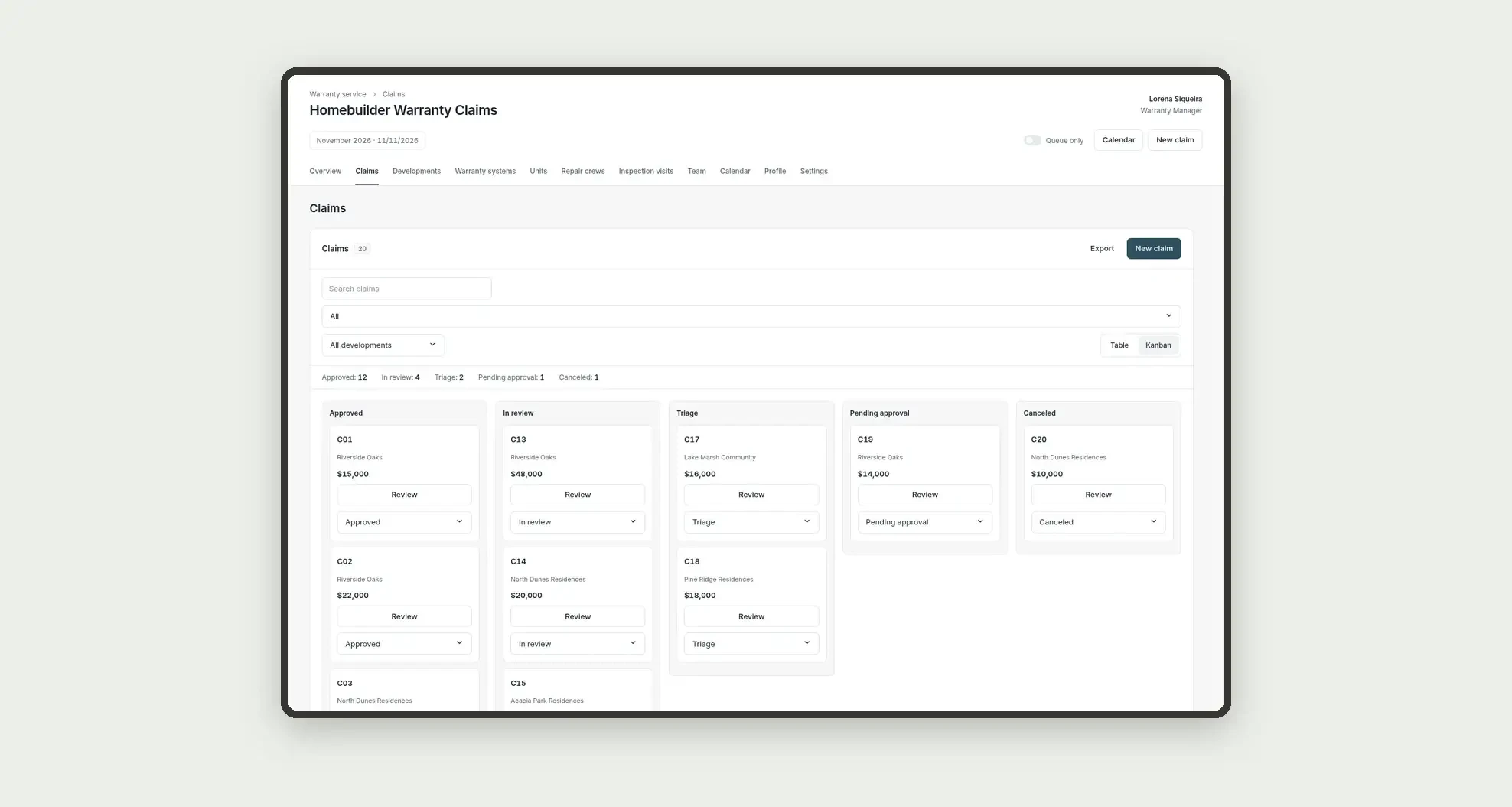
- Open warranty claims, check coverage, decide covered or denied, and follow the approval chain (technician, coordinator, and management)
- Assign the repair to an in-house crew or a subcontractor, schedule it, and record the owner's sign-off
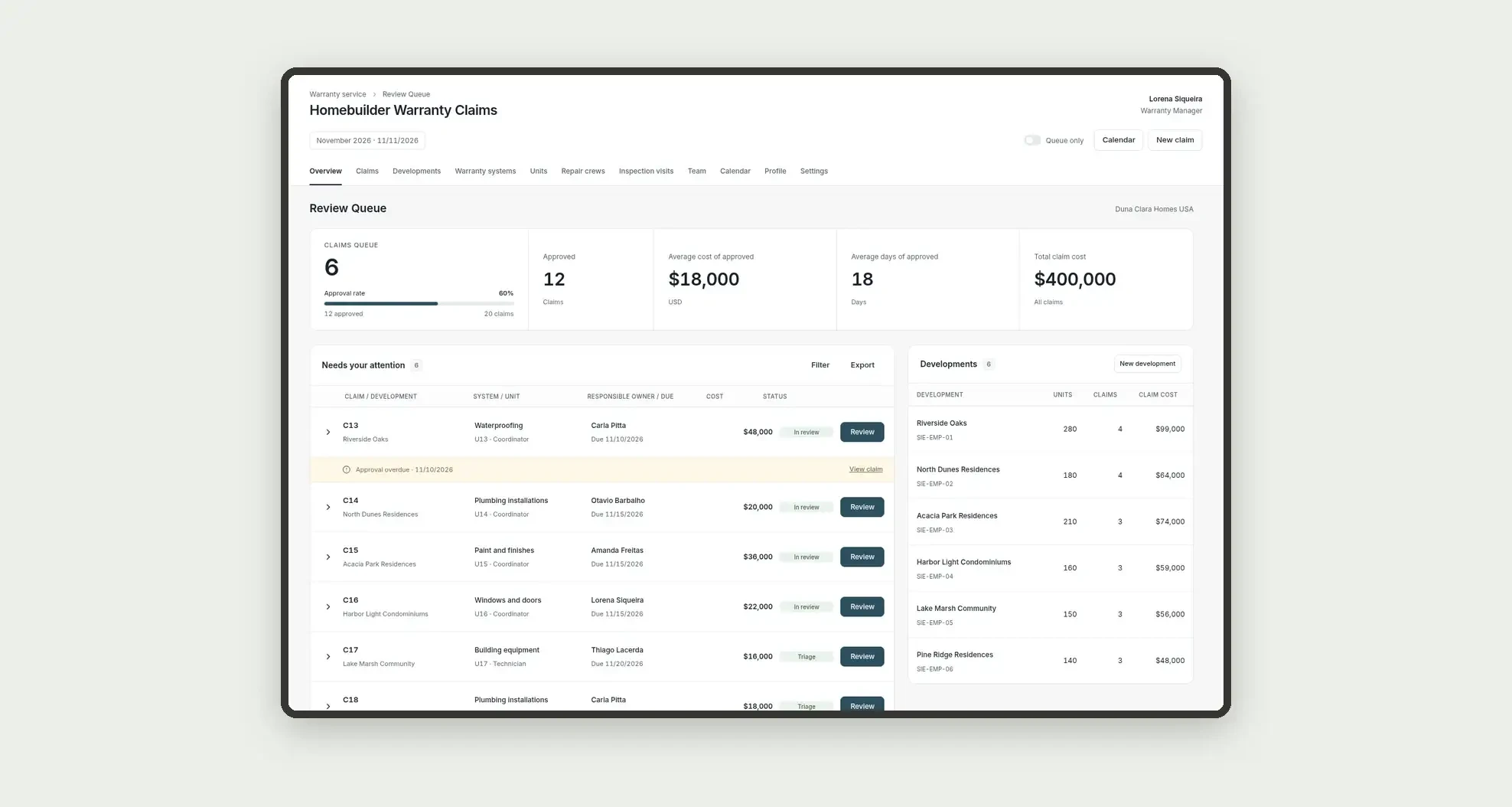
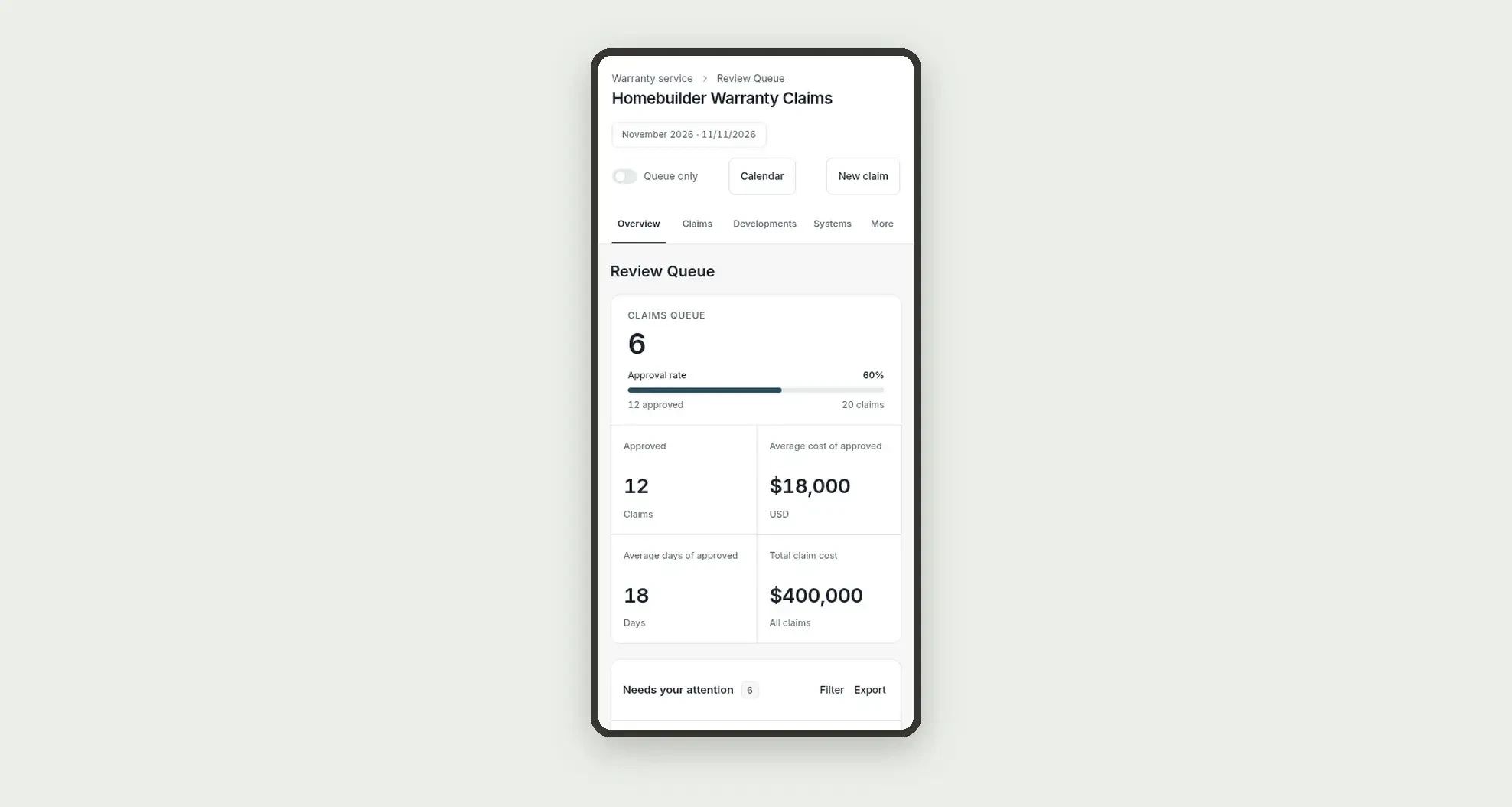
- Review the portfolio, the cost per development, and the claims queue on the overview
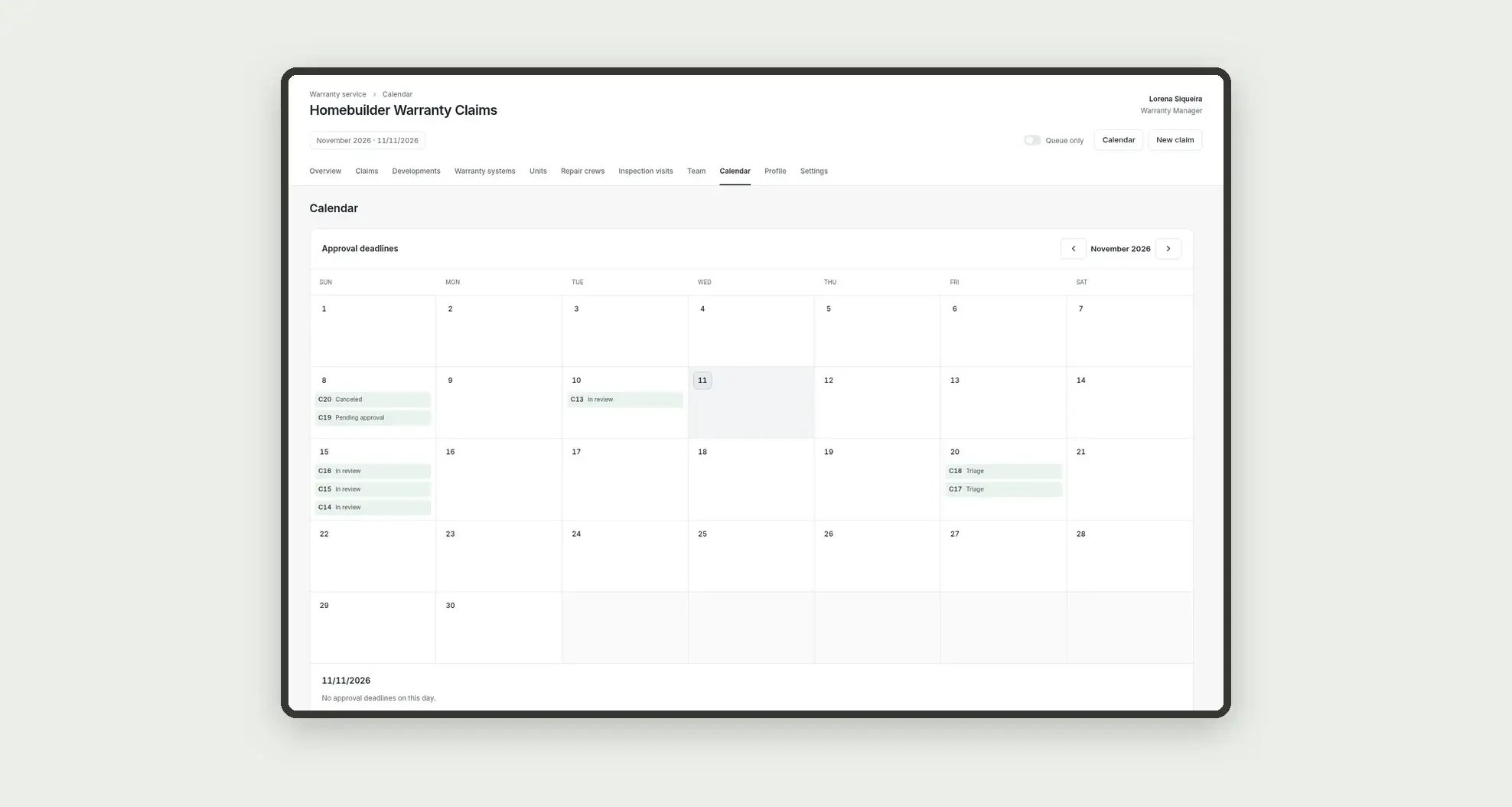
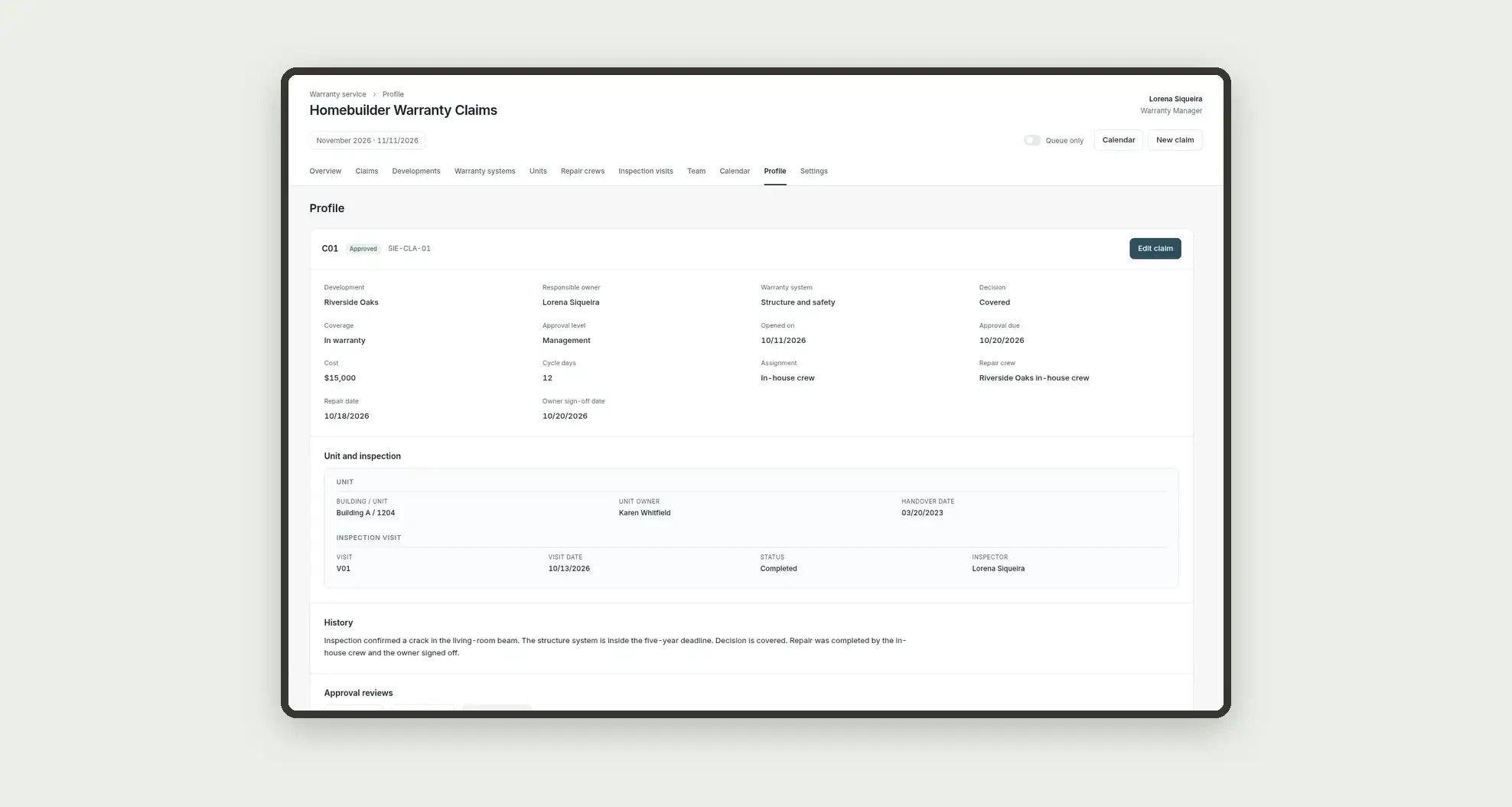
- Follow each owner's load and the deadlines on the calendar, and open profiles with the unit, the visit, and a history
App features
Homebuilder Warranty Claims
The Homebuilder Warranty Claims screen covers this part of the operation.
How it works
Set up developments, warranty systems, units, and the repair crew.
Open the owner's claim, log the technical inspection visit, check coverage against the system deadlines, and send the decision through the approval chain.
If it is covered, schedule the repair and record the sign-off.
Indicators come from numeric fields on the warranty claims table itself.
How to set up this template
- 1Click Use App
Create your Jestor account and install Homebuilder Warranty Claims. It works on desktop and mobile.
- 2Set up developments
Set up developments, warranty systems, units, and the repair crew.
- 3Open the owner's claim
Open the owner's claim, log the technical inspection visit, check coverage against the system deadlines, and send the decision through the approval chain.
- 4If it is covered
If it is covered, schedule the repair and record the sign-off.
Integrations and customization
The design supports desktop and mobile use. Developments, systems, statuses, approval levels, the approval threshold, and deadlines can be adapted to operations. No repair-shop or retail flow, rental move-in or move-out inspection, pre-delivery punch list, certificate of occupancy, owner portal, SLA engine, ERP connector (Sienge, UAU, or TOTVS), warranty-deadline calculator, or external integrations are included. ERP codes are entered as text.
- Adjust fields, categories, statuses and rules without code.
- Add screens, reports and automations as the operation needs them.
And that's just the start: you can edit any part of this template and go much further just by asking Jestor's AI. Describe what you need, like a new field, automation, report or integration, and the AI builds or adjusts it for you, no code required.
Frequently asked questions
Do KPIs cross tables?
No. Indicators use only the claims table.
Is this app a repair shop, a rental inspection, or a handover inspection tool?
No. It is the homebuilder's after-sales warranty service, from coverage review to repair completion.
Does the Review button change status?
No. In this design, the button only opens the detail or a form.
Is SLA logging turned on?
No. The deadline appears in the on-screen warning banner, without enabling SLA logging.
Are coverage or costs calculated automatically?
No. Coverage, the decision, deadlines, and costs are fields you fill in, with no formula.