What it is
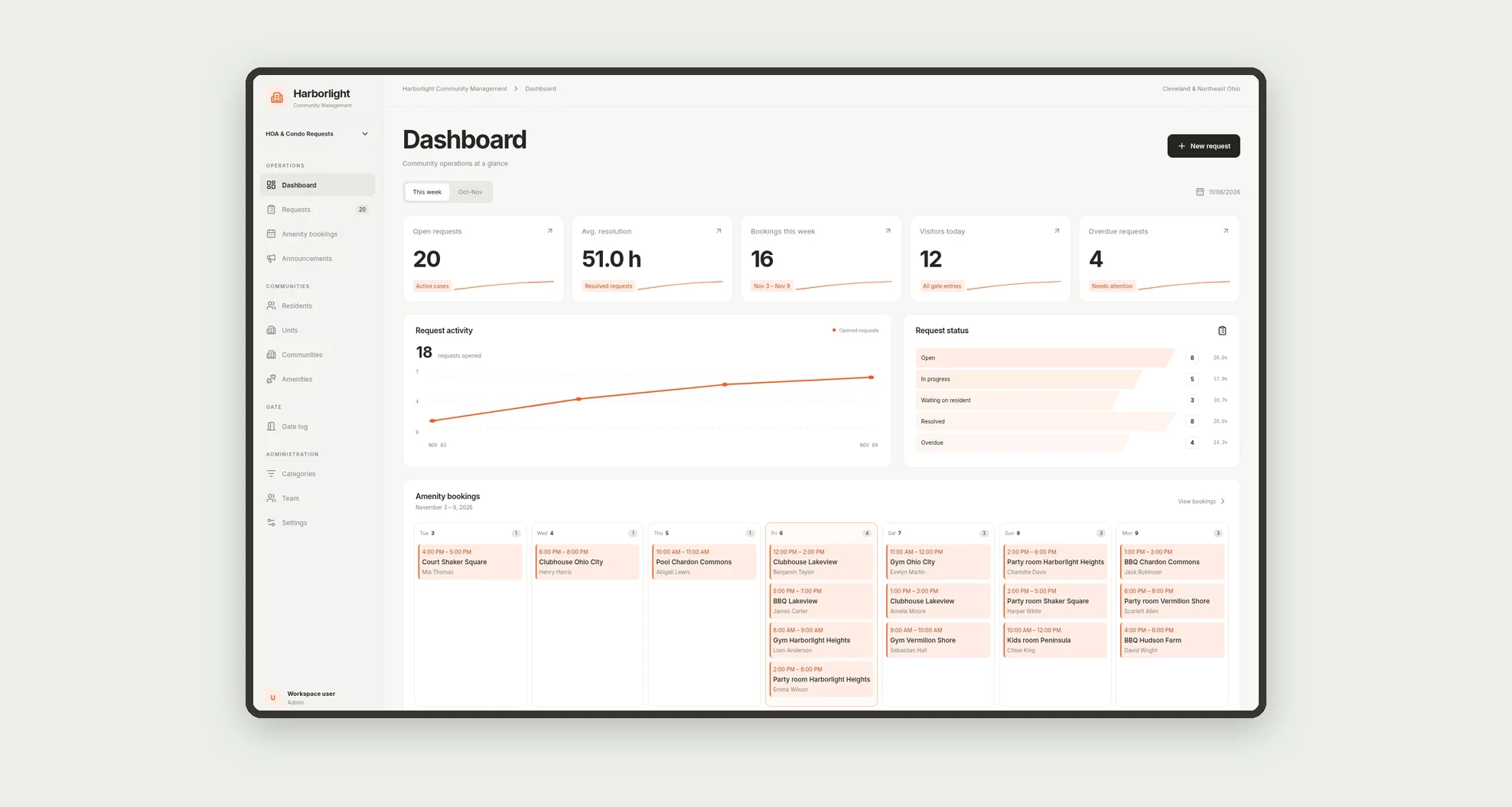
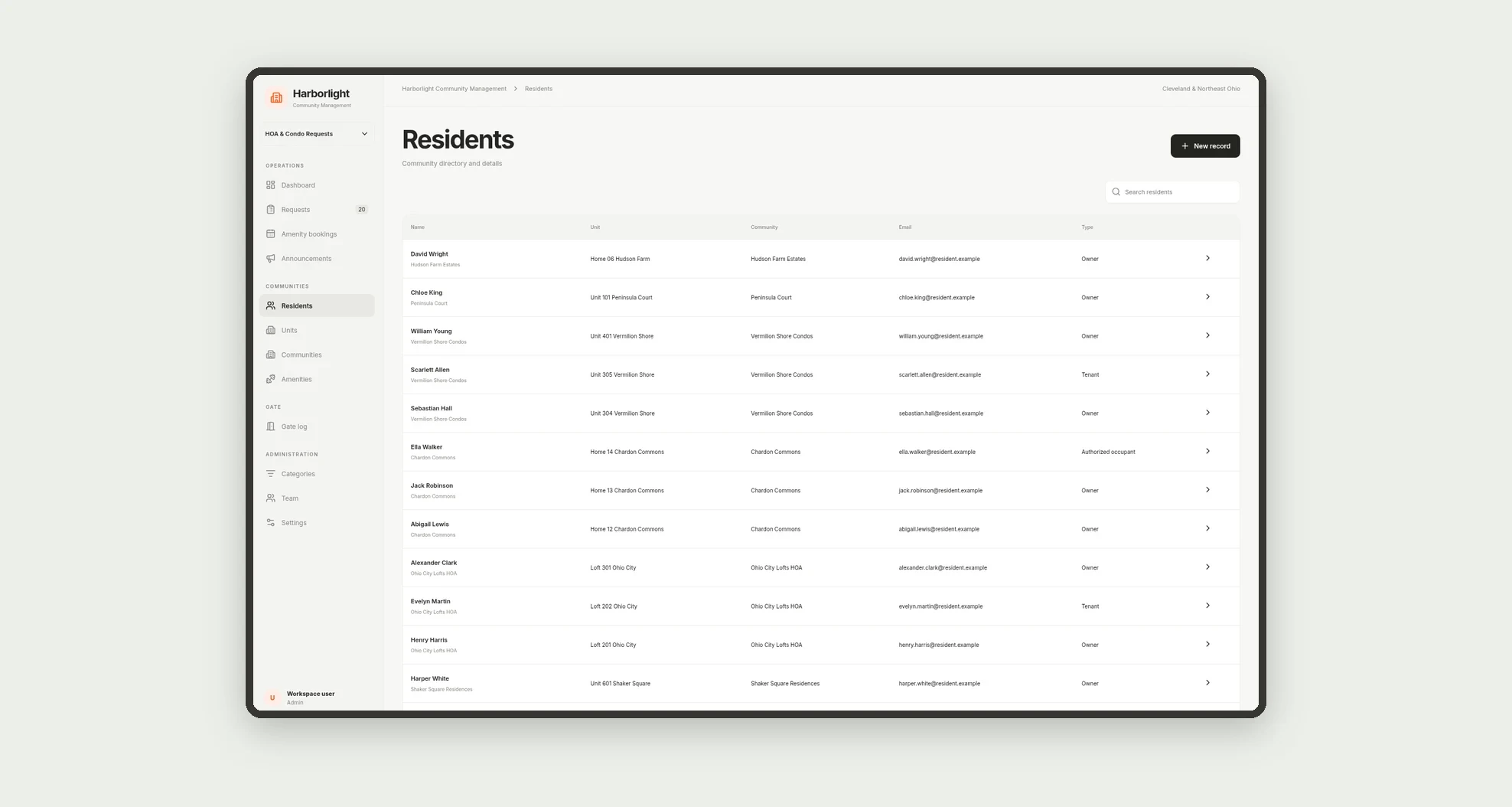
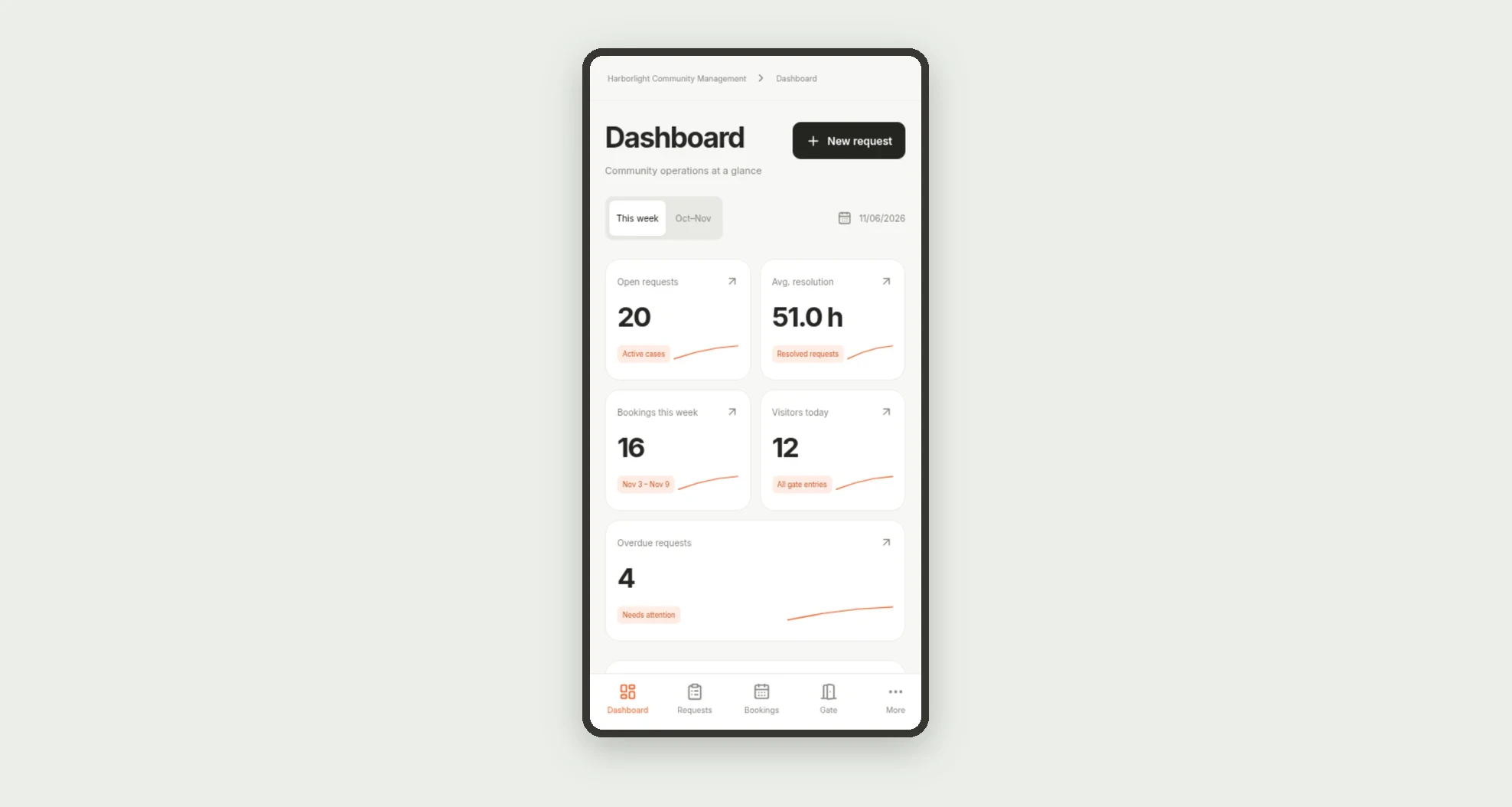
HOA and condo operations for community managers: resident requests with visible status, conflict-free amenity bookings, announcements, and a gate visitor/delivery log, with a dashboard for open work, average resolution time, this week's bookings and overdue items.
Who it's for
- HOA and condo management companies
- Board presidents and community coordinators
- Maintenance and concierge teams
- Gate attendants
- Residents who open requests and book amenities on mobile
What you can do
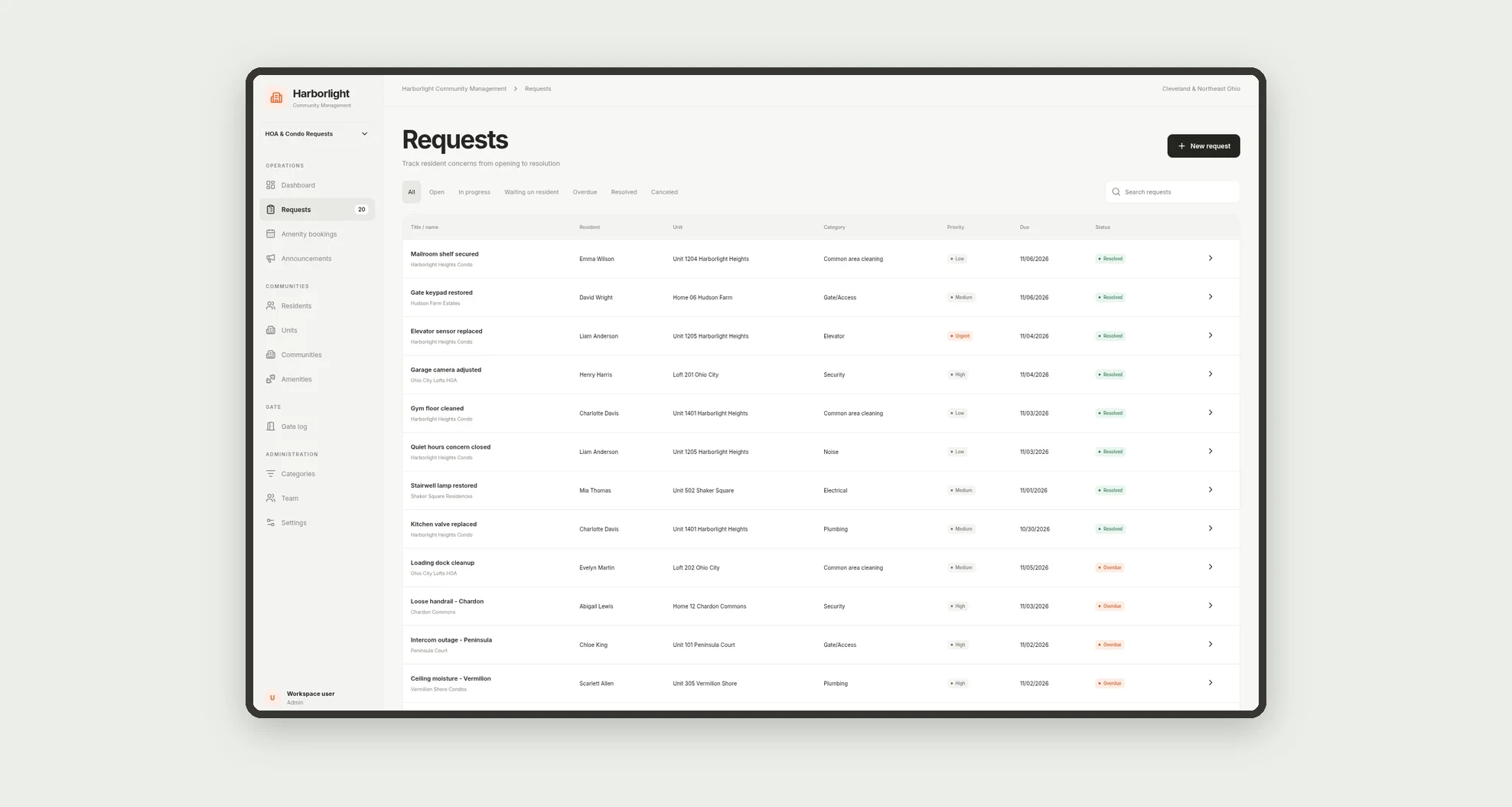
- Open and track requests by unit, category and priority
- Follow request status through resolution, with average time on the dashboard
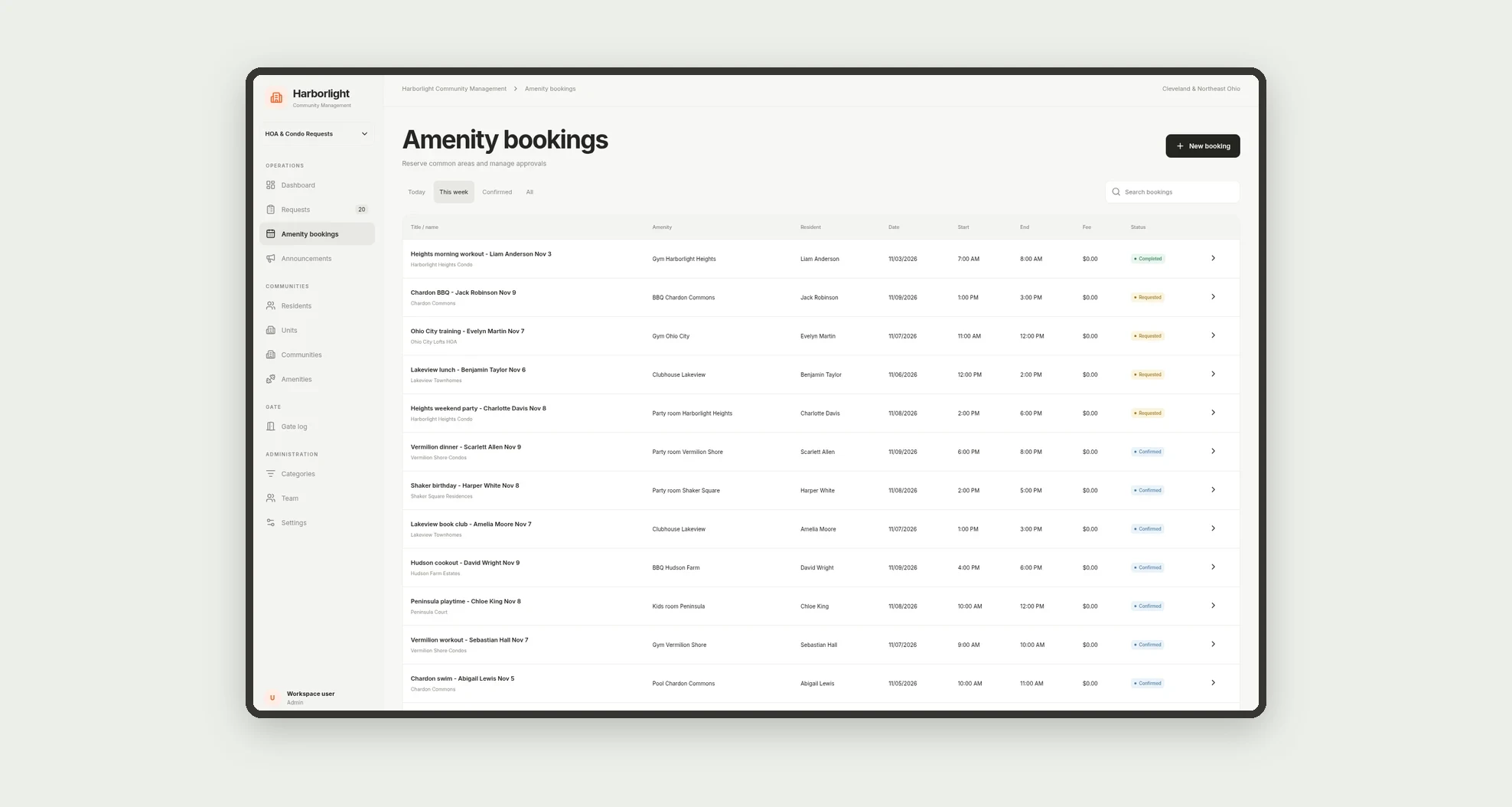
- Book party rooms, BBQs, courts and other amenities without time conflicts
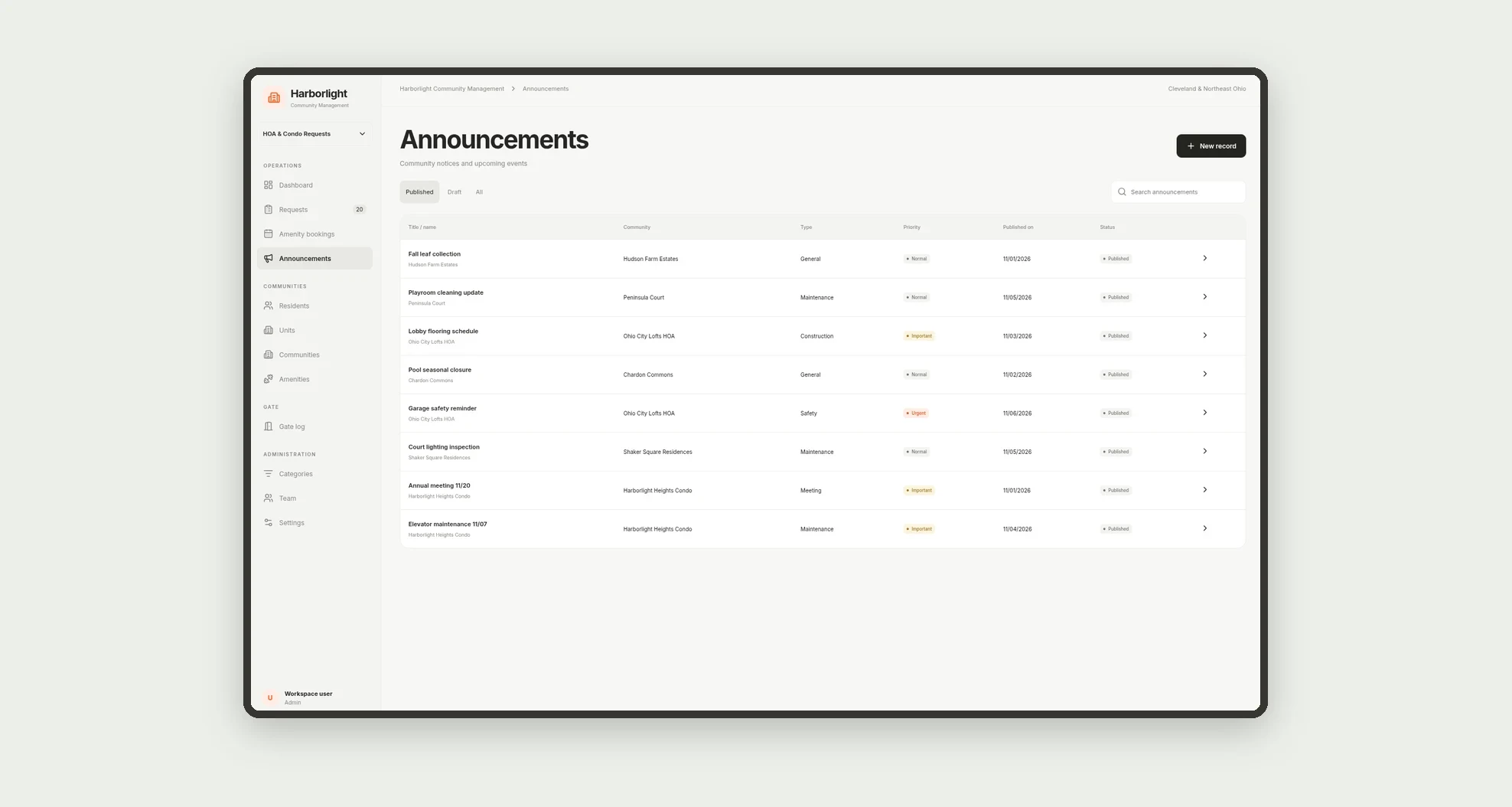
- Publish maintenance, meeting and safety announcements
- Log visitors, deliveries and vendors at the gate
- Track KPIs: open requests, average resolution time, bookings this week, visitors today and overdue
- Work on mobile (resident and gate)
App features
dashboard
Follow request status through resolution, with average time on the dashboard.
requests
Open and track requests by unit, category and priority.
bookings
Amenity bookings are confirmed only when the slot does not overlap.
gate
Work on mobile (resident and gate).
announcements
Publish maintenance, meeting and safety announcements.
How it works
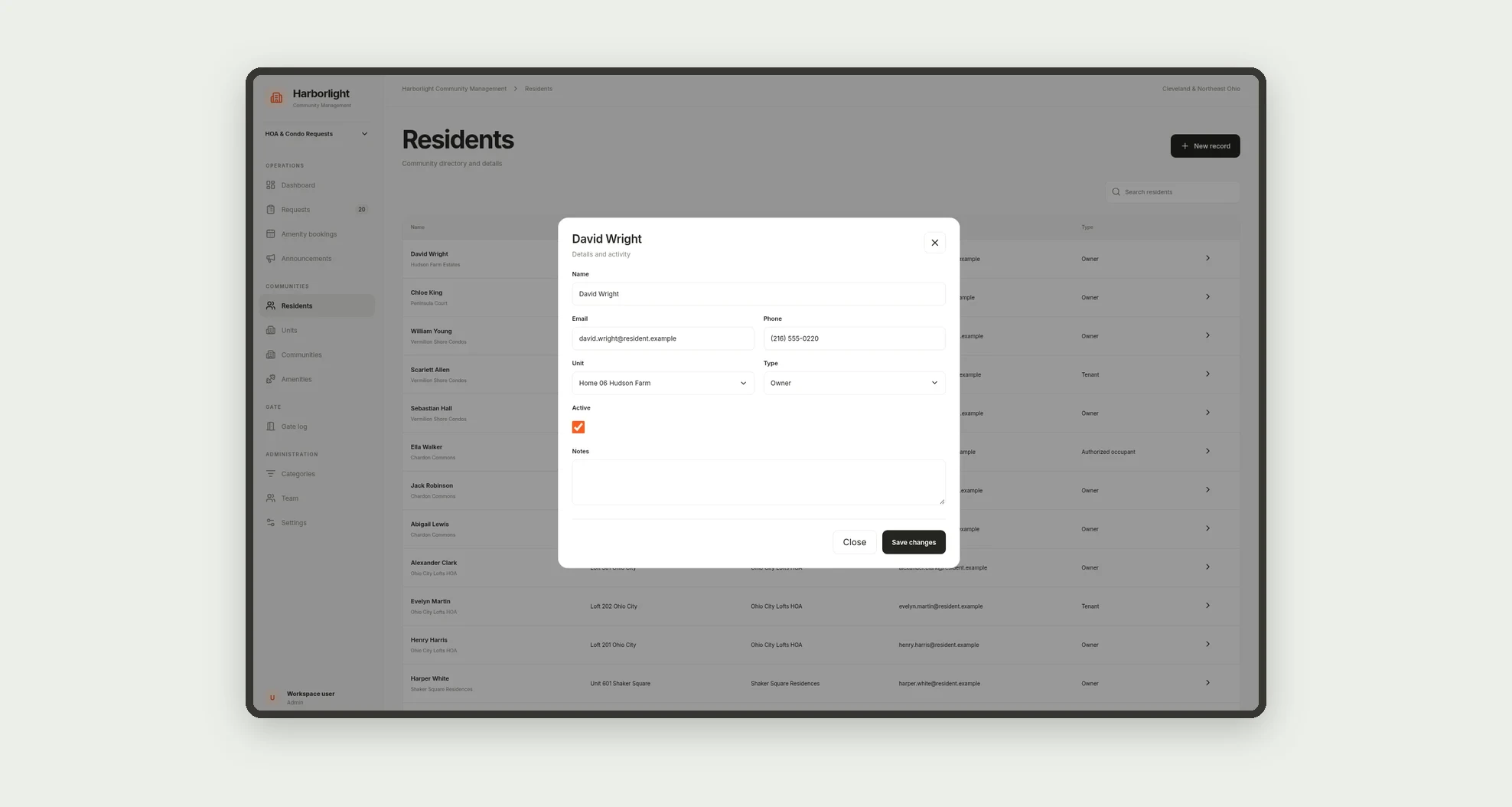
A resident opens a request linked to a unit. Staff takes it, updates status and resolves it, storing resolution hours.
Amenity bookings are confirmed only when the slot does not overlap. The gate logs entry and exit, and published announcements appear on the dashboard.
History records every status change.
How to set up this template
- 1Click Use App
Create your Jestor account and install HOA & Condo Requests. It works on desktop and mobile.
- 2A resident opens a request linked to a unit.
A resident opens a request linked to a unit.
- 3Staff takes it
Staff takes it, updates status and resolves it, storing resolution hours.
- 4Amenity bookings are confirmed only when the slot does not
Amenity bookings are confirmed only when the slot does not overlap.
Integrations and customization
Works on desktop and mobile. Categories, SLAs, amenities, fees and resolution targets can be adapted without code. This version does not include external integrations.
- Adjust fields, categories, statuses and rules without code.
- Add screens, reports and automations as the operation needs them.
And that's just the start: you can edit any part of this template and go much further just by asking Jestor's AI. Describe what you need, like a new field, automation, report or integration, and the AI builds or adjusts it for you, no code required.
Frequently asked questions
Does the app prevent conflicting amenity bookings?
Yes. Confirmed or in-use bookings on the same amenity cannot overlap on the same day.
Can residents see request status?
Yes. The flow shows open, in progress, waiting on resident, resolved or overdue.
Can deliveries be logged as well as visitors?
Yes. The gate log covers visitor, delivery, vendor and move-in/out, with entry and exit.
Can one company manage multiple communities?
Yes. Communities, units and amenities stay scoped per community in the same management company.