What it is
An app for ERP master data requests at a group with several business units.
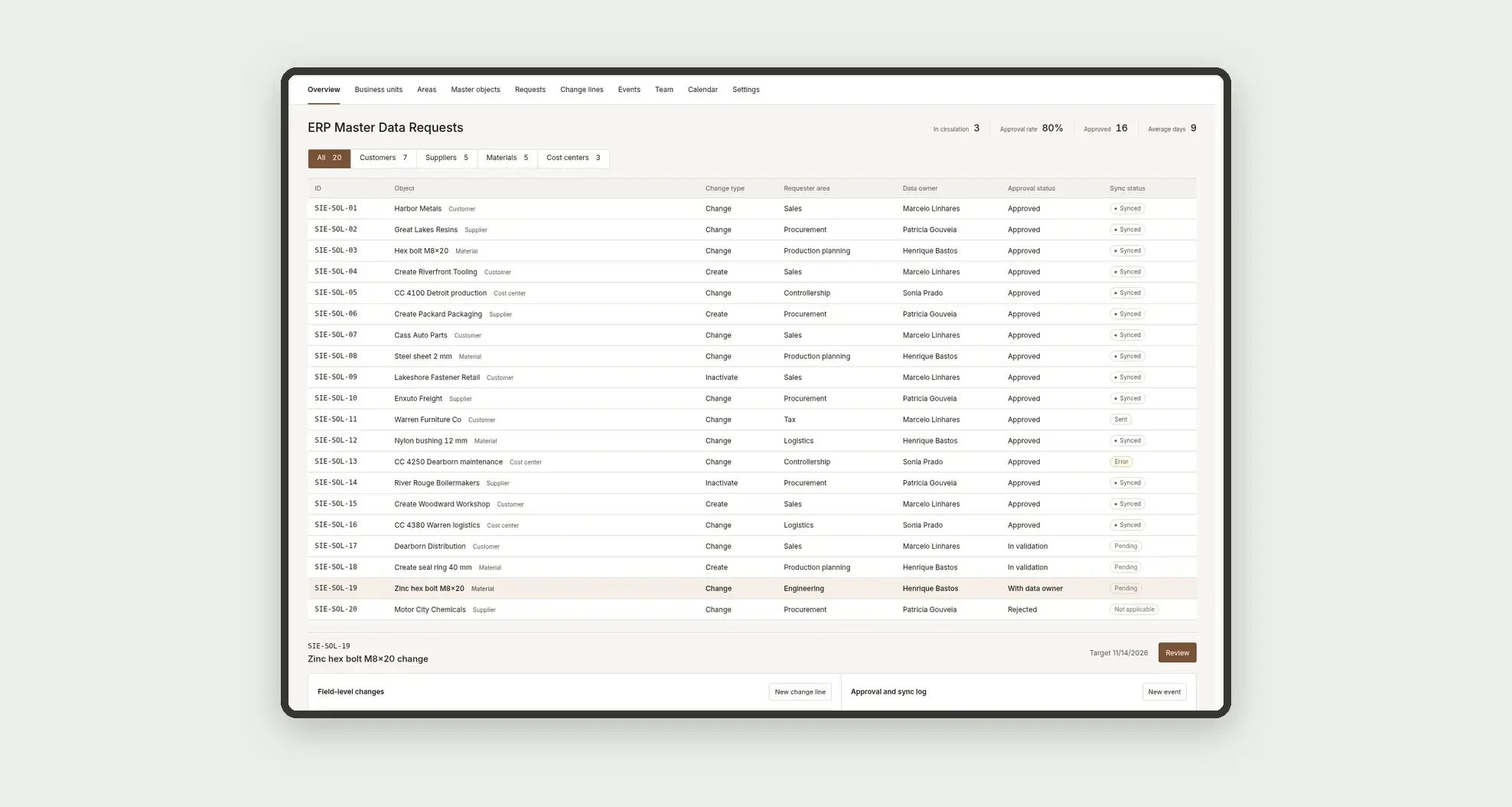
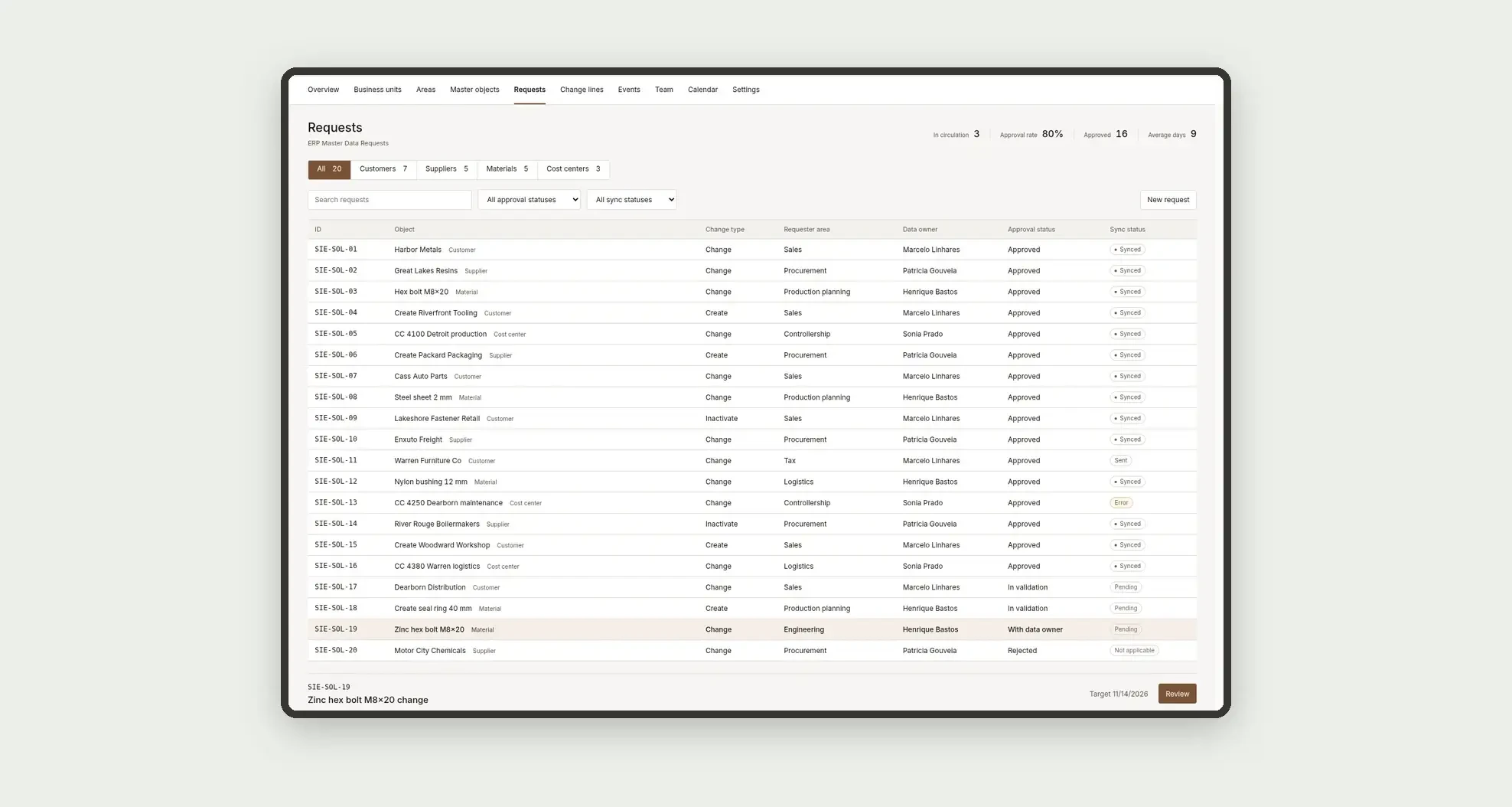
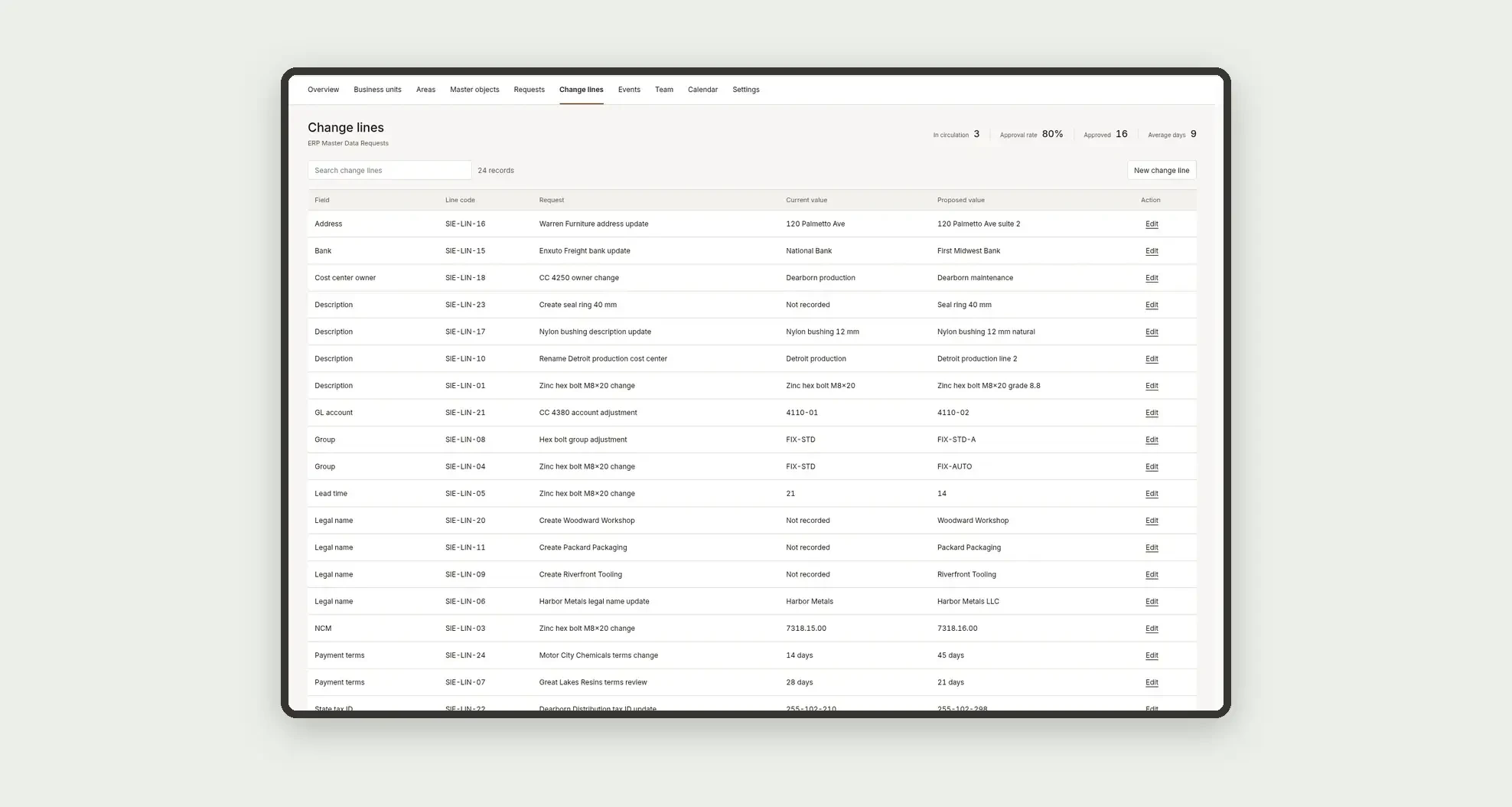
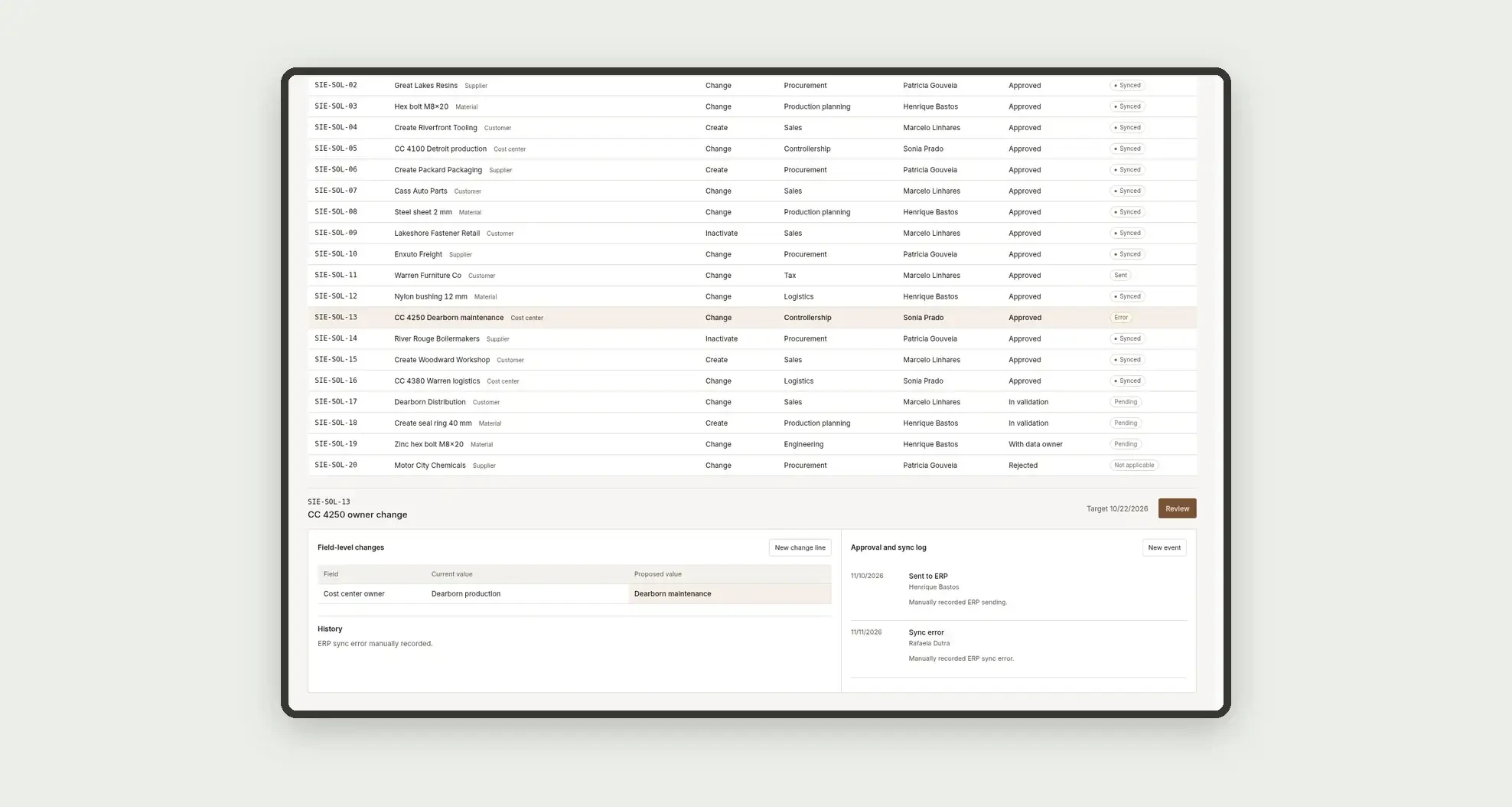
Organize create, change and inactivate requests for customers, suppliers, materials and cost centers, with validation by the data owner, a sync status and a field-level history, through a change-request ledger, a field diff, an approval and sync log, and linked profiles.
Who it's for
- Industrial groups with several business units and a shared ERP master file
- Master data coordinators who validate create, change and inactivate requests
- Data owners for customers, suppliers, materials and cost centers
- Requesting areas (sales, procurement, tax, production planning and controllership) that open the request
What you can do
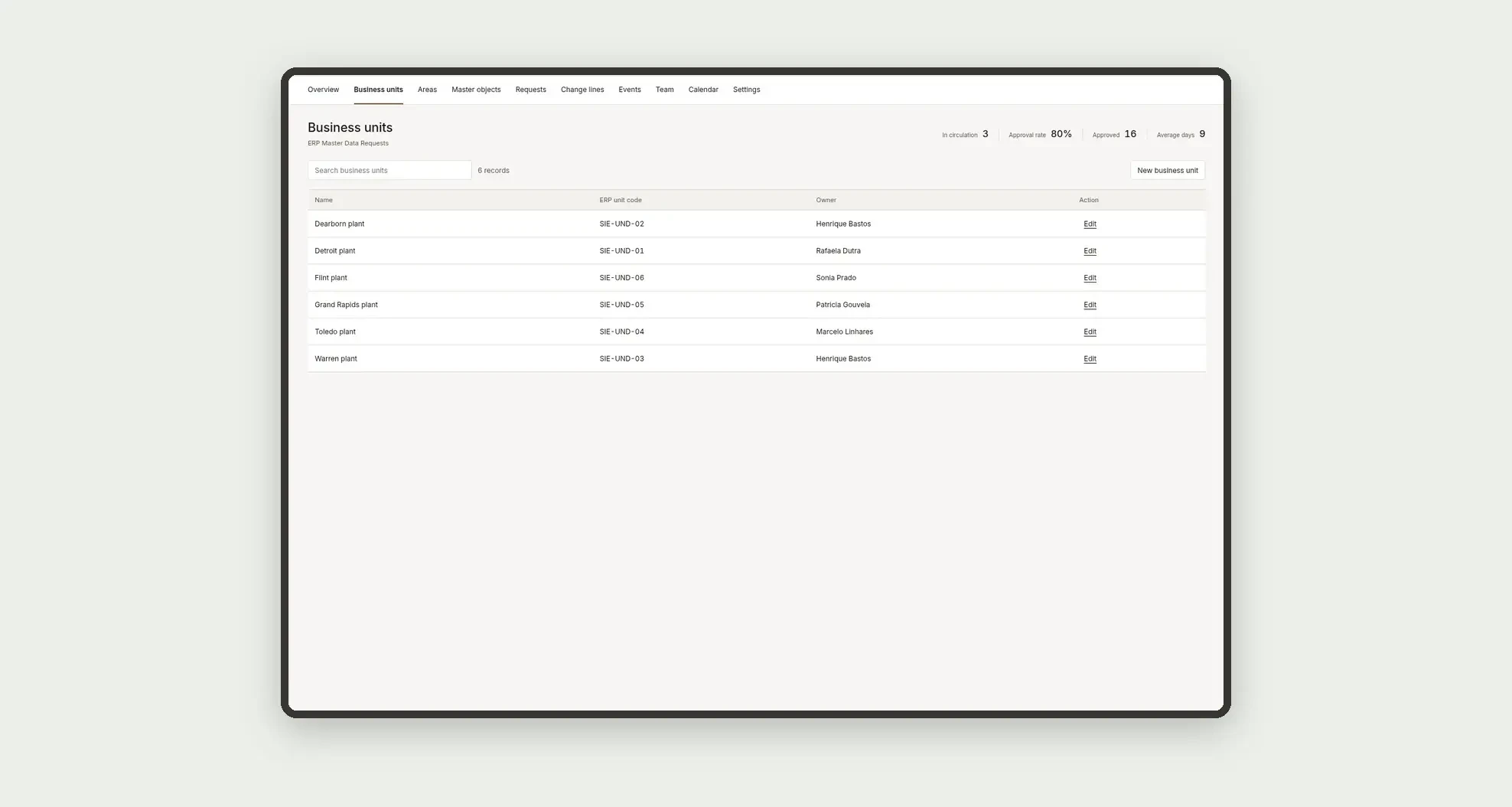
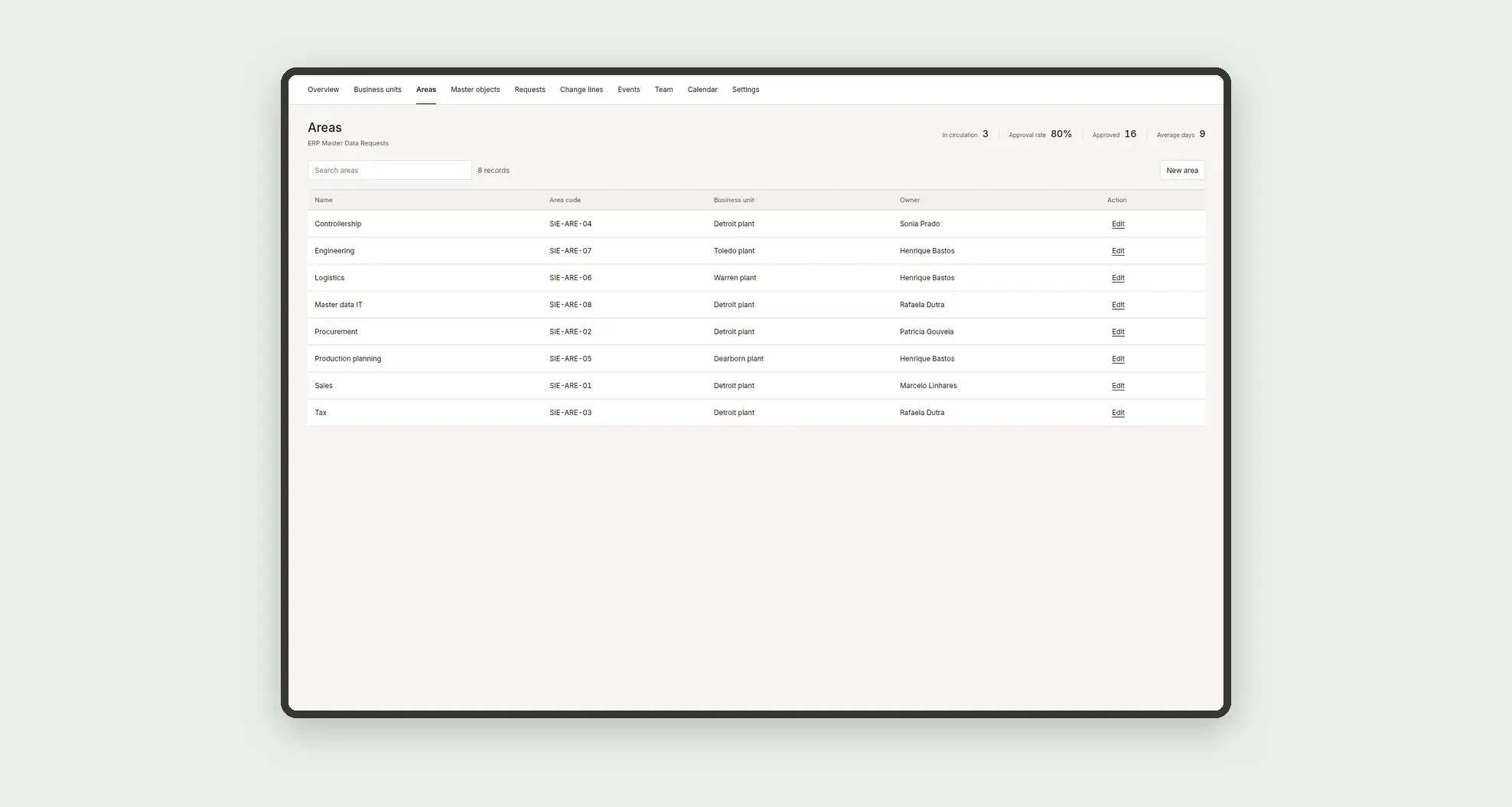
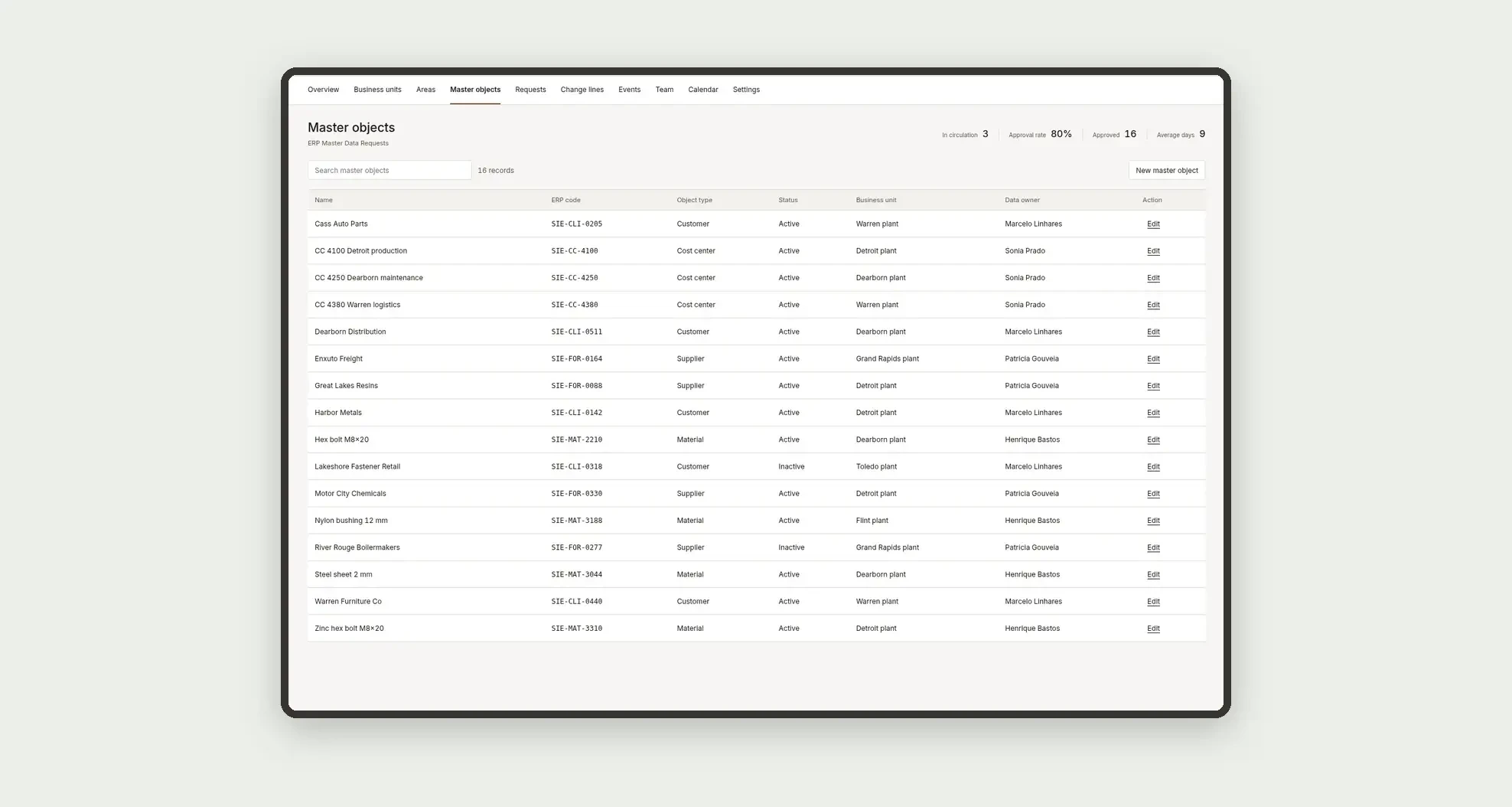
- Register business units, areas and master objects, with an ERP code
- Open create, change or inactivate requests by object type
- Send the validation to the data owner
- Compare, field by field, the current value and the proposed value
- Follow the ERP sync status (pending, sent, synced or error)
- Filter the change-request ledger by object type and open the approval and sync log
- Follow deadlines on the calendar and each owner's load
App features
ERP Master Data Requests
The ERP Master Data Requests screen covers this part of the operation.
How it works
Set up business units, areas, master objects and the data team.
Open the request with the object type and the change lines.
The area validates, the data owner approves and the sync status is updated on the ledger.
Indicators come from numeric fields on the requests table itself.
How to set up this template
- 1Click Use App
Create your Jestor account and install ERP Master Data Requests. It works on desktop and mobile.
- 2Set up business units
Set up business units, areas, master objects and the data team.
- 3Open the request with the object type and
Open the request with the object type and the change lines.
- 4The area validates
The area validates, the data owner approves and the sync status is updated on the ledger.
Integrations and customization
The design supports desktop and mobile use. Business units, areas, object types, statuses and approval levels can be adapted to operations. No ERP connector, vendor homologation, commercial account book, operational inventory, generic purchase and expense workflow, SLA engine or external integrations are included. ERP codes are entered as text, and the sync status is a filled field.
- Adjust fields, categories, statuses and rules without code.
- Add screens, reports and automations as the operation needs them.
And that's just the start: you can edit any part of this template and go much further just by asking Jestor's AI. Describe what you need, like a new field, automation, report or integration, and the AI builds or adjusts it for you, no code required.
Frequently asked questions
Do KPIs cross tables?
No. Indicators use only the requests table.
Does this app replace the ERP master file or vendor onboarding?
No. It organizes create, change and inactivate requests. The ERP code and the sync status are entered as text, with no connector. Document homologation belongs to another flow.
Does the app sync to the ERP automatically?
No. The sync status is a filled field, with no integration.
Does the Review button change the status of the request?
No. In this design, the button only opens the detail or a form.
Are the diff or the deadlines calculated automatically?
No. Current values, proposed values, deadlines and cycle days are fields you fill in, with no formula.