What it is
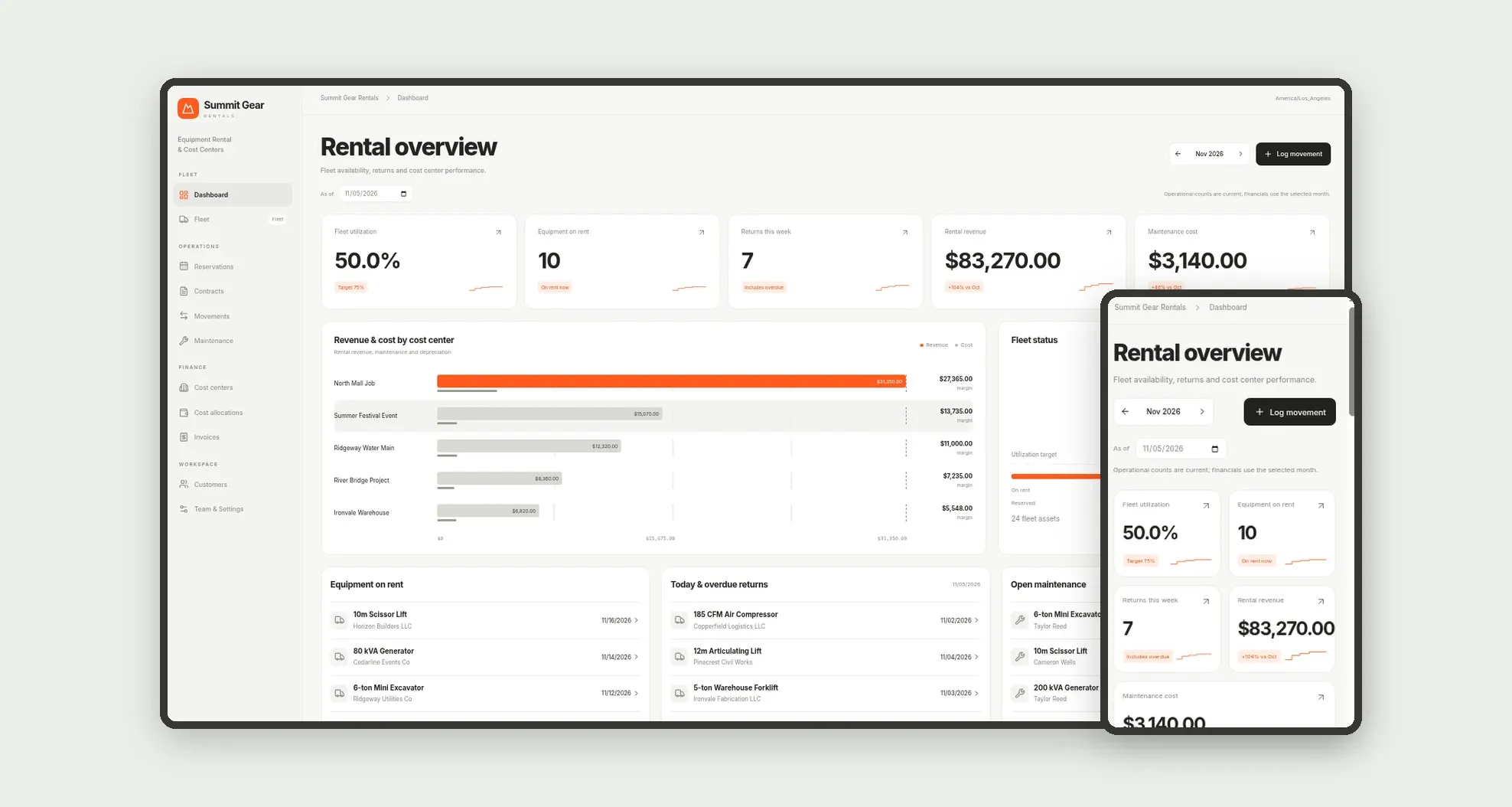
Equipment rental and cost-center management for construction, events and industry: tagged fleet, reservations and contracts, check-out and check-in with photos and hour meter, maintenance, cost allocation and billing. The dashboard shows fleet utilization, equipment on rent, returns this week, revenue and margin by cost center.
Who it's for
- Equipment rental companies for construction and infrastructure
- Event firms managing owned or rented fleets
- Industrial teams allocating machines by project
- Yard dispatchers and field operators
- Fleet maintenance technicians
- Finance teams tracking revenue, maintenance and depreciation
What you can do
- Track the fleet with name, asset tag, hour meter and status
- Reserve equipment by customer, project or cost center
- Issue rental contracts with daily or monthly rates
- Log mobile check-out and check-in with condition and photo
- Open preventive and corrective maintenance orders
- Allocate revenue, maintenance and depreciation by cost center
- Bill the period and track payments
- See fleet utilization, returns this week and margin by cost center
App features
Equipment Rental & Cost Centers
The Equipment Rental & Cost Centers screen covers this part of the operation.
How it works
A reservation ties equipment to a customer.
At departure the dispatcher logs check-out with hour meter and photo; on return, check-in restores the asset to the fleet or sends it to maintenance.
The contract drives invoices and revenue allocations; completed orders and depreciation feed cost by center.
How to set up this template
- 1Click Use App
Create your Jestor account and install Equipment Rental & Cost Centers. It works on desktop and mobile.
- 2A reservation ties equipment to a customer.
A reservation ties equipment to a customer.
- 3At departure the dispatcher logs check-out with hour meter and
At departure the dispatcher logs check-out with hour meter and photo; on return, check-in restores the asset to the fleet or sends it to maintenance.
- 4The contract drives invoices and revenue allocations; completed
The contract drives invoices and revenue allocations; completed orders and depreciation feed cost by center.
Integrations and customization
Works on desktop and mobile. Utilization targets, equipment categories and team roles adapt without code. No external payment or telematics integration is bundled; fleet, movements, maintenance, cost and invoicing run inside the app.
- Adjust fields, categories, statuses and rules without code.
- Add screens, reports and automations as the operation needs them.
And that's just the start: you can edit any part of this template and go much further just by asking Jestor's AI. Describe what you need, like a new field, automation, report or integration, and the AI builds or adjusts it for you, no code required.
Frequently asked questions
Can yard operators use it on a phone?
Yes. The bottom bar covers Dashboard, Fleet, Movements, Maintenance and More, with check-out and check-in built for hour meter, condition and photo.
How is margin by cost center built?
Month allocations add rental revenue and subtract maintenance cost and depreciation per center. The dashboard lists margin so projects and events can be compared.
What is on check-out and check-in?
Date and time, hour meter, condition (excellent to damaged), optional photo and issues. Equipment status becomes On rent at departure and returns to Available (or In maintenance) on return.
Does it include sample data?
Yes. The template ships with settings, team, customers, cost centers, equipment, contracts, reservations, movements, maintenance, allocations, invoices and history already loaded.