What it is
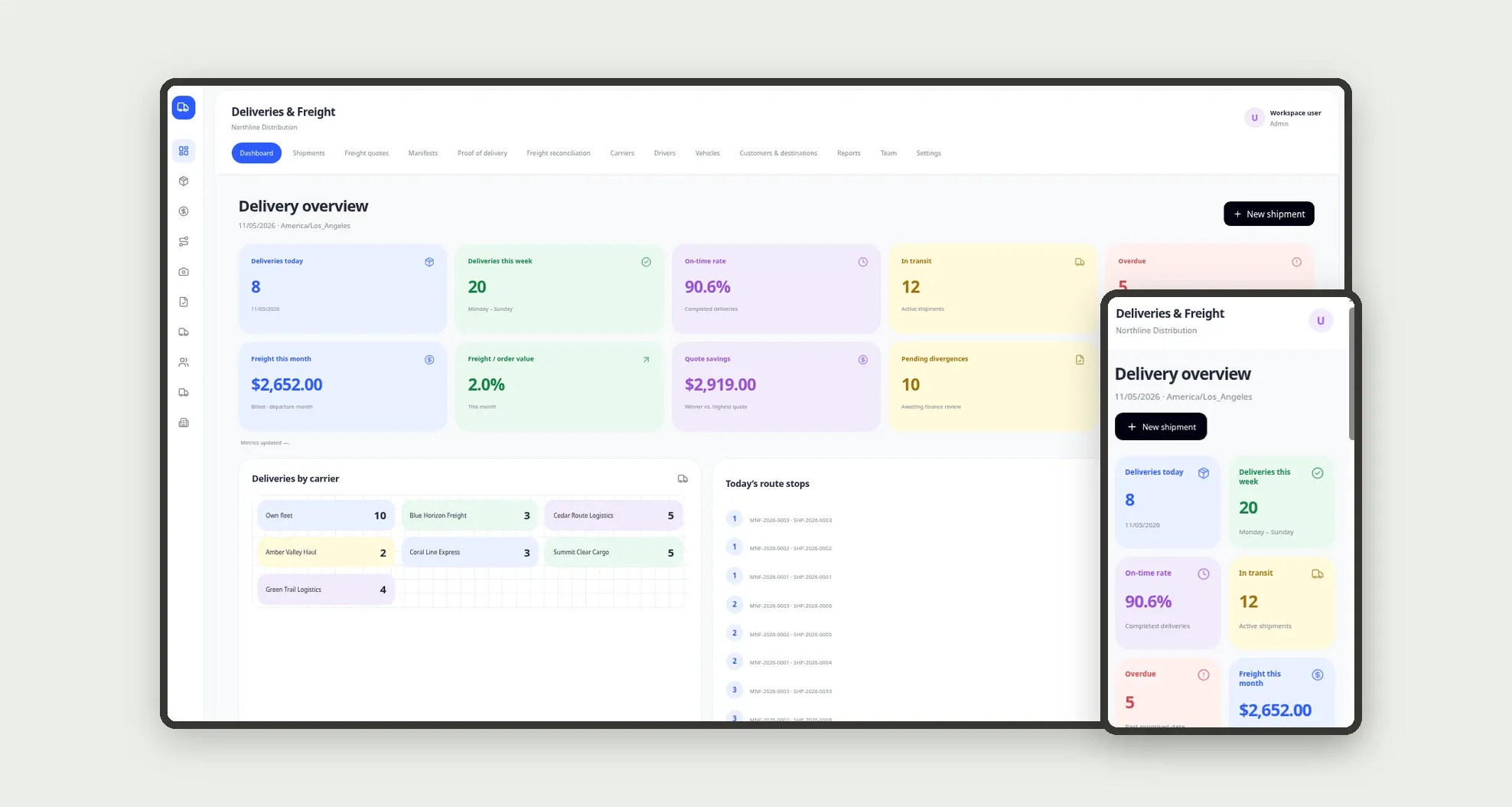
Delivery and freight management for logistics and retail: shipments with invoice and CT-e, multi-carrier quotes, manifests with driver and stops, proof of delivery with photo and occurrences, and quoted-vs-billed freight reconciliation. The dashboard shows deliveries today, on-time rate, quote savings and pending divergences.
Who it's for
- Distributors and logistics operators
- Retailers with own fleet or partner carriers
- Logistics coordinators and dispatchers
- Checkers and drivers who record proof of delivery
- Freight finance teams reconciling CT-e charges
What you can do
- Open shipments linked to the invoice, value, weight and promised date
- Request quotes from several carriers and pick the winner by price and lead time
- Build manifests with driver, vehicle and ordered stops
- Record proof of delivery with receiver, photo and occurrence (absent, refusal, damage)
- Reconcile quoted vs. billed freight per CT-e, with approve or contest
- Track deliveries today and this week, in transit and overdue
- See quote savings and freight as a percent of order value
- Use the mobile POD form and the driver manifest screen
App features
Deliveries & Freight
The Deliveries & Freight screen covers this part of the operation.
How it works
A shipment starts in quoting. The dispatcher collects offers, chooses a carrier and releases pickup.
The coordinator builds the manifest with stops.
On delivery, the POD updates status; finance reconciles the CT-e and approves or contests the difference.
How to set up this template
- 1Click Use App
Create your Jestor account and install Deliveries & Freight. It works on desktop and mobile.
- 2A shipment starts in quoting.
A shipment starts in quoting.
- 3The dispatcher collects offers
The dispatcher collects offers, chooses a carrier and releases pickup.
- 4The coordinator builds the manifest with stops.
The coordinator builds the manifest with stops.
Integrations and customization
Works on desktop and mobile. On-time and freight targets, occurrence types and team roles adapt without code. No external tracking integration is bundled; quoting, manifest, POD and reconciliation run inside the app.
- Adjust fields, categories, statuses and rules without code.
- Add screens, reports and automations as the operation needs them.
And that's just the start: you can edit any part of this template and go much further just by asking Jestor's AI. Describe what you need, like a new field, automation, report or integration, and the AI builds or adjusts it for you, no code required.
Frequently asked questions
Can drivers use it on a phone?
Yes. The bottom bar covers Dashboard, Shipments, Manifests, POD and More, with a quick proof-of-delivery form.
How do multi-carrier quotes work?
Each shipment can hold several quotes with price and lead time. Choosing a winner stores quoted freight and the carrier on the shipment and discards the rest.
What does freight reconciliation cover?
It compares quoted freight to the billed CT-e amount, stores the difference and lets finance approve or contest with a reason.
Does it include sample data?
Yes. The template ships with settings, team, customers, carriers, drivers, vehicles, shipments, quotes, manifests, stops, proofs of delivery, reconciliations and history already loaded.