What it is
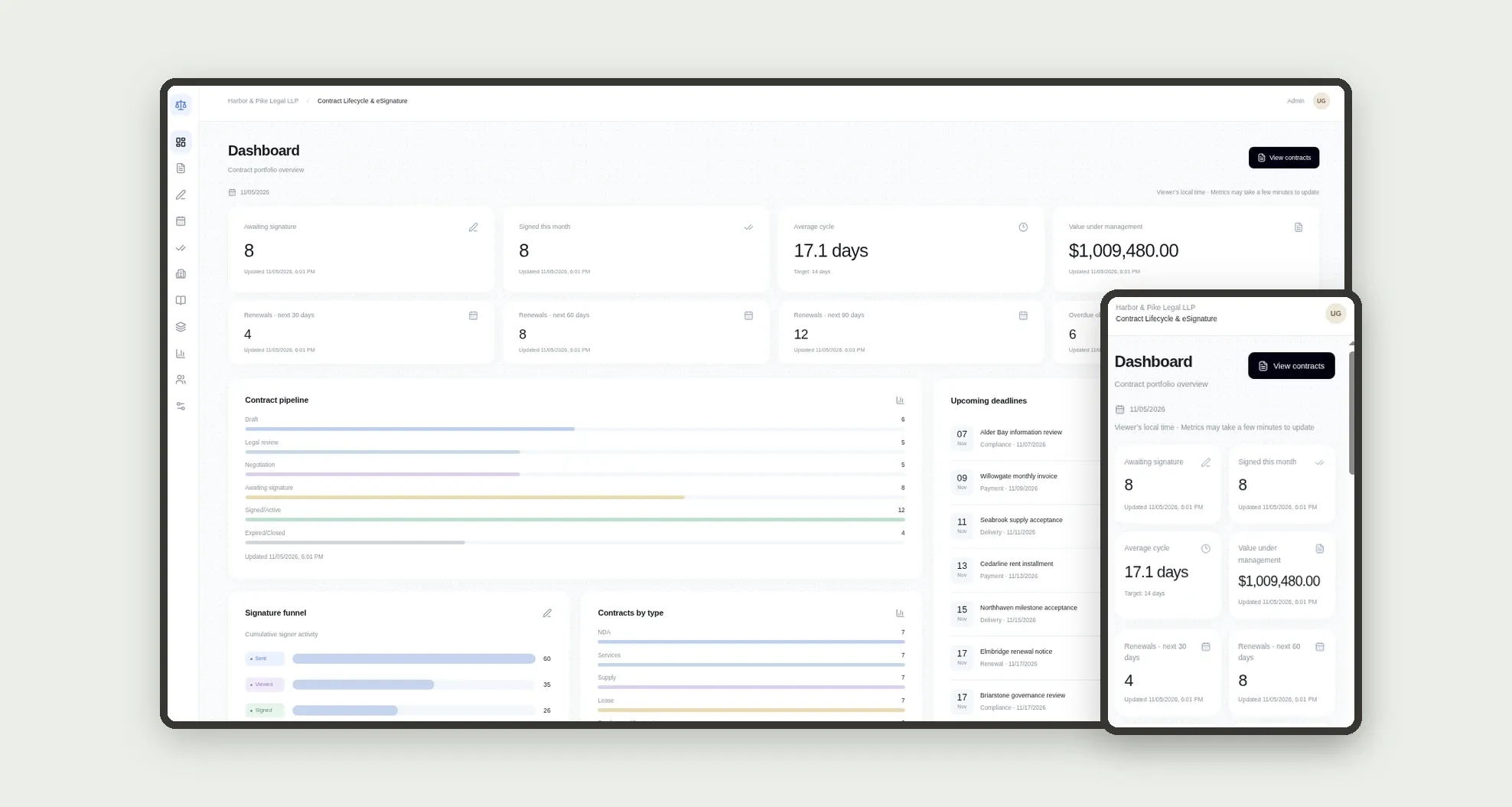
A DocuSign-like CLM for legal teams: contracts with counterparty, type, value and term move through the pipeline to e-signature, with clauses, approvals, envelopes, signers, versions and obligations. The dashboard shows cycle time, value under management, renewals and deadlines.
Who it's for
- Law firms and in-house legal teams
- Attorneys and paralegals who draft and negotiate contracts
- Finance approvers and partners who clear deal value
- Operations teams tracking obligations and renewals
- Teams leaving spreadsheets and scattered email behind
What you can do
- Log contracts with counterparty, type, value and term dates
- Move the pipeline: Draft, Legal review, Negotiation, Awaiting signature, Signed/Active, Expired/Closed
- Send signature envelopes with ordered signers and live status
- Approve or reject contracts in the approvals inbox
- Reuse clauses from the library and log versions with redlines
- Track obligations, renewal notices and overdue deadlines
- See average cycle time, the signature funnel, value under management and renewals on the dashboard
- Work on mobile with a bottom bar for contracts, signatures and obligations
App features
Contract Lifecycle & eSignature
The Contract Lifecycle & eSignature screen covers this part of the operation.
How it works
A contract starts as a draft with a counterparty and owner. Legal review adds approvals and versions.
Sending for signature creates the envelope and ordered signers.
When everyone signs, the contract becomes active, cycle days are stored and follow-up obligations are created.
How to set up this template
- 1Click Use App
Create your Jestor account and install Contract Lifecycle & eSignature. It works on desktop and mobile.
- 2A contract starts as a draft with a counterparty and owner.
A contract starts as a draft with a counterparty and owner.
- 3Legal review adds approvals and versions.
Legal review adds approvals and versions.
- 4Sending for signature creates the envelope and ordered signers.
Sending for signature creates the envelope and ordered signers.
Integrations and customization
Works on desktop and mobile. Renewal alerts, minimum approval value, contract types and team roles adapt without code. No external e-signature provider ships ready; the envelope flow runs inside the app.
- Adjust fields, categories, statuses and rules without code.
- Add screens, reports and automations as the operation needs them.
And that's just the start: you can edit any part of this template and go much further just by asking Jestor's AI. Describe what you need, like a new field, automation, report or integration, and the AI builds or adjusts it for you, no code required.
Frequently asked questions
Can we use it only on mobile?
Yes. The bottom bar covers Dashboard, Contracts, Signatures, Obligations and More, with contract detail and send-for-signature designed for day-to-day use.
Is the status pipeline fixed?
Default stages run from Draft to Expired/Closed. Contract types, clause categories and envelope roles ship as editable lists on the tables.
How does the signature envelope work?
Send for signature creates the envelope and ordered signers. Each moves through Sent, Viewed and Signed; when all sign, the contract becomes Signed/Active.
Is there sample data?
Yes. The template ships with settings, team, counterparties, clauses, contracts, approvals, envelopes, signers, versions, obligations and history already loaded.