What it is
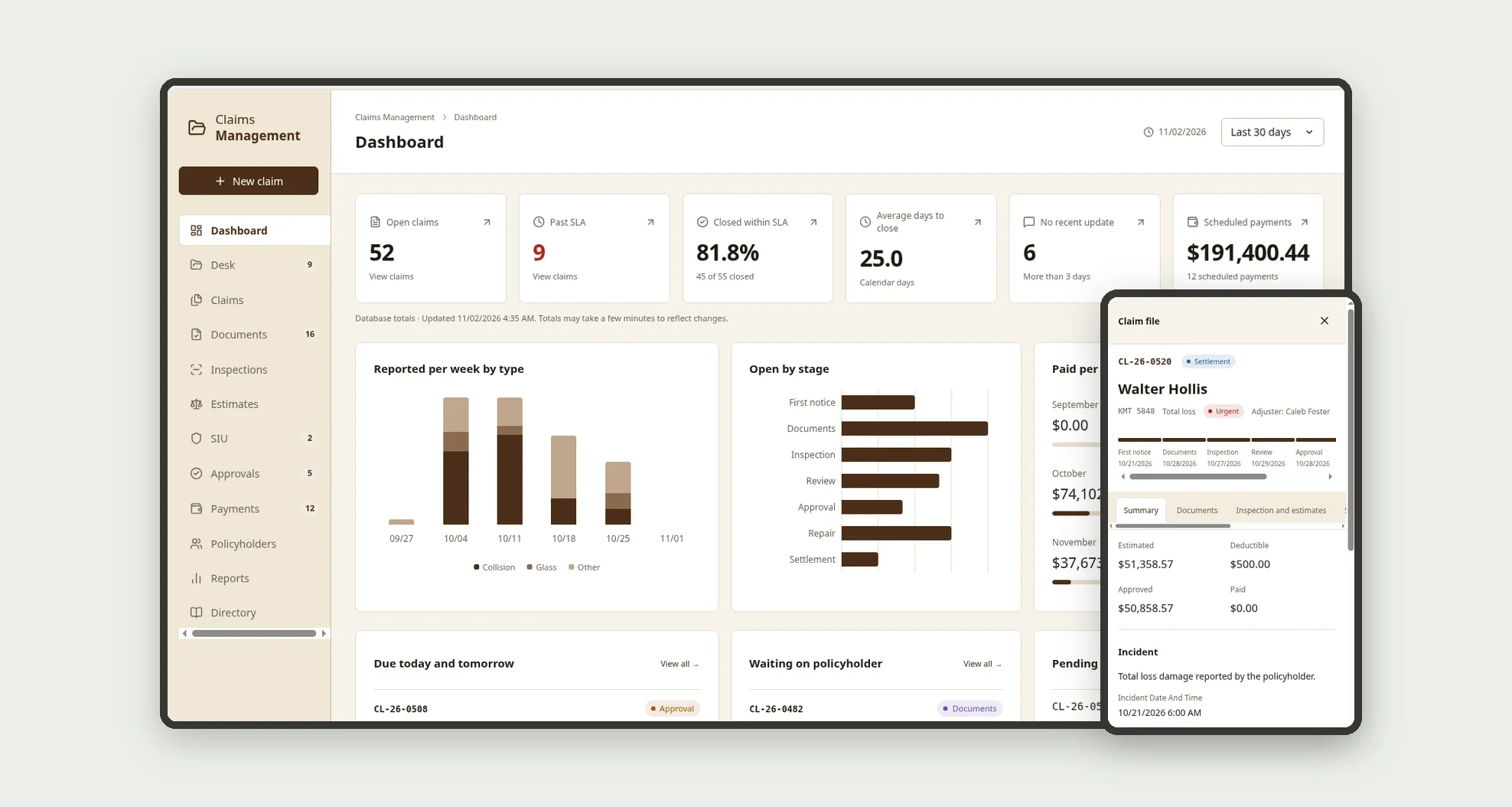
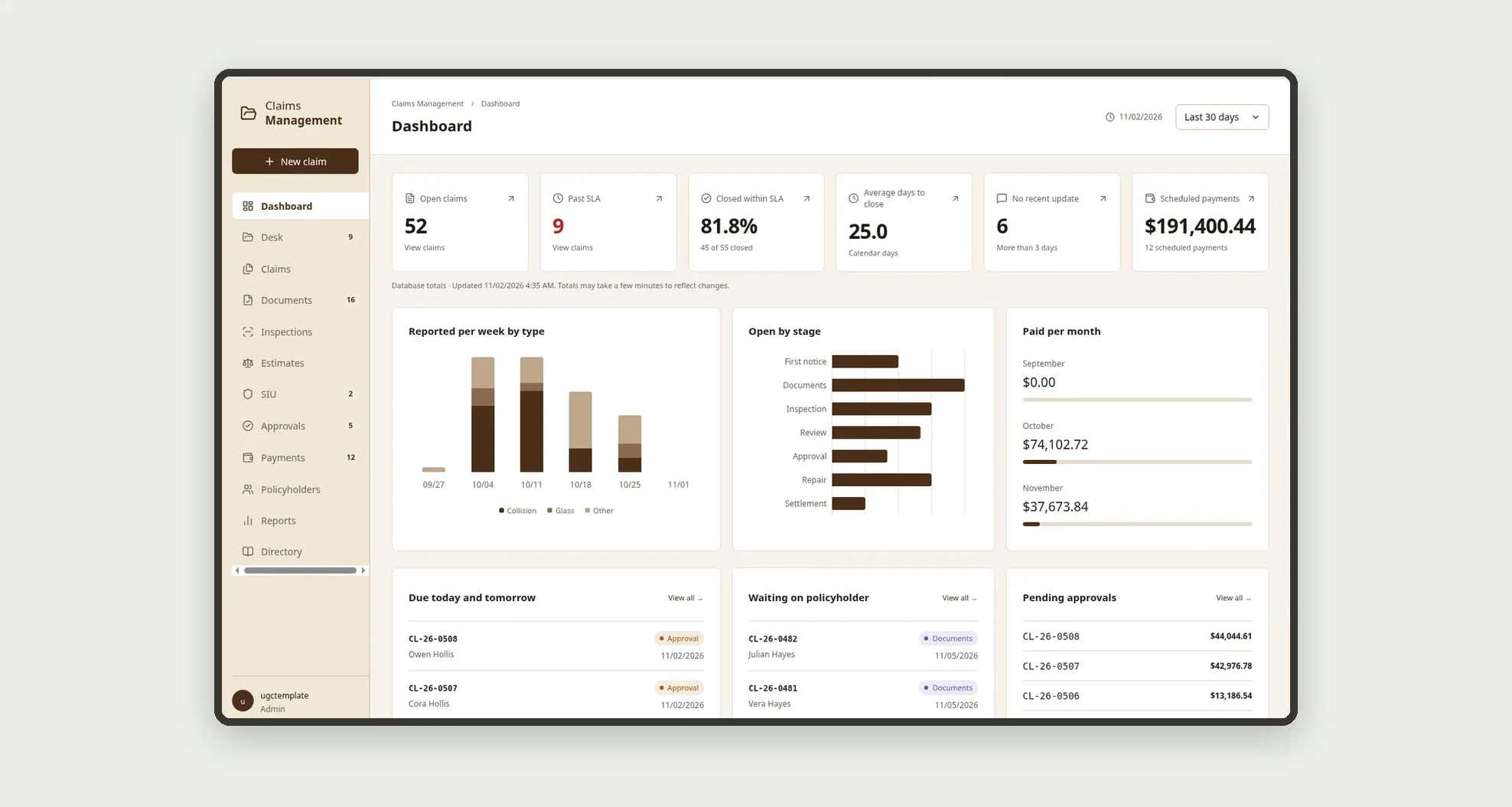
A template for small mutual auto insurers and claims teams to follow every claim from first notice to close in one claim file: a document checklist by claim type, an SLA per stage, inspection and repair estimates side by side, SIU investigation, management approval above the limit, payments and updates to the policyholder. The Desk shows at a glance which claims are close to missing their SLA and which are waiting on documents from the policyholder.
Who it's for
- Small mutual auto insurers and carriers that handle their own claims
- Agencies and brokers with an in-house claims desk
- Adjusters who review documents and carry each claim through to close
- Appraisers and SIU investigators who record findings, photos and results
- Management and finance teams that approve amounts above the limit and schedule payments
What you can do
- Open a claim in 3 steps on a phone (policyholder and vehicle, what happened, photos), finding the policyholder by name, policy number or plate
- Create each claim's document checklist automatically from the rules for its type (Collision, Glass, Theft, Vandalism, Total loss, Weather, Third-party liability)
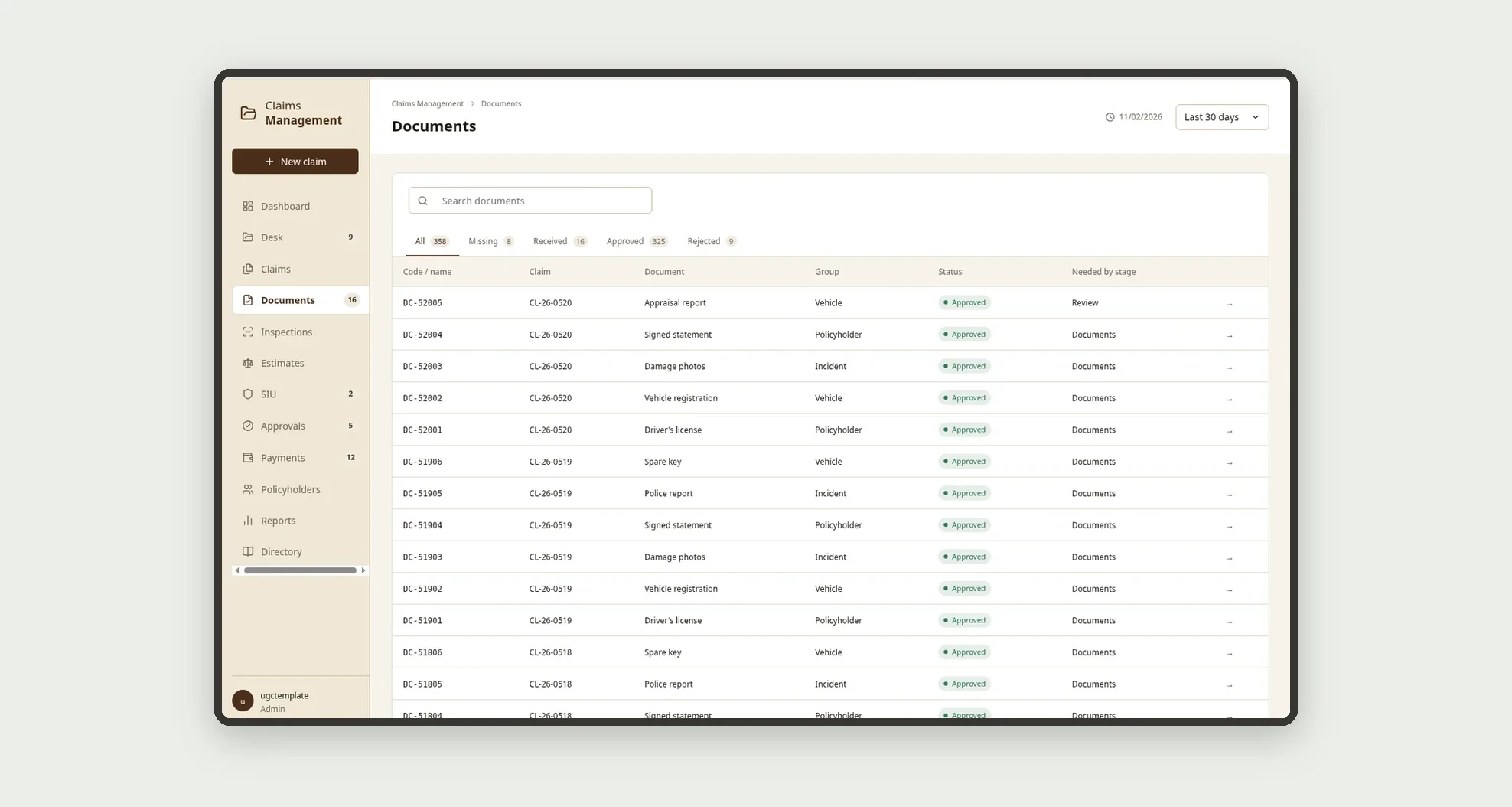
- Approve or reject documents with a reason, flagging the claim as "Waiting on policyholder" until the file arrives
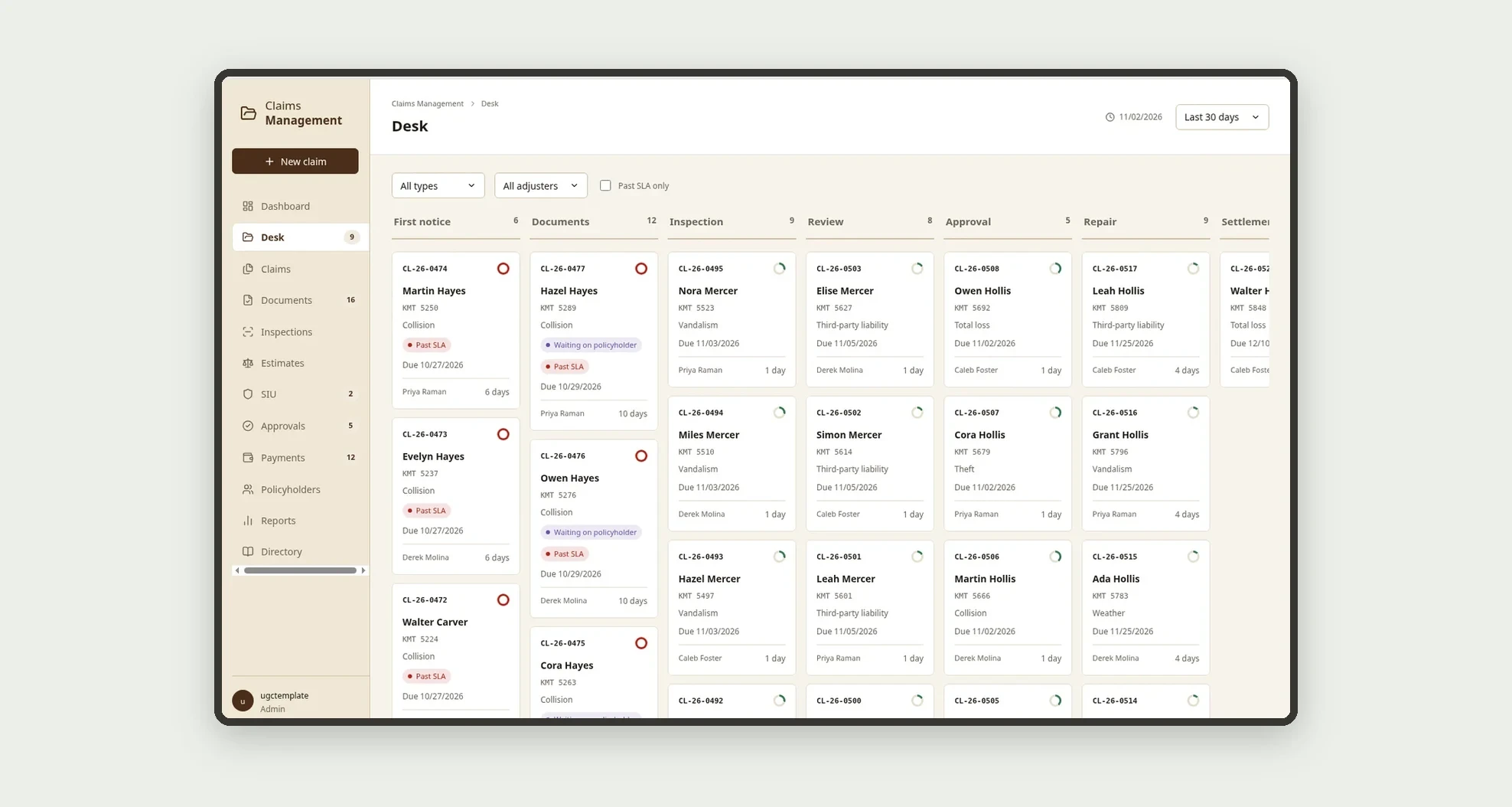
- Follow open claims on the Desk, with columns from First notice to Settlement and an SLA clock on every card
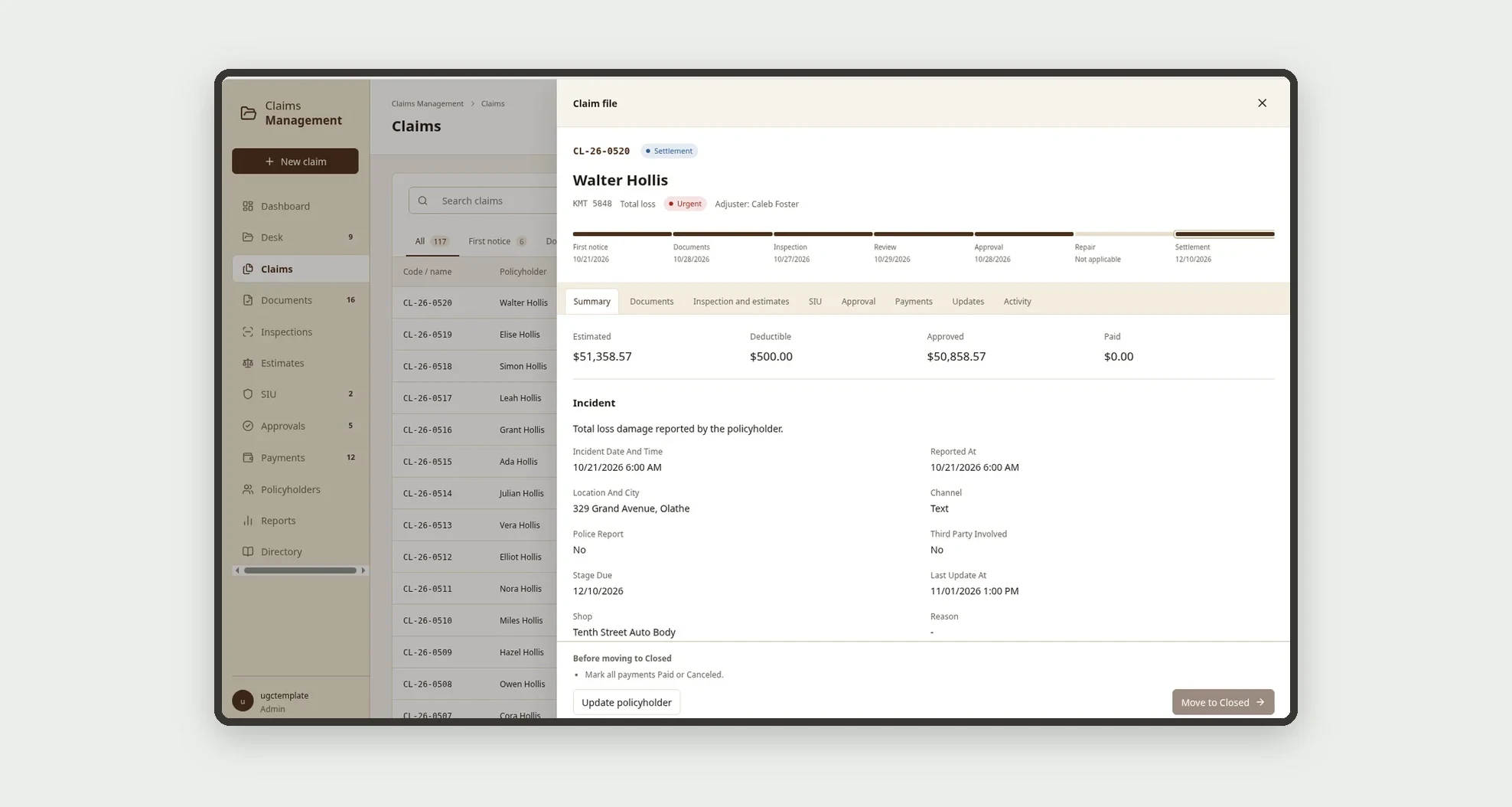
- Open the claim file with a stage rail, folder tabs (Summary, Documents, Inspection and estimates, SIU, Approval, Payments, Updates, Activity) and a "Move to <next stage>" button that says what is missing
- Compare shop estimates side by side, with the lowest highlighted, and apply the policy deductible (or the glass deductible)
- Send amounts above the approval limit to Management to approve, approve with a change or reject with a note
- Schedule and mark payments to shops, policyholders, third parties and towing as paid, and log every update sent to the policyholder
App features
Dashboard
The Dashboard screen covers this part of the operation.
Desk
Follow open claims on the Desk, with columns from First notice to Settlement and an SLA clock on every card.
Claims
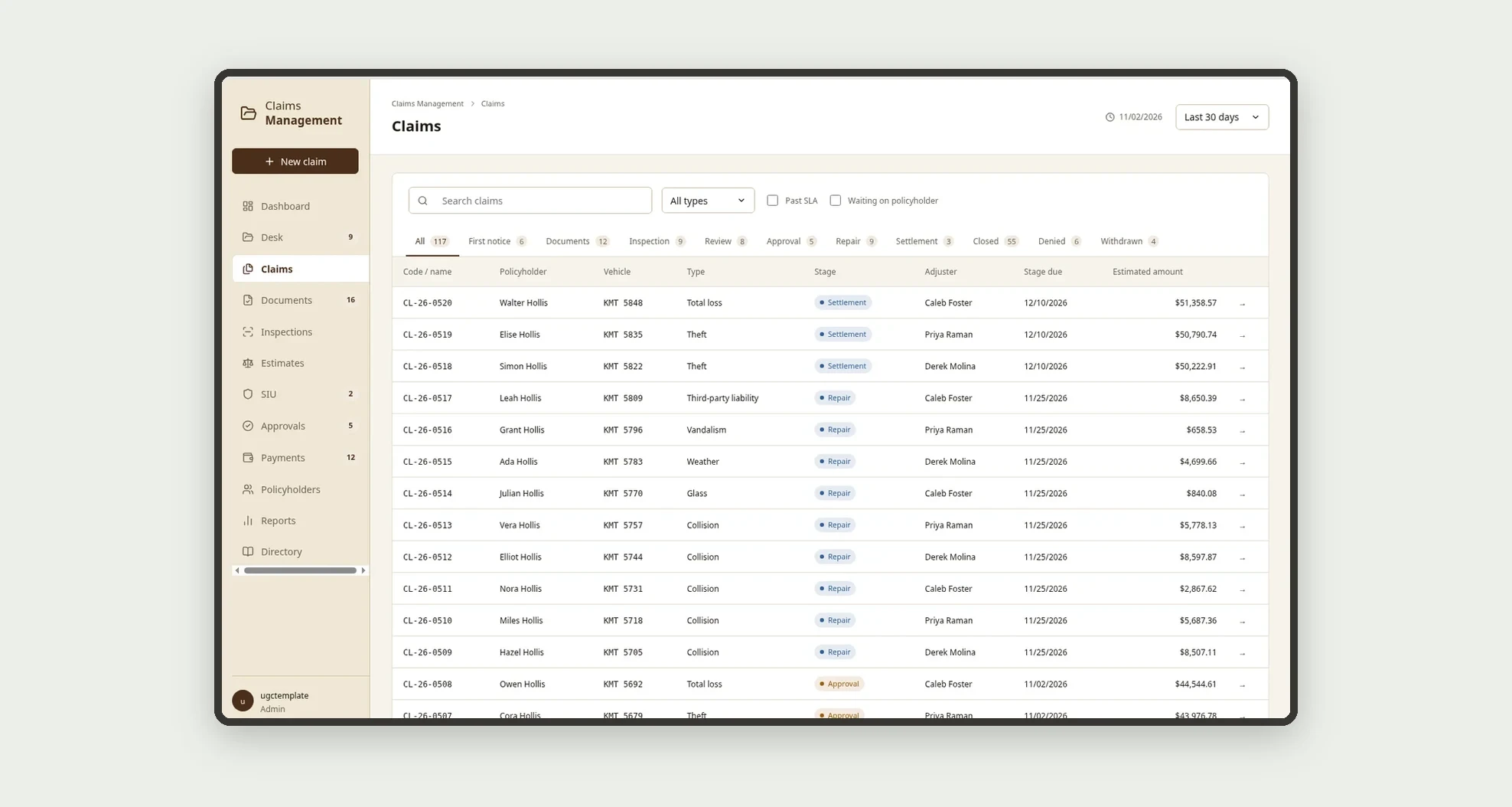
Follow open claims on the Desk, with columns from First notice to Settlement and an SLA clock on every card.
Documents
Approve or reject documents with a reason, flagging the claim as "Waiting on policyholder" until the file arrives.
Inspections
The Inspections screen covers this part of the operation.
Estimates
Compare shop estimates side by side, with the lowest highlighted, and apply the policy deductible (or the glass deductible).
SIU
The inspection records the finding and the estimated amount; a possible fraud finding opens an SIU investigation and holds the claim in Review.
Approvals
The Approvals screen covers this part of the operation.
Payments
After approval, the claim goes to Repair (selected estimate and shop) or Settlement (theft or total loss) and the payments are scheduled.
Policyholders
Schedule and mark payments to shops, policyholders, third parties and towing as paid, and log every update sent to the policyholder.
Reports
The Reports screen covers this part of the operation.
Directory
In Directory, fill in the company settings (approval limit, glass deductible, days without an update before an alert), the team, the stages and SLAs, the document rules and the shops and vendors.
How it works
In Directory, fill in the company settings (approval limit, glass deductible, days without an update before an alert), the team, the stages and SLAs, the document rules and the shops and vendors. When a claim is opened, the app creates its missing documents from the type's rules, sets the First notice due date and marks the vehicle as In claim.
The claim moves through First notice, Documents, Inspection, Review and Approval, and only advances when the required documents for the stage are approved. The inspection records the finding and the estimated amount; a possible fraud finding opens an SIU investigation and holds the claim in Review.
After approval, the claim goes to Repair (selected estimate and shop) or Settlement (theft or total loss) and the payments are scheduled. Once every payment is paid or canceled, the claim is closed and the app records the days to close and whether it closed within SLA. "Update policyholder" on every stage suggests the standard message and saves the last update.
How to set up this template
- 1Click Use App
Create your Jestor account and install Claims Management. It works on desktop and mobile.
- 2In Directory
In Directory, fill in the company settings (approval limit, glass deductible, days without an update before an alert), the team, the stages and SLAs, the document rules and the shops and vendors.
- 3When a claim is opened
When a claim is opened, the app creates its missing documents from the type's rules, sets the First notice due date and marks the vehicle as In claim.
- 4The claim moves through First notice
The claim moves through First notice, Documents, Inspection, Review and Approval, and only advances when the required documents for the stage are approved.
Integrations and customization
The template works on desktop and mobile and can be adapted without code.
- Works on desktop and mobile; New claim is designed to record the first notice on the spot, with photos
- Follows the Jestor light or dark mode automatically
- Admin, Adjuster, Appraiser, SIU, Management and Finance roles control what each person sees
- The approval limit, deductibles, SLAs per stage, standard messages, document rules and fields can be adjusted without code
And that's just the start: you can edit any part of this template and go much further just by asking Jestor's AI. Describe what you need, like a new field, automation, report or integration, and the AI builds or adjusts it for you, no code required.
Frequently asked questions
How does the app know which documents to request?
Each claim type has its own rules in Document rules. When a claim is opened, the app creates the missing documents for that type, for example the police report and spare key for a theft.
When is a claim past SLA?
When it is open and the due date of its current stage, counted in business days from Stages and SLAs, has passed. The Desk warns earlier, in amber, when the stage reaches the alert percentage.
How is the approved amount calculated?
It is the selected repair estimate, or the vehicle's actual cash value for a settlement, minus the policy deductible. Glass claims use the glass deductible from Company settings.
Who approves large amounts?
Up to the approval limit, the adjuster approves. Above it, the app creates a pending approval that only Management or the Admin can decide.
Can I use the template with the sample data?
Yes. The data is fictitious and lets you explore the app before adding your own company.