What it is
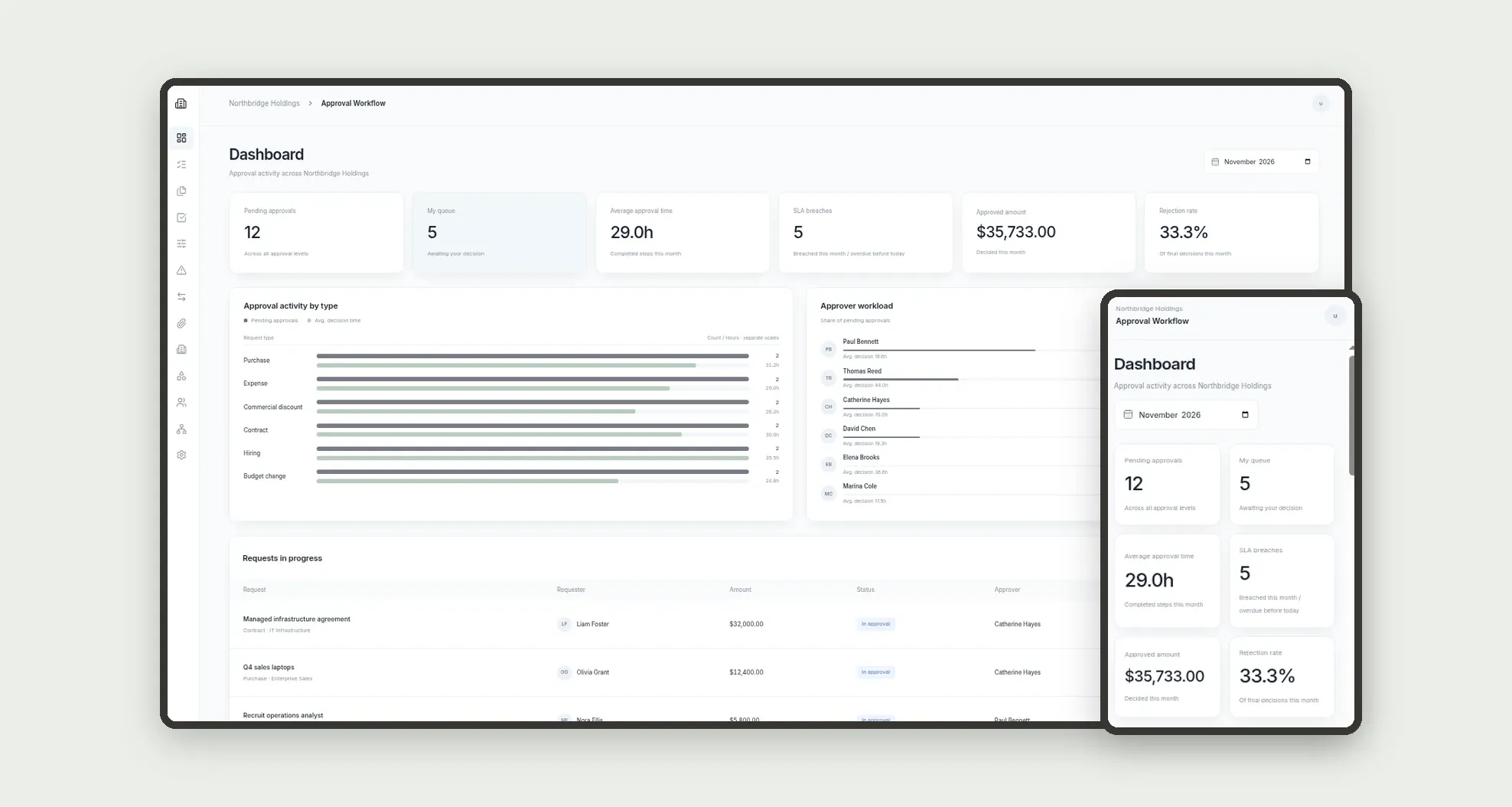
Multi-level approval workflow for purchases, expenses, discounts, contracts, hiring and budget changes: rules by type and amount, steps with SLA and escalation, delegations, attachments and audit. The dashboard shows the queue, average time, SLA breaches, approved amount this month and bottlenecks by type and approver.
Who it's for
- Mid-size companies with formal purchase and expense authority
- Managers, directors and CFOs who approve by level and amount
- Finance teams tracking approved amount and rejection rate
- HR validating hiring and headcount budget changes
- Requesters in any area who need status visibility
- Operators who approve or reject on a phone
What you can do
- Open requests with type, amount, cost center and attachments
- Apply rules by type and amount band (manager, director, CFO)
- Log decision, comment and timestamp on every step
- Meet per-level SLAs and escalate when the deadline passes
- Delegate approvals during out-of-office periods
- See personal queue, pending work and bottlenecks by type and approver
- Track approved amount this month and rejection rate
- Approve or reject on mobile with a comment
App features
Approval Workflow
The Approval Workflow screen covers this part of the operation.
How it works
A request arrives with type and amount. The rule sets how many levels run and each level's SLA.
The approver decides on the step; if the deadline passes, escalation moves to the next role.
Active delegations redirect the queue; attachments and history close the audit trail.
How to set up this template
- 1Click Use App
Create your Jestor account and install Approval Workflow. It works on desktop and mobile.
- 2A request arrives with type and amount.
A request arrives with type and amount.
- 3The rule sets how many levels run and each level's SLA.
The rule sets how many levels run and each level's SLA.
- 4The approver decides on the step; if the deadline passes
The approver decides on the step; if the deadline passes, escalation moves to the next role.
Integrations and customization
Works on desktop and mobile. SLAs, amount bands, request types and roles adapt without code. No external email or e-signature integration is bundled; the workflow, mobile queue and audit run inside the app.
- Adjust fields, categories, statuses and rules without code.
- Add screens, reports and automations as the operation needs them.
And that's just the start: you can edit any part of this template and go much further just by asking Jestor's AI. Describe what you need, like a new field, automation, report or integration, and the AI builds or adjusts it for you, no code required.
Frequently asked questions
Can approvers decide on a phone?
Yes. The bottom bar covers Dashboard, My queue, Requests, Approve and More, with large Approve and Reject buttons and a required comment on reject.
How does the rule pick the level?
By type and amount band. Low bands need only the manager; mid bands add the director; high bands reach the CFO, each with its own SLA.
What happens when an SLA breaches?
The step flags the breach, opens an escalation to the next role and the request may move to Escalated until someone decides.
Does it include sample data?
Yes. The template ships with settings, team, cost centers, types, rules, requests, steps, escalations, delegations, attachments, departments and history already loaded.