What it is
An operations app for creative and marketing agencies that runs clients, jobs, deliverables and billing in one place. Briefs, estimates, client review rounds, timesheets, capacity planning and invoices keep every job on schedule, on budget and profitable.
Who it's for
- Creative, branding and marketing agencies
- Studios that run retainers alongside fixed fee projects
- Account and project managers who handle client approvals
- Agency owners who track margin, utilization and receivables
What you can do
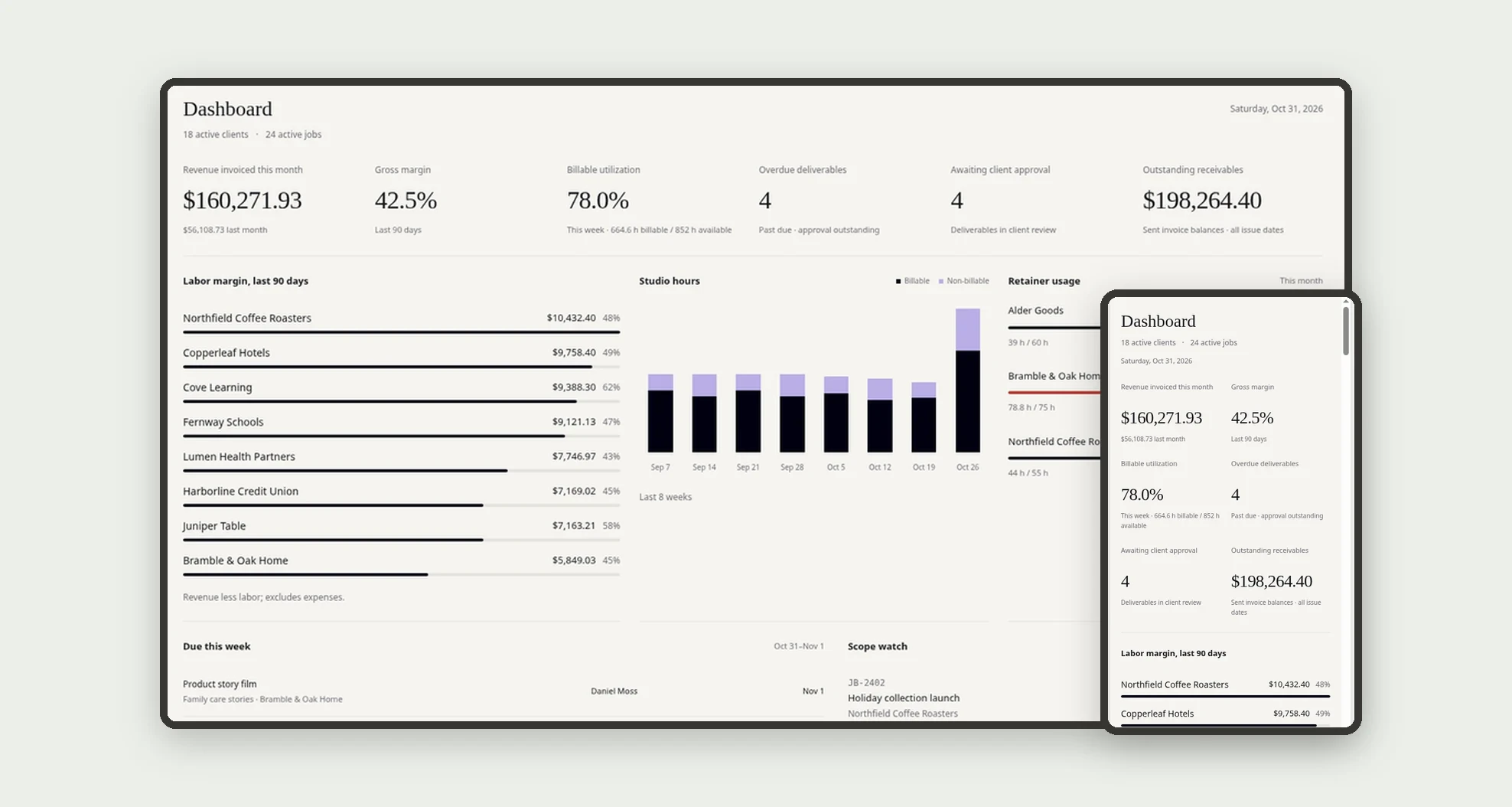
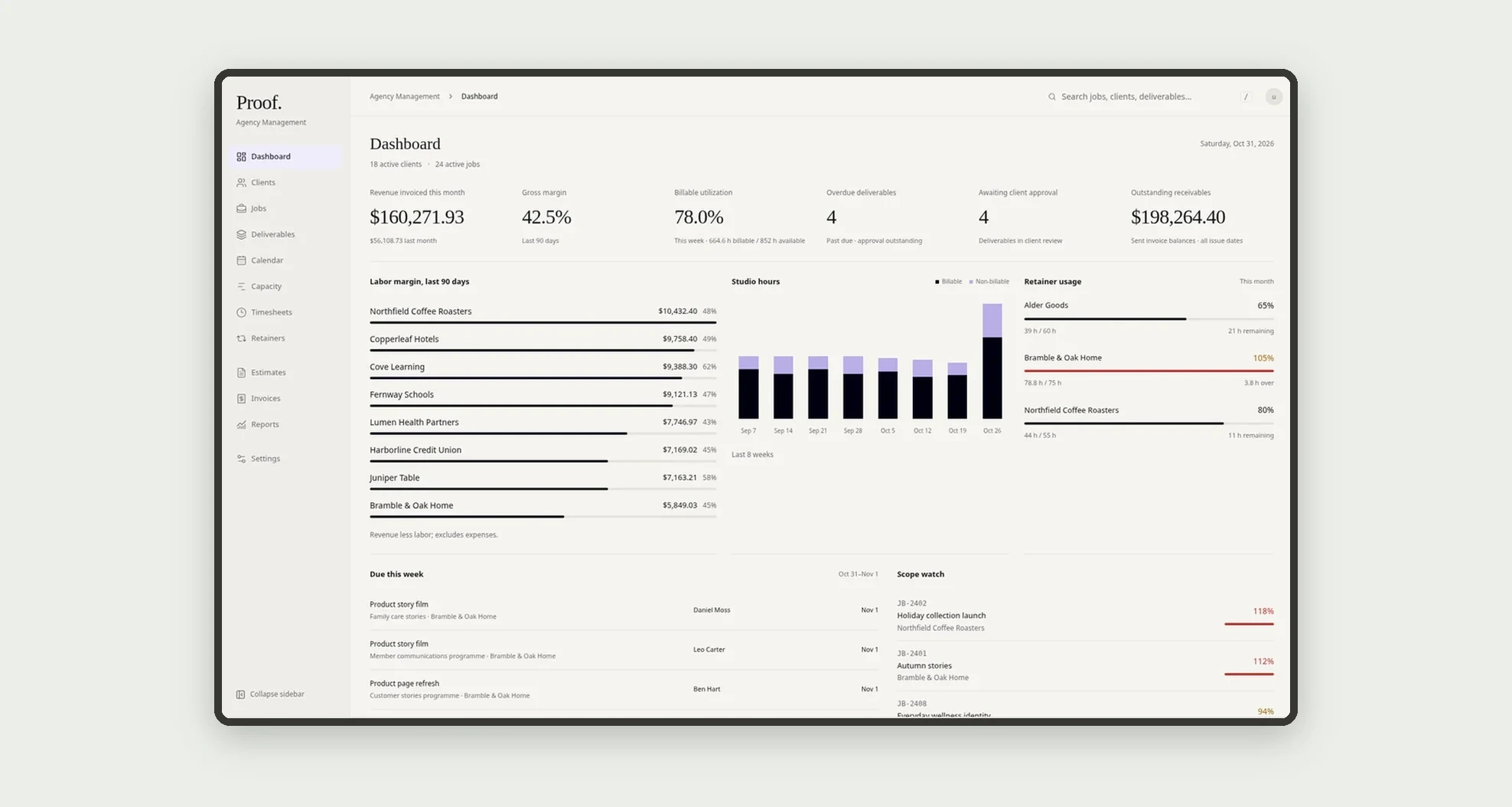
- See revenue invoiced, gross margin, billable utilization, overdue deliverables, items awaiting client approval and outstanding receivables on the dashboard
- Follow labor margin by client, billable vs non-billable studio hours, retainer usage, what is due this week and which jobs are over scope
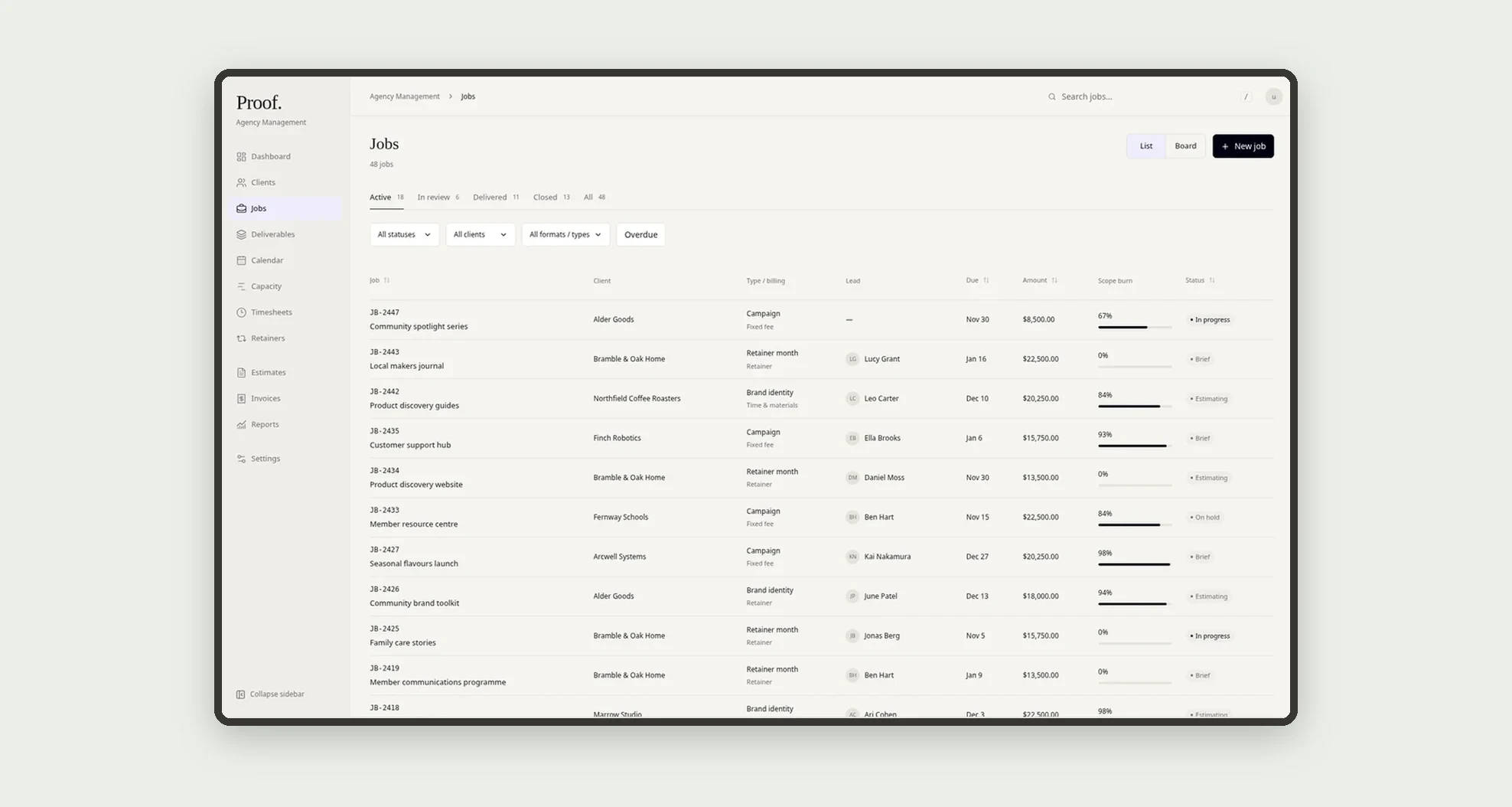
- Track jobs with fixed fee or retainer budgets, from brief and estimate to delivery
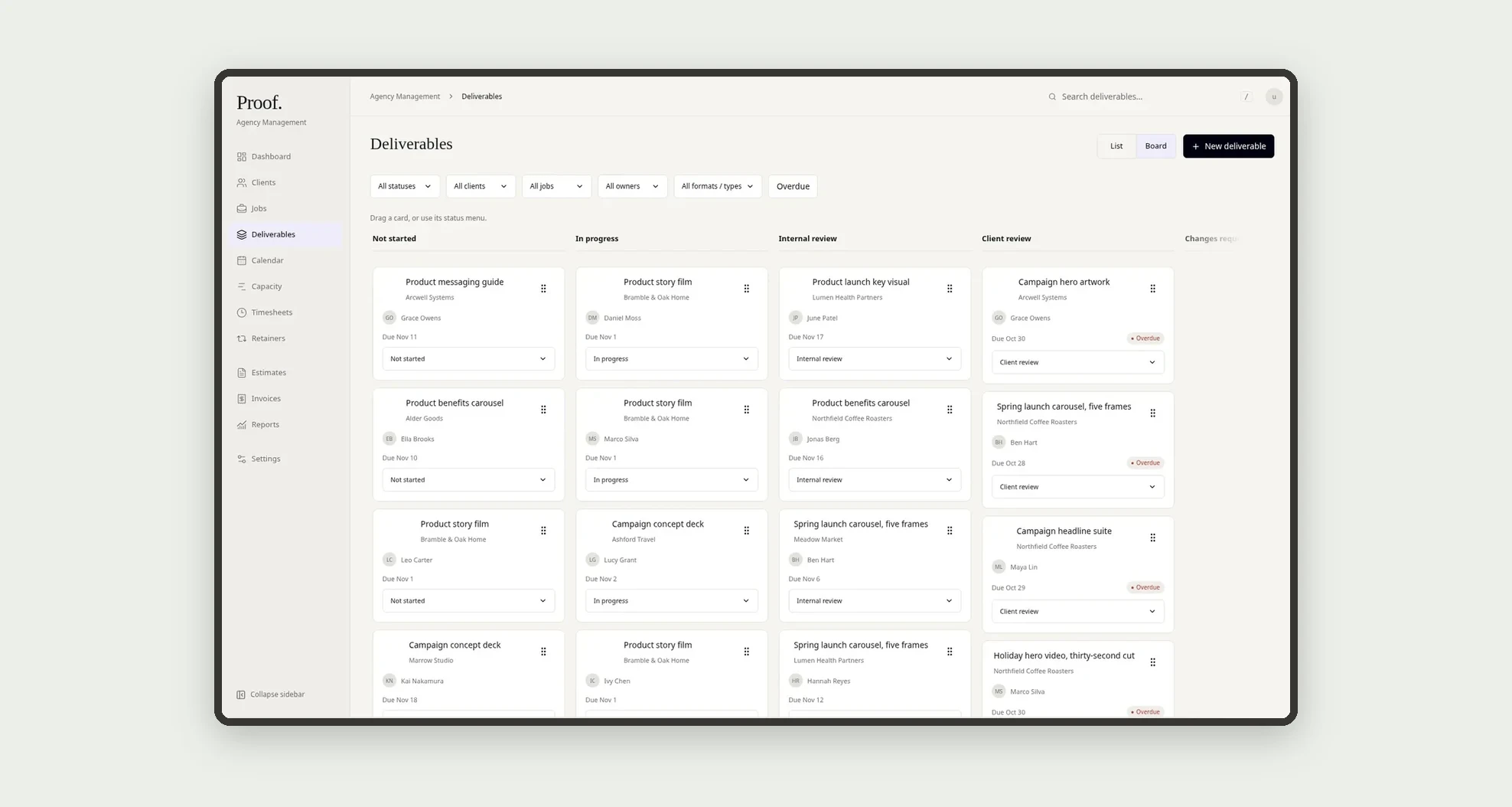
- Move deliverables between statuses with drag and drop on the board, or work from the list
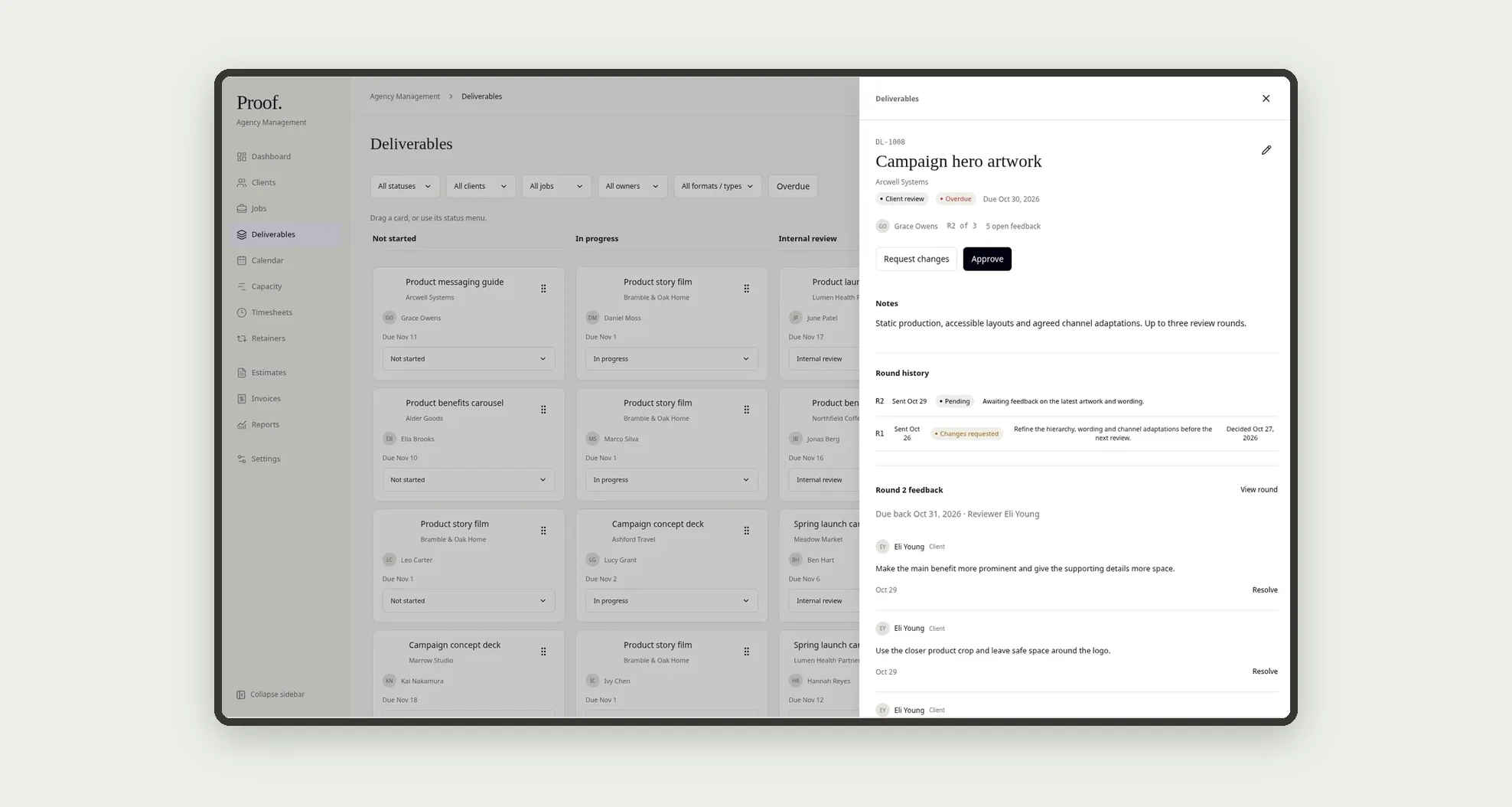
- Run client review rounds (R1, R2, R3) with feedback comments, then approve or request changes
- Plan team capacity, view the calendar and log hours in a weekly timesheet
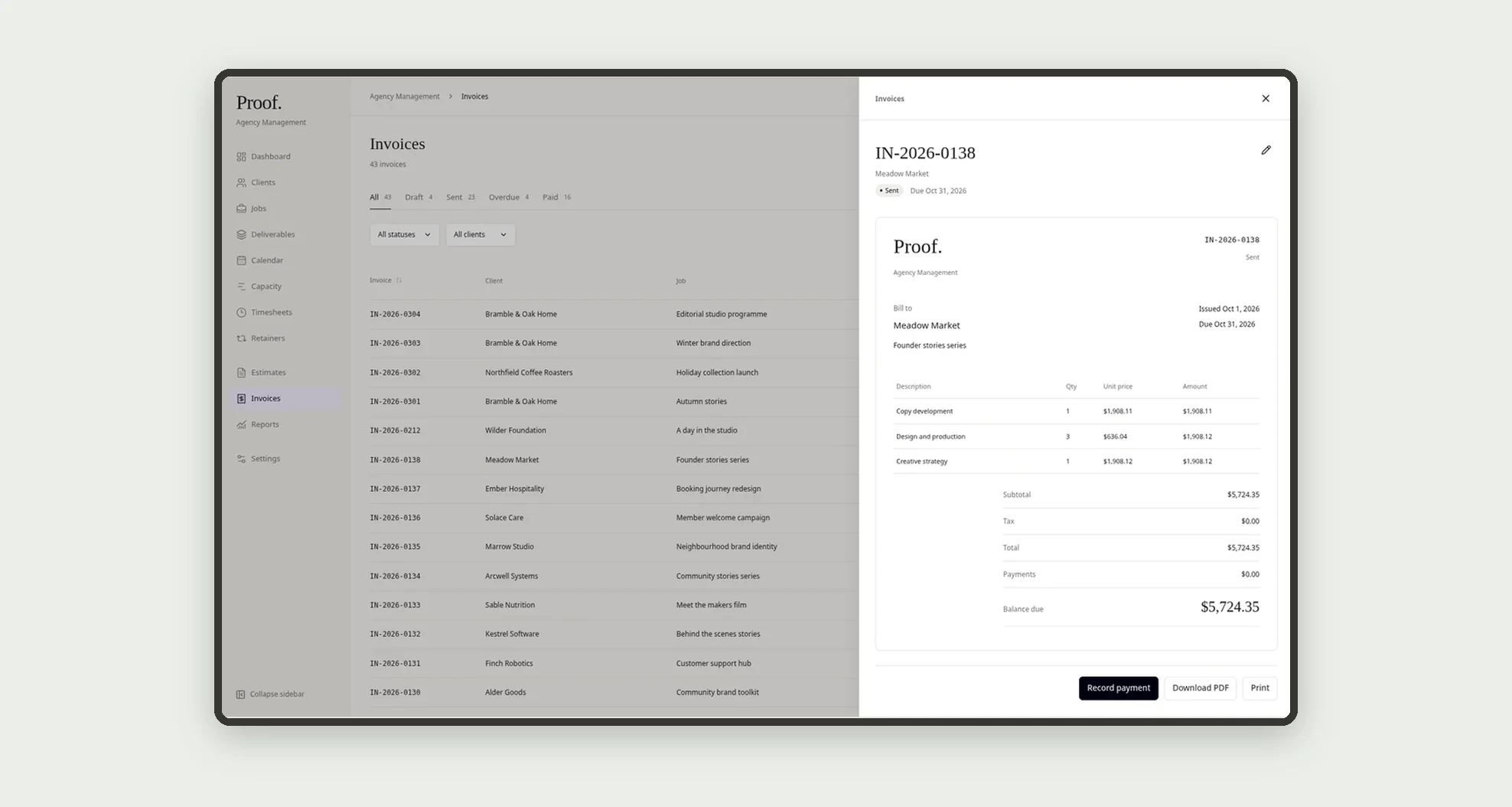
- Create invoices with line items, download the PDF or print it, and record payments
- Log job expenses, plan content posts and review profitability by client in reports
App features
Dashboard
Use the dashboard and reports to check margin, utilization and scope.
Clients
Add clients, contacts and any retainers with their monthly hours.
Jobs
Track jobs with fixed fee or retainer budgets, from brief and estimate to delivery.
Deliverables
Move deliverables across the board and send them to the client for review rounds.
Calendar
Plan the work in capacity and the calendar, and create the deliverables.
Capacity
Plan the work in capacity and the calendar, and create the deliverables.
Timesheets
Log hours in timesheets and expenses on the job.
Retainers
Add clients, contacts and any retainers with their monthly hours.
Estimates
The Estimates screen covers this part of the operation.
Invoices
Create invoices with line items, download the PDF or print it, and record payments.
Reports
Log job expenses, plan content posts and review profitability by client in reports.
Settings
The Settings screen covers this part of the operation.
How it works
Add clients, contacts and any retainers with their monthly hours. Open a job, write the brief and build the estimate with its lines. Plan the work in capacity and the calendar, and create the deliverables.
Move deliverables across the board and send them to the client for review rounds. Log hours in timesheets and expenses on the job.
Invoice the job, send the PDF and record the payment. Use the dashboard and reports to check margin, utilization and scope.
How to set up this template
- 1Click Use App
Create your Jestor account and install Agency Management. It works on desktop and mobile.
- 2Add clients
Add clients, contacts and any retainers with their monthly hours.
- 3Open a job
Open a job, write the brief and build the estimate with its lines.
- 4Plan the work in capacity and the calendar
Plan the work in capacity and the calendar, and create the deliverables.
Integrations and customization
Works on desktop and mobile and follows the Jestor dark mode. Clients, job types, deliverable statuses, staff and leave can be changed without code, and you can add fields, tables and automations to fit your agency.
- Adjust fields, categories, statuses and rules without code.
- Add screens, reports and automations as the operation needs them.
And that's just the start: you can edit any part of this template and go much further just by asking Jestor's AI. Describe what you need, like a new field, automation, report or integration, and the AI builds or adjusts it for you, no code required.
Frequently asked questions
Does it handle both retainers and project work?
Yes. Each job has a fixed fee or retainer budget, and the dashboard shows how many retainer hours each client has used.
How do client approvals work?
Each deliverable goes through review rounds R1, R2 and R3. The client leaves feedback comments, and the round is approved or sent back with changes requested.
Can I see if a job is going over budget?
Yes. Scope watch on the dashboard shows the jobs that are burning their budget fastest.
Can I send invoices to clients?
Yes. Invoices have line items and can be downloaded as a PDF or printed, and payments are recorded against them.
Does it come with sample data?
Yes. It includes fictitious clients, jobs, deliverables, timesheets and invoices in USD.